



Image different outside of Photoshop if "proof colors" is unchecked
Photoshop CC 2017
When working with a particularly dark image, I noticed something that I have not noticed before - my images are a bit different in the Photoshop environment than anywhere else, including in Windows Photos, in my browser, and most importantly, in my game development engine, Unity.
Getting my image in Photoshop to look exactly the same as it does in any other environment requires me to do two things:
1. View -> Proof Setup -> Monitor RGB
2. Checking View -> Proof Colors to ON
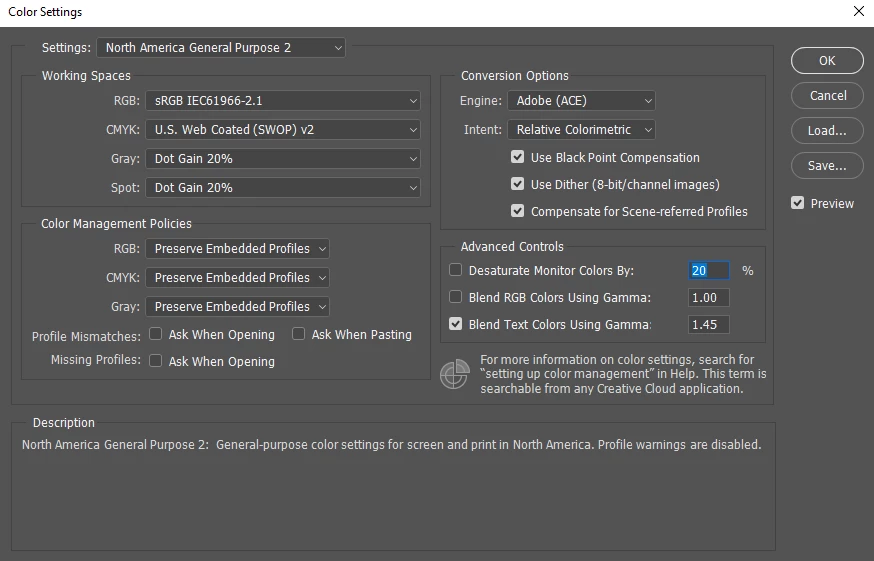
My color settings are already North America General Purpose 2, sRGB IEC61966-2.1. I don't think I've ever touched this default setting. I also noticed that my Proof Setup setting was set to Working CMYK, but because Proof Colors was always unchecked, it did not seem to make a difference. Is this the default setting?
From what I've read, it seems like I should NOT be working with Proof Colors on. But this setting is what gets my Photoshop image in Photoshop to look like its target environment, which is in Unity, online, just within Windows, etc.
What am I doing wrong?
Here are my settings below:
 AdChoices