


Inaccurate histogram in Properties panel (Levels and Curves) Photoshop 2024
This bug is in Photoshop 2024. At first I tolerated it, assuming that it would be quickly fixed in the next update. But several updates have come and gone, and it's still there.
The histogram representation of a selected area isn't accurate in the Properties panel for either Levels or Curves.
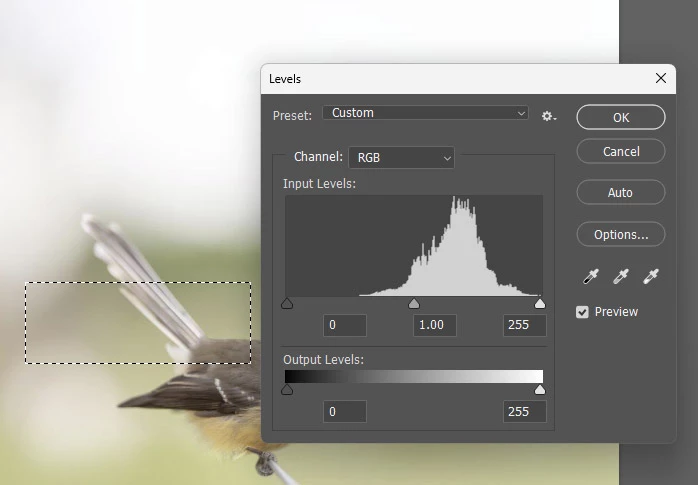
If I select part of a photo then press Ctrl L to bring up the Levels adjustment window, the histogram is correct for that selected area:
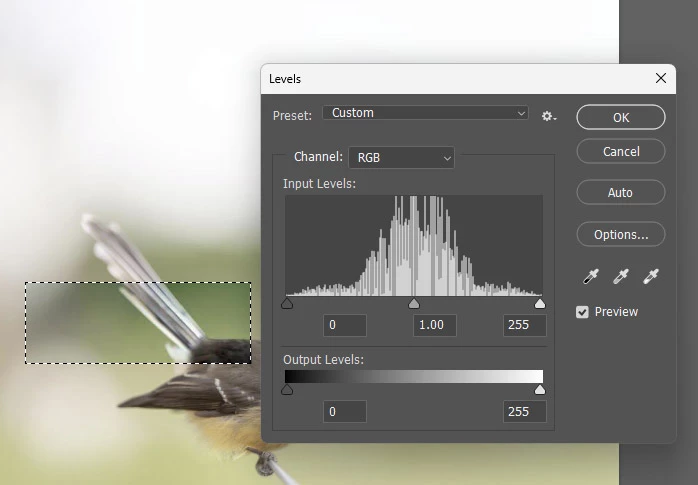
Furthermore, when I press "Auto", the histogram is still correct:
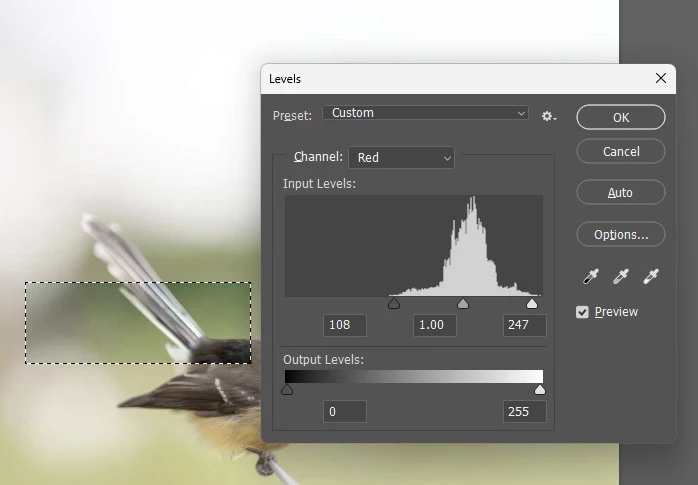
And when I check each channel, the histogram is correct there too. Here's red:
That is all exactly as it should be, and exactly as it always has been.
But in Photoshop 2024, the same correctness doesn't exist in the Properties panel when I make a Levels (or Curves) adjustment layer:
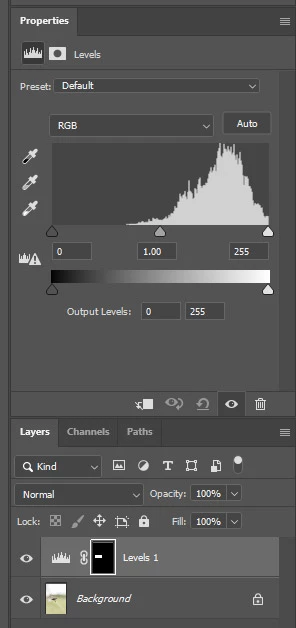
You can see in that screen how the highlight end of the histogram is climbing the wall, indicating clipping, but there is no clipping in the selected area.
And when I press Auto, the problem persists. Here is the Red channel:
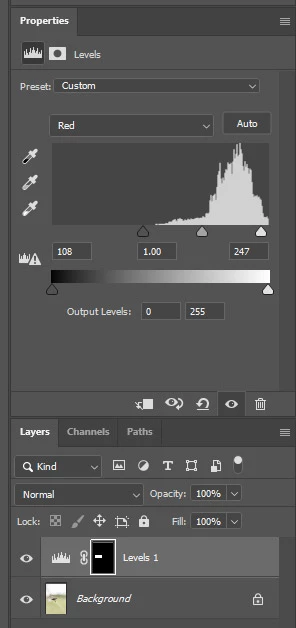
The Auto function itself has behaved correctly (I have it set to "Enhance Per Channel Contrast" and it has done its job perfectly) but the histogram represents the result incorrectly.
I have been back to check an older version of Photoshop, and I'm definitely not imagining this. It's a new problem in Photoshop 2024. And it's not just me - two other people have mentioned it too.
I'm in Windows. The other two people who mentioned it to me also have Windows.
 AdChoices