


aianee
Participating Frequently
October 24, 2017
解決済み

Invert Color of Overlapping Shapes

  • October 24, 2017
  • 返信数 1.
  • 6746 ビュー

Hi guys,

Can anyone show me the easiest method on how to do this? I'm just a newbie and been exploring Photoshop. All I know are the VERY basic things so I hope someone can help me on this one.

So here's my idea, I have 2 black shapes that overlaps (1 with black fill, 1 outline only). I want the area that intersects to be white (encircled in red).
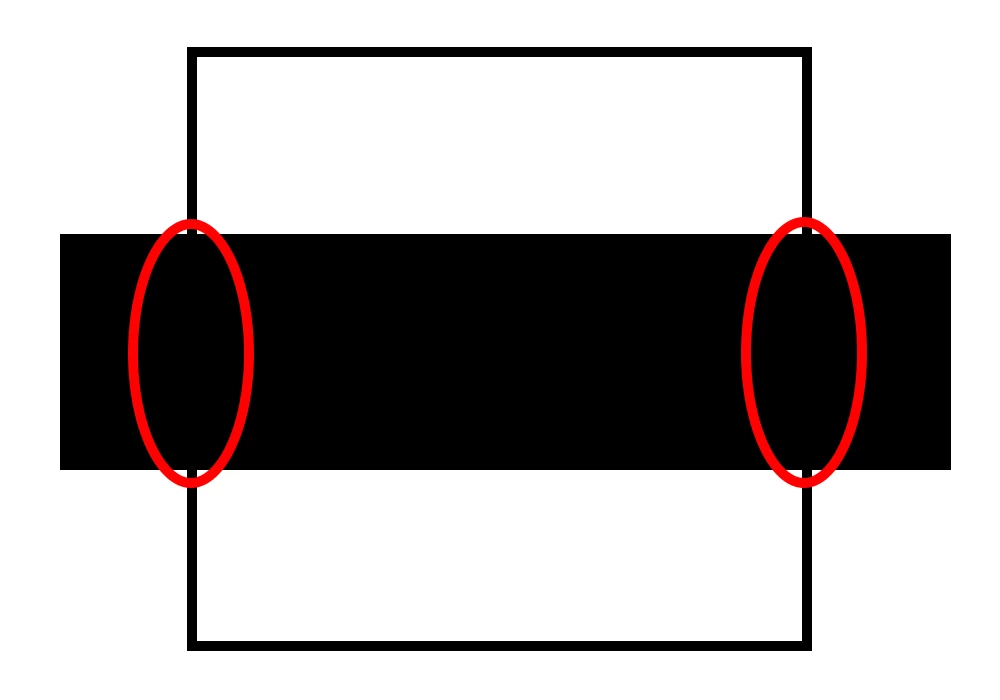
Thank you in advance!
このトピックへの返信は締め切られました。
解決に役立った回答 davescm

Hi

Try this:

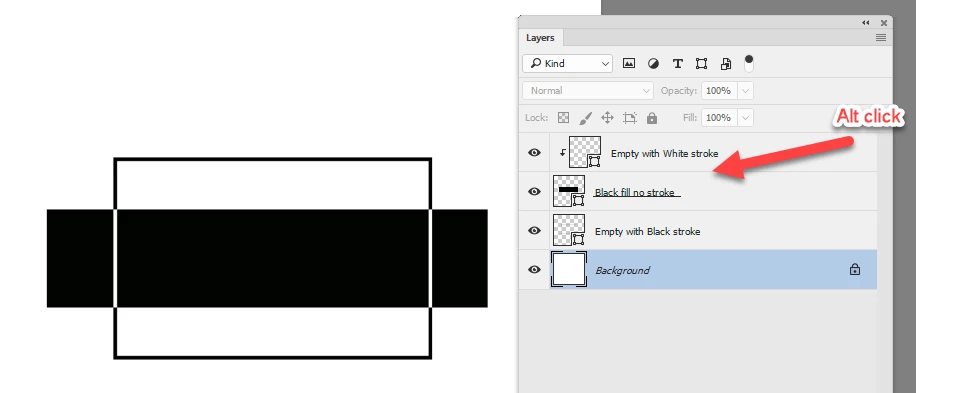
1. Make the black rectangle with no stroke (expand it if required to make it the same size as before

2. Duplicate the empty rectangle and change the stroke to white. Put this at the top of the stack

3. Alt Click on the border between the two so that the new white rectangle clips to the black one

Dave

返信数 1

davescm
Community Expert
davescmCommunity Expert解決!
Community Expert
October 24, 2017

Hi

Try this:

1. Make the black rectangle with no stroke (expand it if required to make it the same size as before

2. Duplicate the empty rectangle and change the stroke to white. Put this at the top of the stack

3. Alt Click on the border between the two so that the new white rectangle clips to the black one

Dave

aianee
aianee作成者
Participating Frequently
October 24, 2017

Oh it worked! Thank you so much!

I'm wondering though, is there another way like using blending mode, overlays, etc.?

davescm
Community Expert
Community Expert
October 24, 2017

You're welcome - you can also do the opposite and duplicate the solid rectangle in white. It will give the same result.

Unfortunately none of the blending modes will combine two blacks to make a white

Dave