


Participating Frequently
May 26, 2021
質問

Lost access to all my Adoble photo apps

  • May 26, 2021
  • 返信数 2.
  • 1318 ビュー

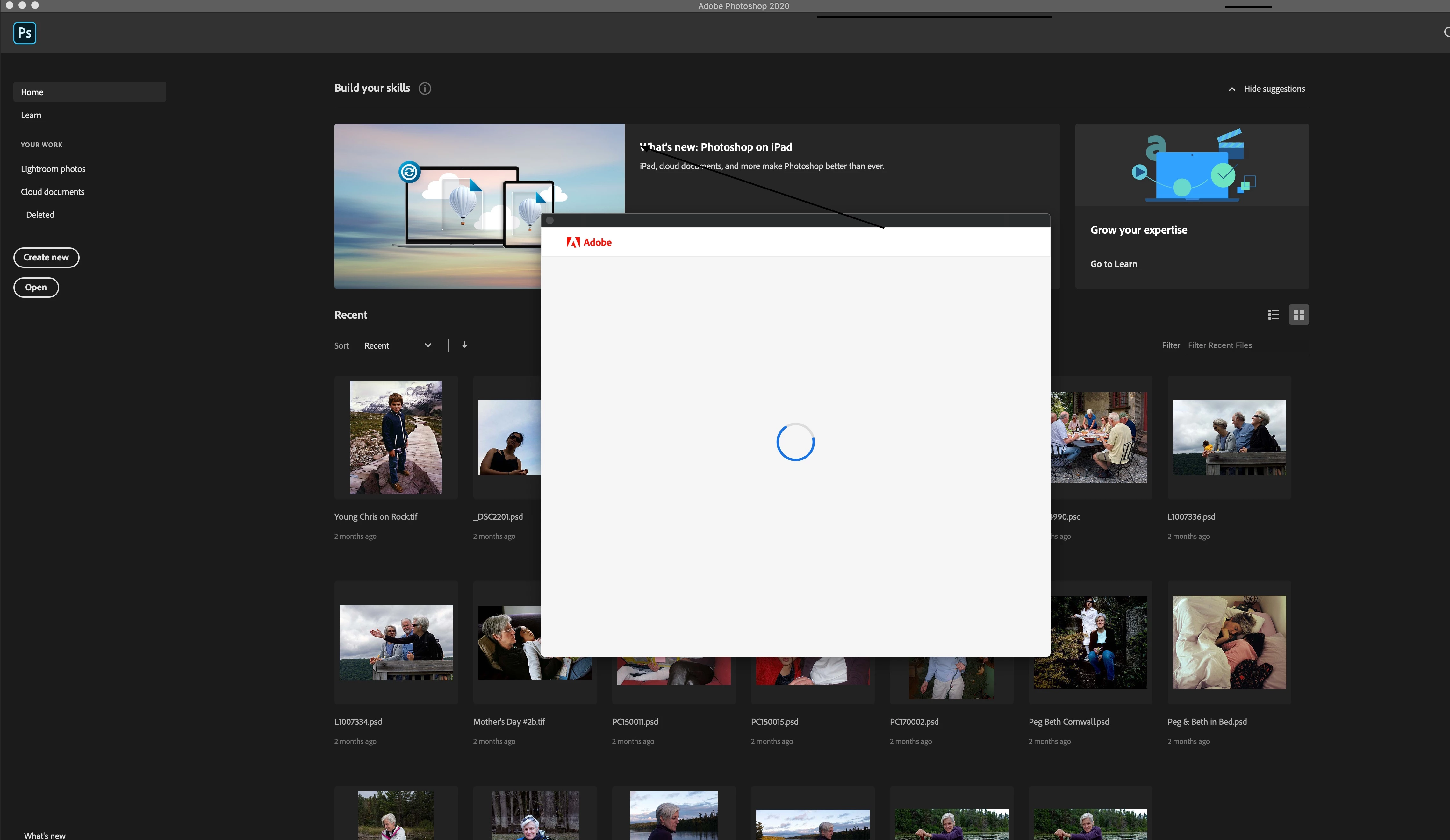
When I try to boot my various Photoshop apps,  Lightroom, and Acrobat DC on my desktop Mac Retina computer (5K late 2014) running on Catalina, a blank white box appears and hangs on the screen (see pic). This occured after I purchased a new Macbook Pro and migrated my apps from my older Macbook Air to the new laptop. I've read elsewere here that this is a problem with activation due to the Adobe apps being on too many computers (3), so I unistalled all my Adobe apps on the older Macbook Air. That didn't solve the problem. I can't find any information on the Adobe website where to deregister a computer, but I assumed that uninstalling the apps from my older Macbook Air would do that. Photoshop 2020 works on my new laptop, however, Lightroom does not open. I'm in the middle of a project and am really in a pickle.  Can't figure how or where to chat with Adobe staff. So any help from the community be appreciated.
このトピックへの返信は締め切られました。

返信数 2

Kevin Stohlmeyer
Community Expert
Community Expert
May 26, 2021

When you say "migrated" did you reinstall the apps or copy over from a backup or other means? That never works reliably.

Participating Frequently
May 26, 2021
Thanks for responding.

I used Apple’s Migration Assistant to move all the apps and files from the Macbook Air over to the new Macbook Pro. The source was a Time Machine backup file for the Macbook Air on an external hard disk.

The main problem is actually on my Retina Mac running Catalina. None of my Adobe apps now work, including Acrobat DC, will boot on my Retina Mac. I get that empty white box, and when I close the box, the app closes, too.
jane-e
Community Expert
Community Expert
May 26, 2021

Uninstall. Then install the CC app, sign in, and install the apps from there.


You don't need to de-register any more with CC. You can sign in and out of the CC app and will be prompted to do so if you attempt to sign in on a third computer.


 ~ Jane


Kevin Stohlmeyer
Community Expert
Community Expert
May 26, 2021

Update your Creative Cloud Desktop App.

Participating Frequently
May 26, 2021

Thanks for responding, Kevein. Much appreicated. My CC app is up to date. Phil