


angelos1974
Inspiring
March 29, 2022
質問

photoshop 23.2.2 lighting effects not working

  • March 29, 2022
  • 返信数 4.
  • 622 ビュー

Wondering if anyone else is having the same problem as I am.

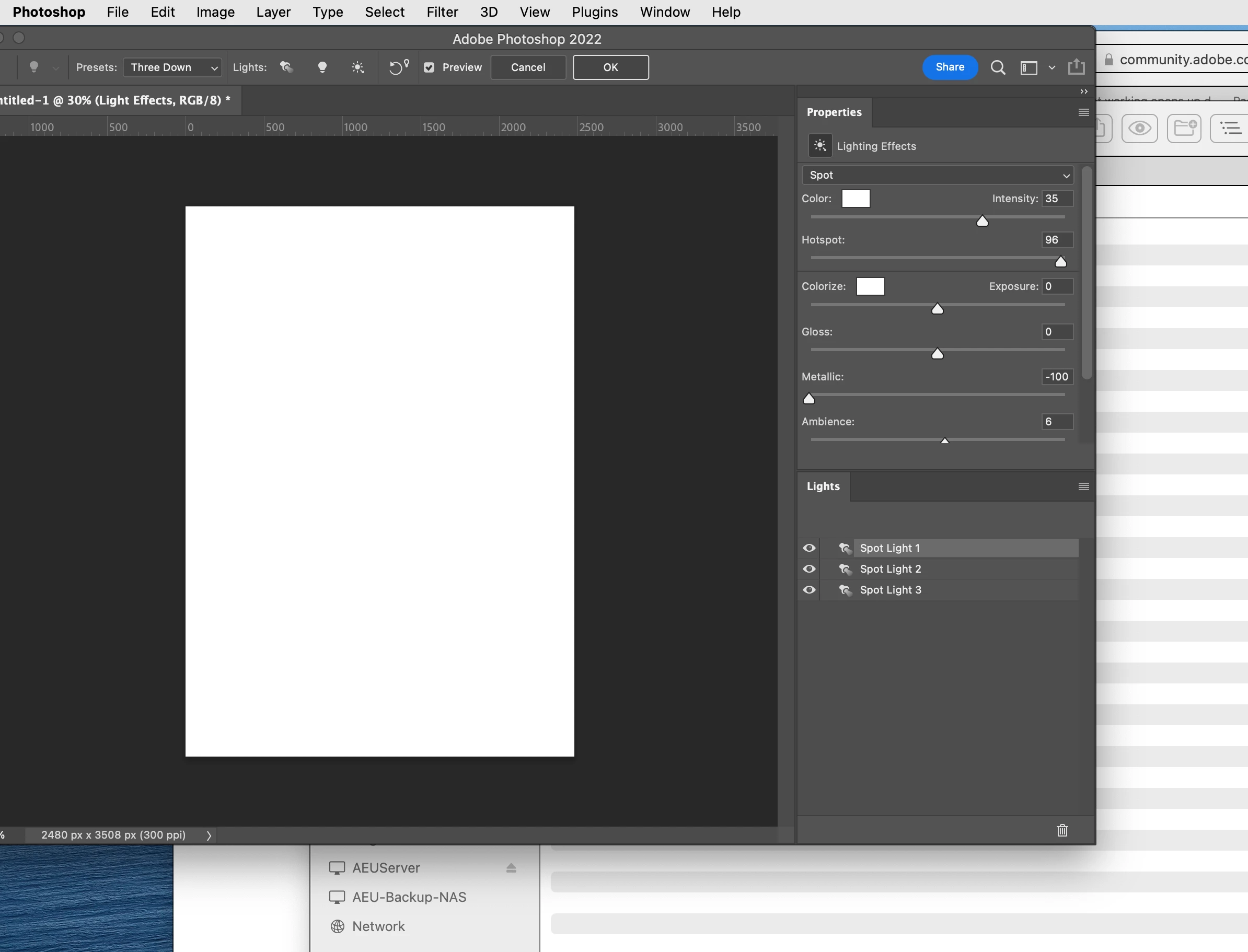
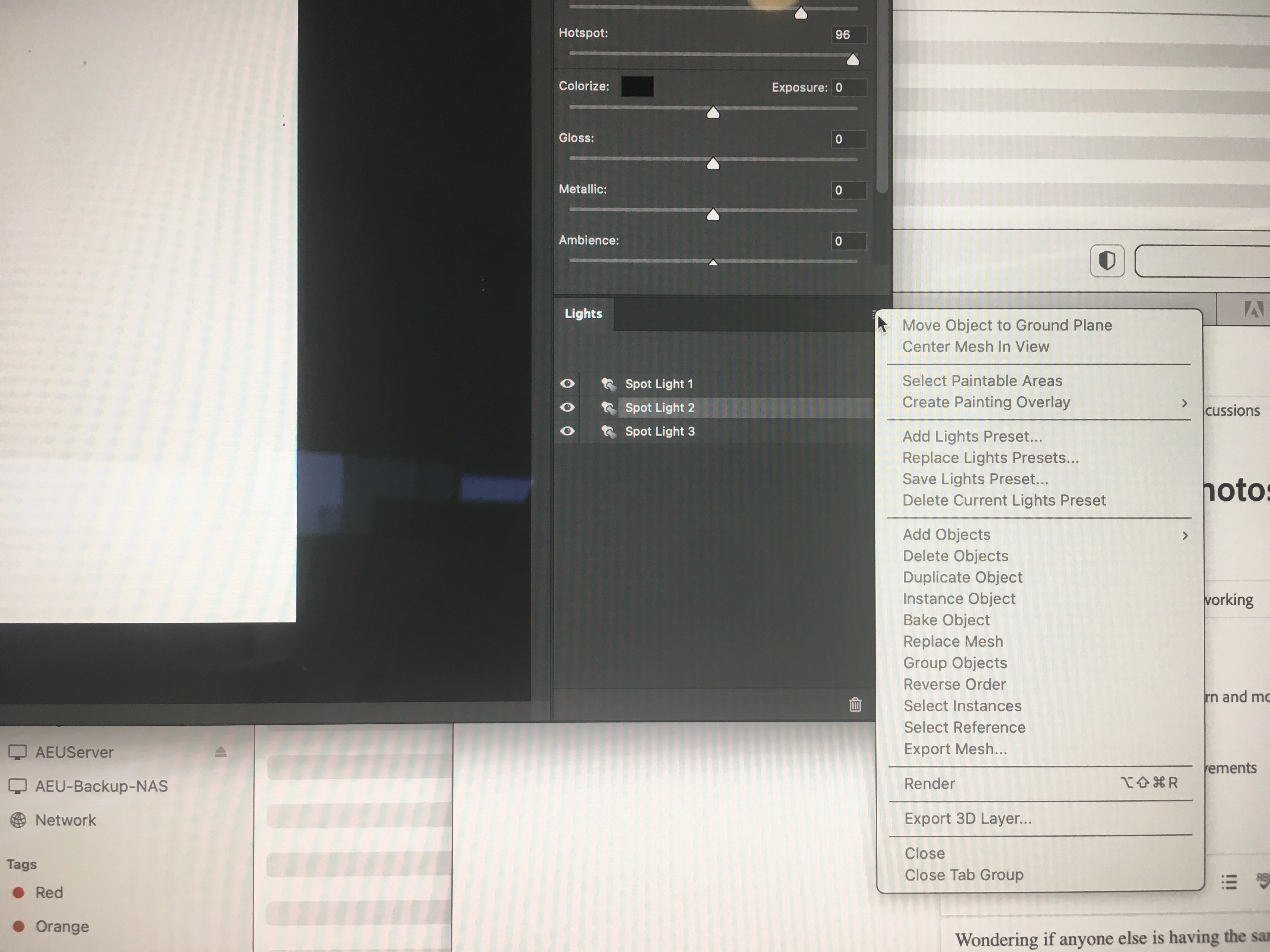
Trying to use lighting effects in Photoshop 23.2.2 but I am having no luck. I start with a coloured background , in RGB mode and 8bits/channel. Filter, Render, lighting effects... and the canvas turns white and nothing is working. I change the presets but the canvas still white and nothing is changing. the features in the window on the "Lights" on the righthand side of the interface is greyed out.


このトピックへの返信は締め切られました。

返信数 4

angelos1974
angelos1974作成者
Inspiring
April 5, 2022

Apparently, Adobe are phasing out all their 3D effects from Adobe Photoshop.

War Unicorn
Community Expert
Community Expert
April 6, 2022
mglush
Community Expert
Community Expert
March 29, 2022
mglush
Community Expert
Community Expert
March 29, 2022

Hi!

I had the same issue when I tried to recreate your problem. Did you try unchecking the Preview button in the Options Bar? It turns off the white, but it doesn't change the fact that when you click ok, it turns the layer to white. No matter what I do, or the settings I put in, it turns the layer to white. I am thinking you have found a bug. Here is a link to the Feature Request/Bug Report form. I am going to follow up and fill it out, and I would recommend that you do also: https://www.adobe.com/products/wishform.html


Michelle

lambiloon
Community Expert
Community Expert
March 29, 2022

Hi, color of the light is white try with another color and change the settings...regards

Ali Sajjad / Graphic Design Trainer / Freelancer / Adobe Certified Professional