Known Participant
October 7, 2018
解決済み

Photoshop lines aren't smooth with smoothing on?

  • October 7, 2018
  • 返信数 2.
  • 5274 ビュー

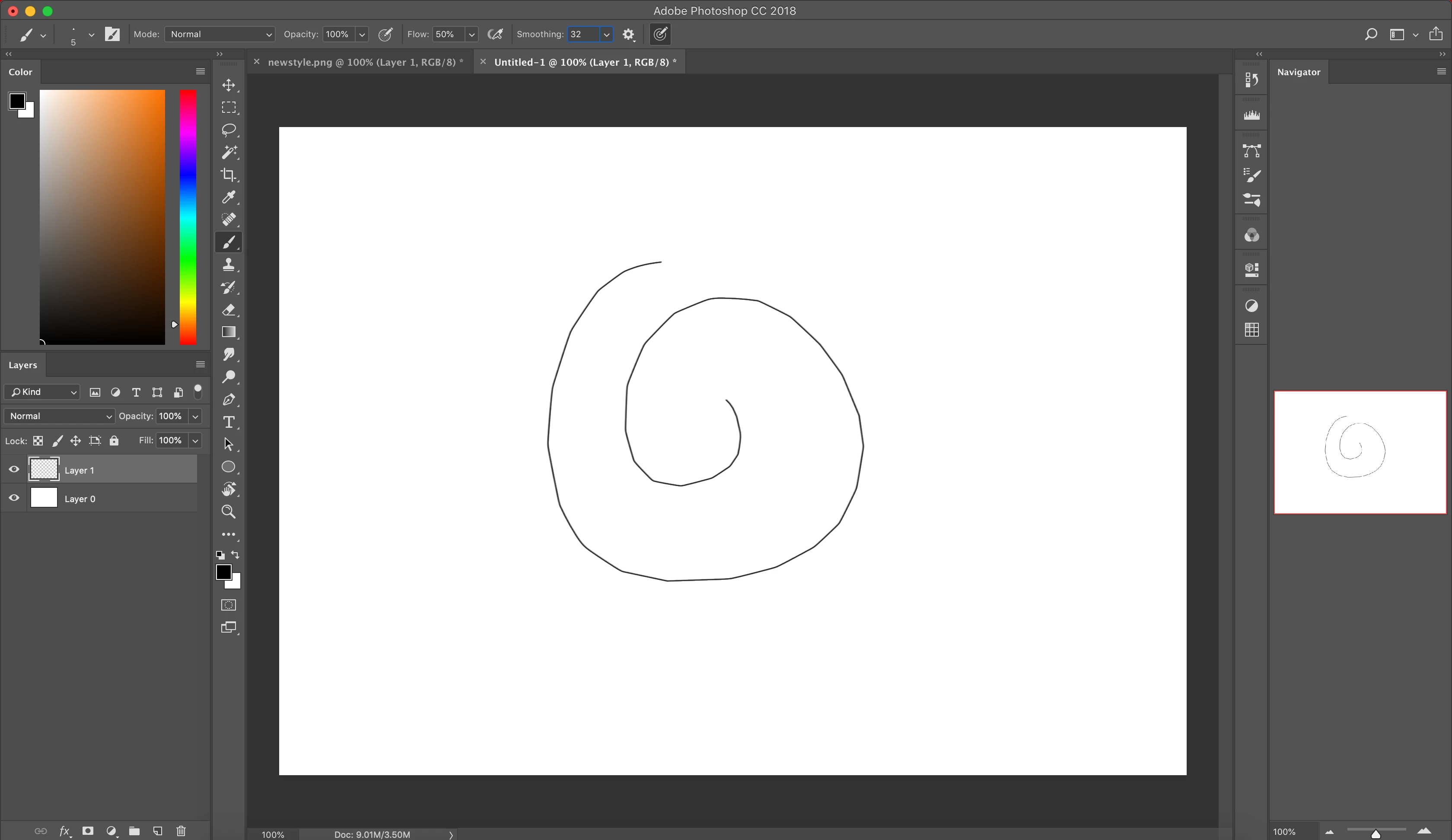
Hi, I really need help. I'm not sure how to explain this well but here's a screenshot.

Like around the corners, it's kinda like pointy and sharp? I have smoothing on, and I still have this problem even if I use smoothing at 100%. I use a small wacom intous pen tablet. Is anyone please able to explain to me?

このトピックへの返信は締め切られました。
解決に役立った回答 Trevor.Dennis

An interesting problem.   Like you say, it's as if it is drawing a number of linked straight lines.

53% is on the high side for Pulled string.  How big is your canvas?  Try turning on rulers (Ctrl r) and set  them to pixels (right click inside the ruler).  Using your brush size as a rough guide,  and the same brush settings, you can see that the pulled string radius is HUGE
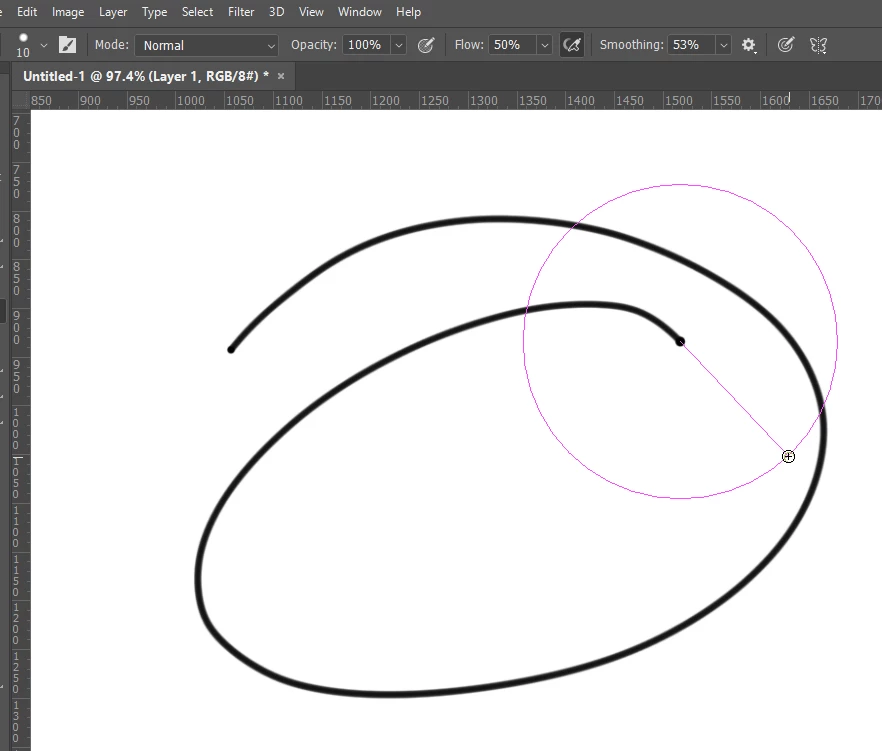
If I change direction with those settings, I get a sharp corner because the length of the pulled string is longer than the radius of the curve  I am attempting to draw.
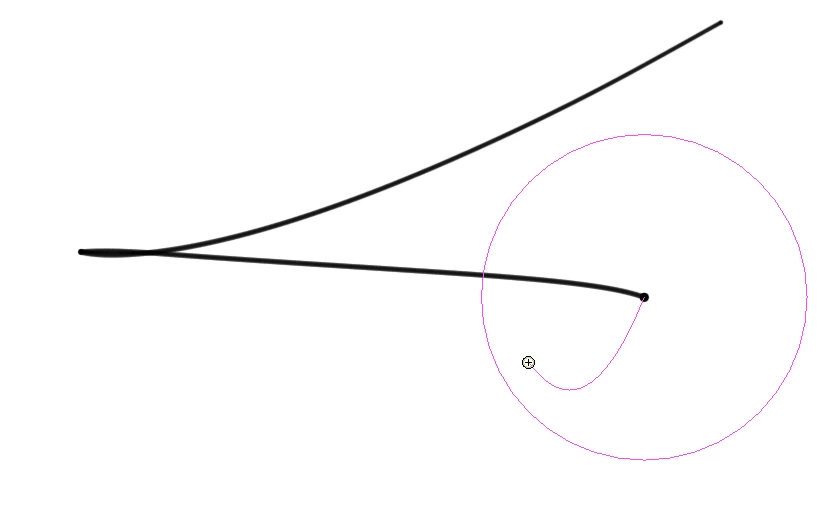
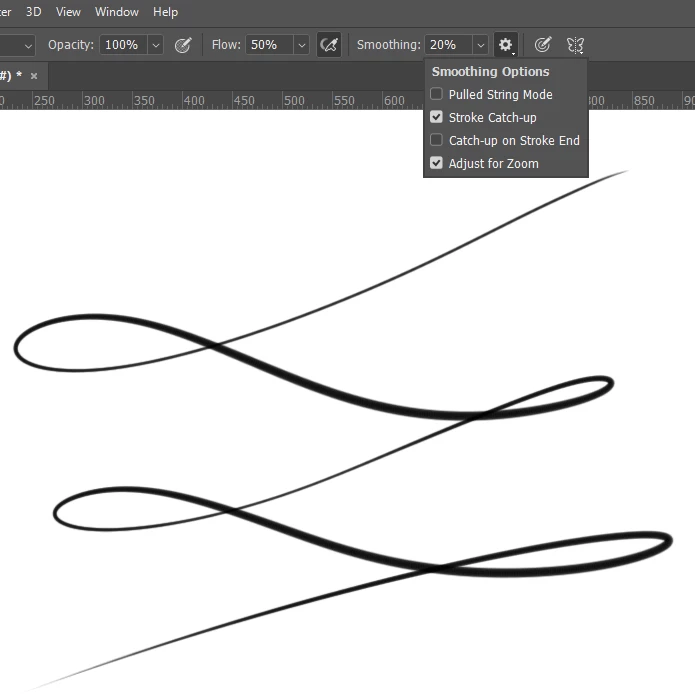
I get much better results using Stroke Catch-up with much lower smoothing.
It does not appear to be the case from your screen shots, but snapping to grid or guides can distort brush strokes by pulling the stroke off course.


返信数 2

tonyharmer
Community Expert
Community Expert
October 8, 2018

Hey

By any chance, is the brush smoothing working in pulled string mode? Click the gear icon next to the smoothing value field.

thetomato作成者
Known Participant
October 8, 2018

It still doesn't work

I really hate this, I wish I never updated it . It even took away the brushes that I had downloaded online. The wacom tablet works fine I think, I tried it on Adobe Animate and Firealpaca, it doesn't have these weird problems that photoshop is giving me

The lines work out smoother if I draw slowly, but that doesn't help me when I try to draw something

Trevor.Dennis
Community Expert
Trevor.DennisCommunity Expert解決!
Community Expert
October 8, 2018

An interesting problem.   Like you say, it's as if it is drawing a number of linked straight lines.

53% is on the high side for Pulled string.  How big is your canvas?  Try turning on rulers (Ctrl r) and set  them to pixels (right click inside the ruler).  Using your brush size as a rough guide,  and the same brush settings, you can see that the pulled string radius is HUGE

If I change direction with those settings, I get a sharp corner because the length of the pulled string is longer than the radius of the curve  I am attempting to draw.

I get much better results using Stroke Catch-up with much lower smoothing.

It does not appear to be the case from your screen shots, but snapping to grid or guides can distort brush strokes by pulling the stroke off course.

italosan
Community Expert
Community Expert
October 7, 2018

The issue may be caused by some settings of the wacom tablet itself.

Have you tried the same experiment with just mouse or trackpad?

Something you can try to identify the problem is:

- Check if the driver is up to date;

- Try to draw this line with mouse/trackpad;

- Upload a screenshot of your Wacom settings.

thetomato作成者
Known Participant
October 8, 2018

The trackpad is the same way. I recently updated the wacom tablet driver, photoshop to its newer update, and my mac to mojave.