Participant
December 26, 2019
解決済み

Photoshop's colors darken when the window is moved to my Cintiq 16 (Not color calibration relayed)

  • December 26, 2019
  • 返信数 1.
  • 1067 ビュー

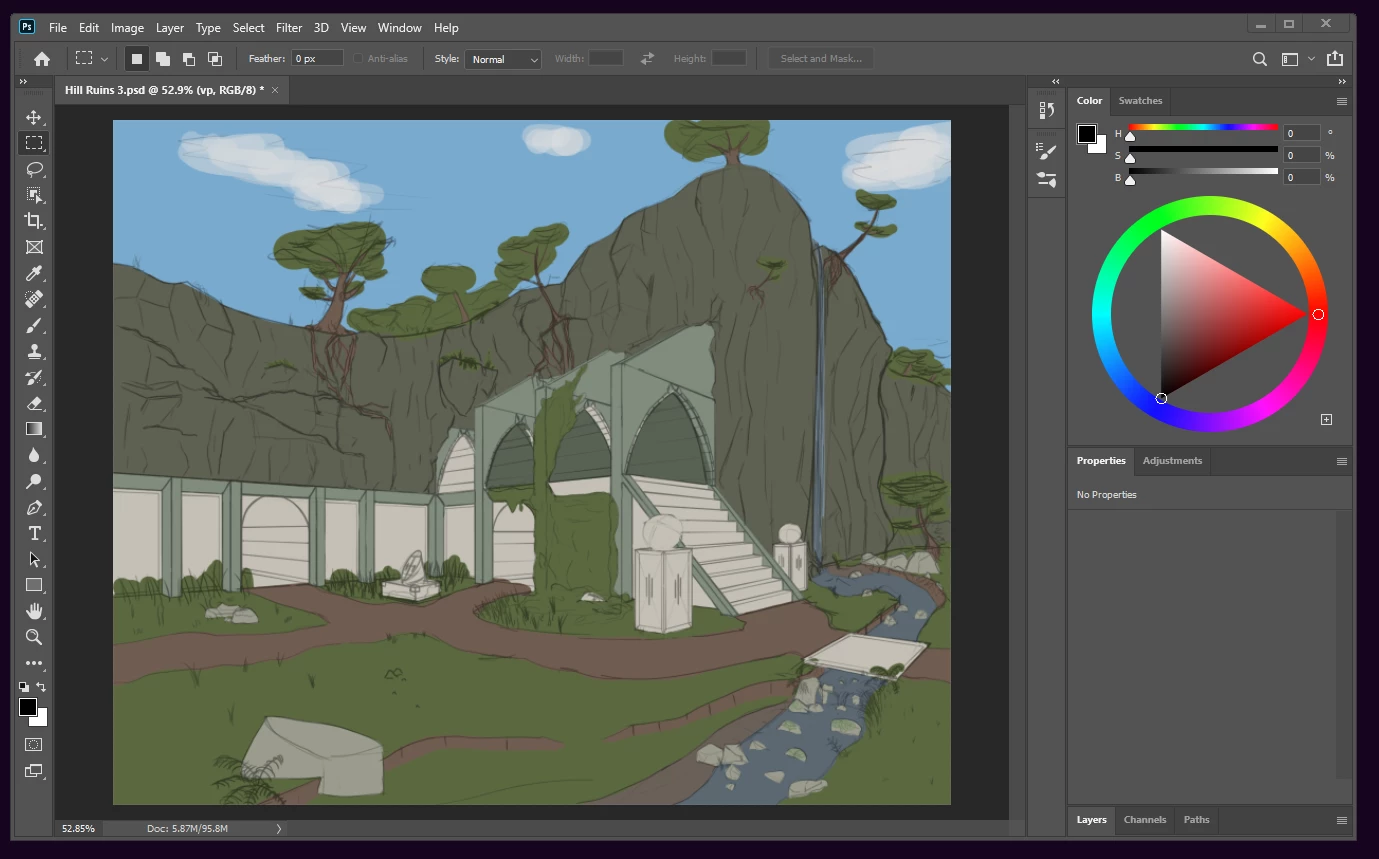
This is what it looks like on my monitor.


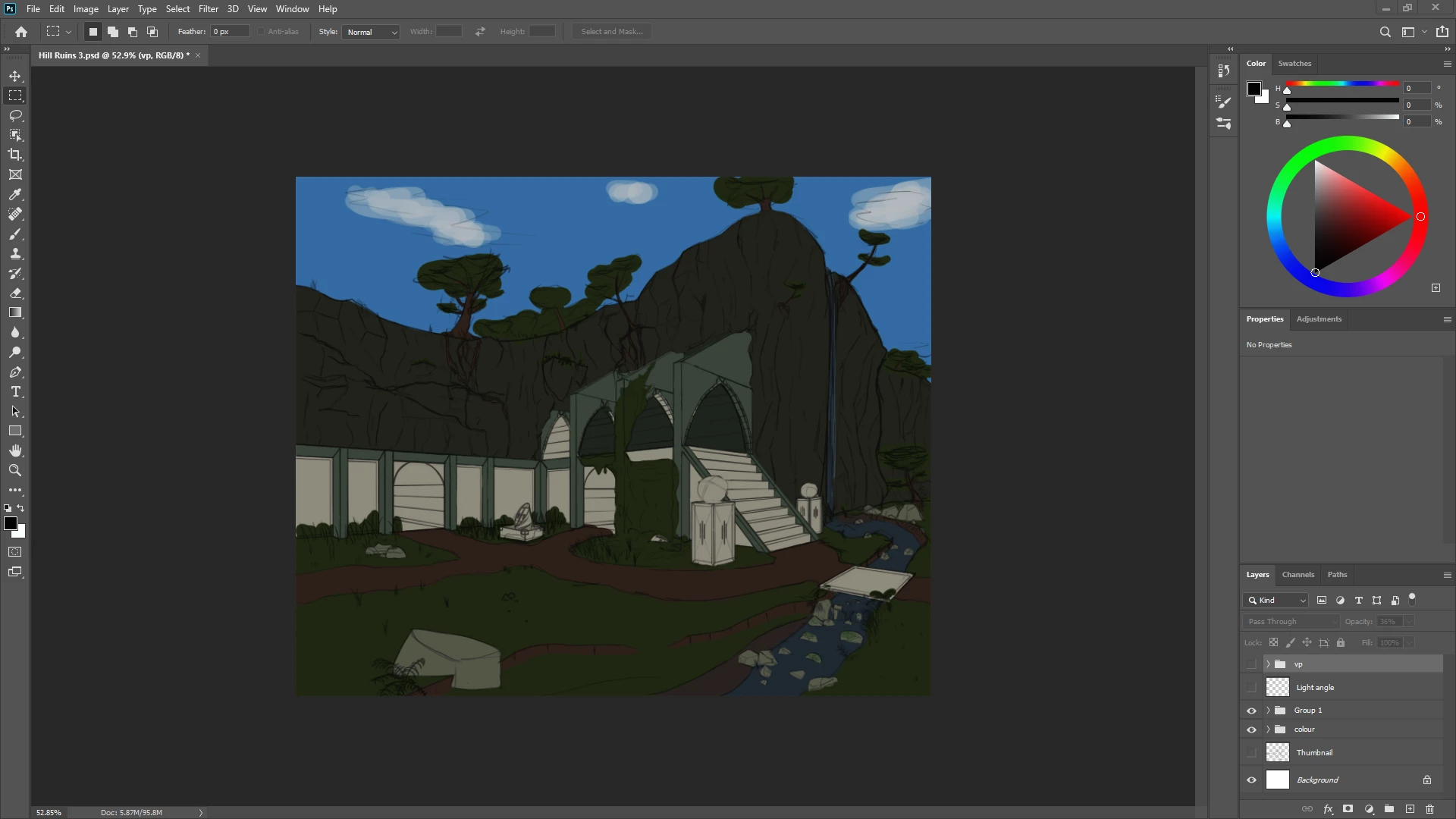
And this is it on my Cintiq. Even the color wheel darkened.


It'll darken when the window is more than half on the Cintiq.

I've reinstalled the wacom drivers, updated my graphics card's drivers, and have tested it on versions (21.0.2), (21.0.1), (21.0), and (20.0.8) of photoshop with no success.

This problem doesn't happen with any other drawing programs.

Thanks in advance!

このトピックへの返信は締め切られました。
解決に役立った回答 D Fosse

It's always calibration related - in the sense that running a full calibration and profiling of the display will normally fix the problem.


A lot of people don't understand the distinction between calibrating (adjusting the display) and profiling. Those are two separate operations, but rolled into one for convenience. So we just call it calibration. But the monitor profile is in fact a standard icc profile, and it's used in a standard profile conversion. The file is converted, on the fly and under the covers, from the document profile and into the monitor profile. These recalculated numbers are sent to screen. This has a much higher precision level than just adjusting the monitor.


But only color managed applications do it.


When Photoshop doesn't display right, it's one of two things: One, the monitor profile isn't right for the affected screen. If the monitor profile isn't a correct description of that display's current response, Photoshop can't display correctly. It sends the wrong numbers to screen. Most other applications don't even use the monitor profile, because they don't support color management at all - and so they are unaffected.


The second possibility is that the conversion itself fails - the math, the remapping from the document profile into the monitor profile, returns the wrong numbers. This can happen with a buggy video driver, which (in Photoshop) is where that math is executed nowadays. This happens much more rarely, but it does happen.


返信数 1

D Fosse
Community Expert
D FosseCommunity Expert解決!
Community Expert
December 26, 2019

It's always calibration related - in the sense that running a full calibration and profiling of the display will normally fix the problem.


A lot of people don't understand the distinction between calibrating (adjusting the display) and profiling. Those are two separate operations, but rolled into one for convenience. So we just call it calibration. But the monitor profile is in fact a standard icc profile, and it's used in a standard profile conversion. The file is converted, on the fly and under the covers, from the document profile and into the monitor profile. These recalculated numbers are sent to screen. This has a much higher precision level than just adjusting the monitor.


But only color managed applications do it.


When Photoshop doesn't display right, it's one of two things: One, the monitor profile isn't right for the affected screen. If the monitor profile isn't a correct description of that display's current response, Photoshop can't display correctly. It sends the wrong numbers to screen. Most other applications don't even use the monitor profile, because they don't support color management at all - and so they are unaffected.


The second possibility is that the conversion itself fails - the math, the remapping from the document profile into the monitor profile, returns the wrong numbers. This can happen with a buggy video driver, which (in Photoshop) is where that math is executed nowadays. This happens much more rarely, but it does happen.