


Inspiring
July 21, 2019
解決済み

Photoshop suddenly using RLE compression without asking

  • July 21, 2019
  • 返信数 2.
  • 1855 ビュー

RLE TIFFs are over three times the size of ZIP compressed ones, so I don't want to use them.

But recently Photoshop CC has been using RLE without asking.

The dialogue on first save disappeared.

I have to use the "save as" command to be able to access ZIP compression.

There is not command that tells Photoshop what compression to use in preferences.

How can I get the dialogue back where I can choose what to use. I'm sick of 1 GB files for a file with 6 layers.
このトピックへの返信は締め切られました。
解決に役立った回答 gener7

In Photoshop Preferences > File Handling, is "Ask before saving Layered Tiff files" checked on?

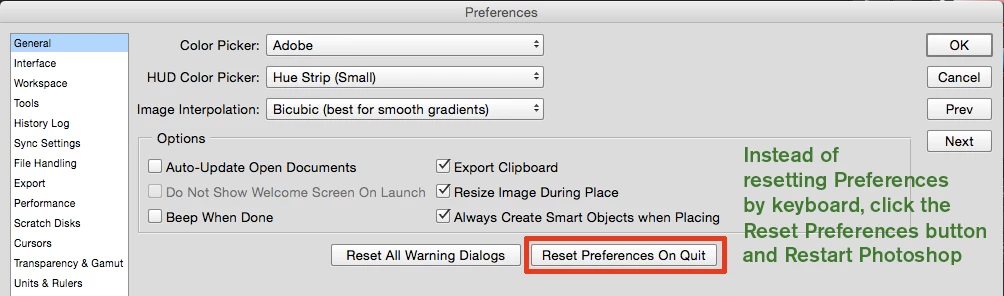
If that does not work, reset your Preferences.

返信数 2

Ocean 11作成者
Inspiring
July 21, 2019

Thank you, gener7

Looks like this unchecked itself

gener7
Community Expert
Community Expert
July 21, 2019

Glad you are good to go

gener7
Community Expert
gener7Community Expert解決!
Community Expert
July 21, 2019

In Photoshop Preferences > File Handling, is "Ask before saving Layered Tiff files" checked on?

If that does not work, reset your Preferences.