Participant
April 28, 2019
解決済み

Problema con color de texto en photoshop

  • April 28, 2019
  • 返信数 1.
  • 5983 ビュー

Diseñé mi CV en Photoshop y cuando escribo algún texto cambia el negro por diferentes tonos grises sin que yo lo decida. Ya intenté cambiar el color con la herramienta de texto a negro (el color que quiero usar) pero no se modifica nada. ¿Qué puedo hacer? Solo quiero que todo mi texto sea negro.
Nota: Estoy usando misma tipografía para todo Helvética 55 Roman Regular.
Si intento cambiar el texto a otro color, por ejemplo, Rojo, lo cambia pero respeta el tono grisáceo que tiene, adjunto unos ejemplos.


このトピックへの返信は締め切られました。
解決に役立った回答 Lizagnd

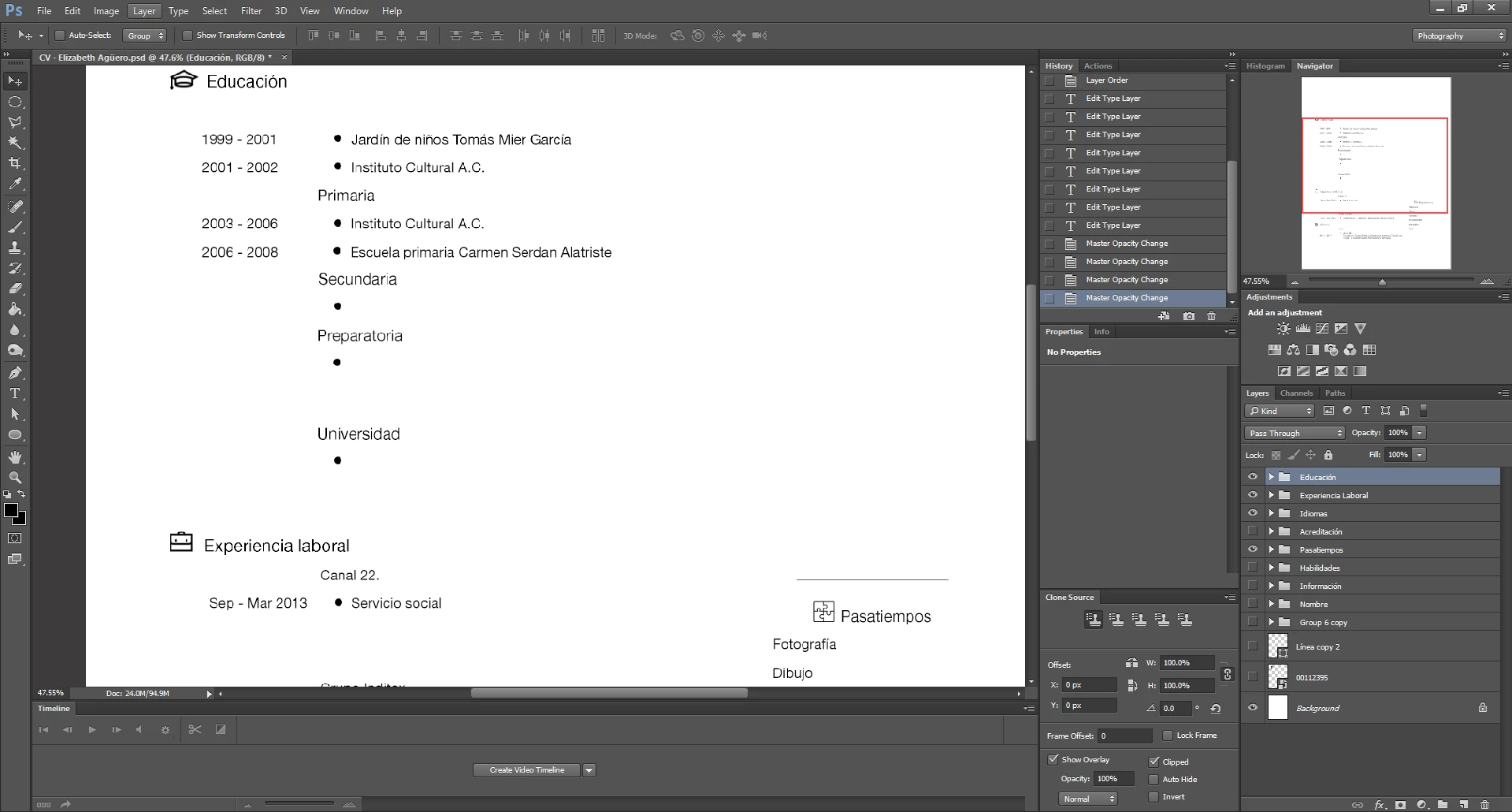
Select the group named Educacion. What is the opacity of the group?

Dave


The opacity of the layer was 100% but I selected the group and the opacity was 55%, then I changed to 100% and it worked!
Thank you so much, Dave! Hero!
I owe you one.

Liza.

返信数 1

davescm
Community Expert
Community Expert
April 28, 2019

Please show a full screen screenshot of your workspace including the layers panel with the text layer selected and the options bar with the text tool selected.

Dave

Lizagnd作成者
Participant
April 29, 2019

Another screenshot

Lizagnd作成者
Participant
April 29, 2019

Hi

If you drag your cursor across the letters in that second screenshot so the word "Educacion" is highlighted (it will invert whilst highlighted) then set the black colour in the options bar, does that change it?

Dave


Hi

Doesn't change at all.

Liza.