

Participant
December 31, 2023
解決済み

Resizing the Photoshop (2024) window [macOS]

  • December 31, 2023
  • 返信数 1.
  • 1858 ビュー

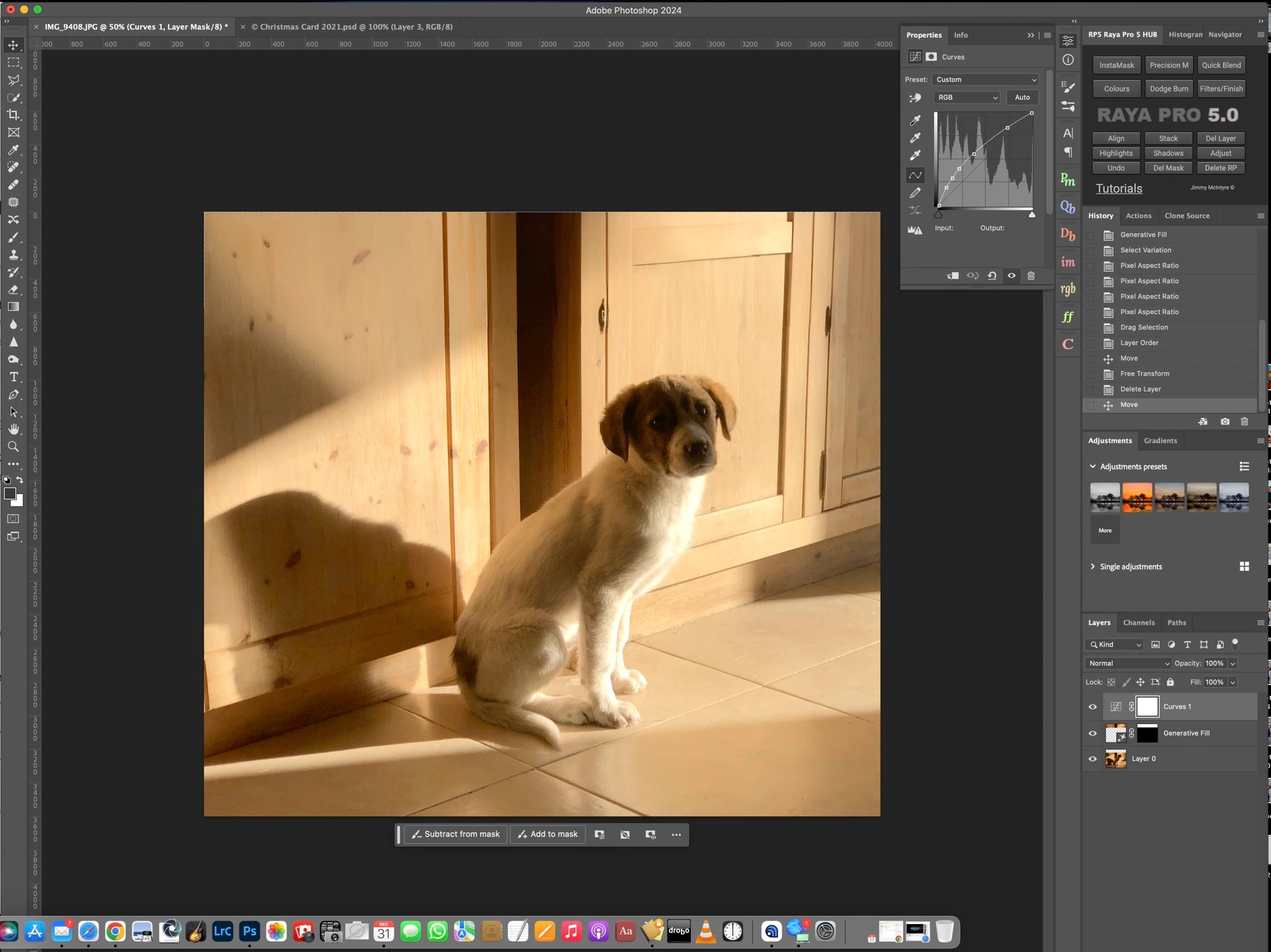
My Photoshop 2024 window is bigger than my Mac screen so I can't reach the Trash, new layer etc. buttons. Can someone tell me how to resize it. Thank you.

 

解決に役立った回答 Jeff Arola

Click on the Green Maximize button to fit photoshop to your screen.


返信数 1

Jeff Arola
Community Expert
Jeff ArolaCommunity Expert解決!
Community Expert
December 31, 2023

Click on the Green Maximize button to fit photoshop to your screen.


automage
Participant
June 9, 2025

This is not an answer to the question that was aked. Making a window full screen is not the same as resizing it. How do you RESIZE the window? I currently have a (WIndows) installation that, for reasons nobody can explain, is twice as high as the height of my 4k monitor. 


Is it genuinely the case that this cannot be resolved? 

automage
Participant
June 9, 2025

automage,


What version of Photoshop and Windows are you using?


If you click on the Maximize/Restore button, that doesn't fit your Photoshop interface to the screen?


To manually resize the Photoshop interface (window), just drag on the sides or corners of the window.


I cannot stress enough that I am not trying to "fit my Photoshop interface to the screen", something which I already know how to do. That is not the subject of the question. I am trying to RESIZE the window. It is not satisfactory to have the only two options be "full screen" or "approximately 4000 pixels high". What I am asking is why I cannot mouse over the top bar of the window and REDUCE its height, so I can have the entire window visible onscreen WITHOUT having to fullscreen it, in the same way that I am able to do with literally every other piece of software released for Winddows this century.  I am using Windows 10 and Photoshop 2025!