


Participant
March 30, 2023
解決済み

Sony A7 III (ILCE-7M3) is in the list of supportet Cameras, but not in the Menu for lens correction

  • March 30, 2023
  • 返信数 2.
  • 1051 ビュー

Hey there, i need help to get my Kamera profile in the Menu "Lens correction". Sony A7 III (ILCE-7M3) is in the list of supportet Cameras, but not in the Menu for lens correction. Camera Raw is the newest version 15.2. What can i do to list my camera in the Menu?


thanx for helping

このトピックへの返信は締め切られました。
解決に役立った回答 D Fosse

It's a lens profile, not a camera profile. The camera body doesn't really matter (except as a broad category). They just make the lens profile with some base body model.


My a7r5 isn't listed anywhere, but most lenses come up automatically:
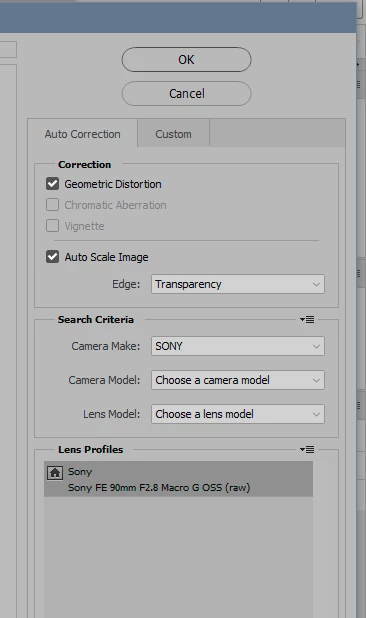
 

Some don't, and then I need to browse. Just set camera to "all":
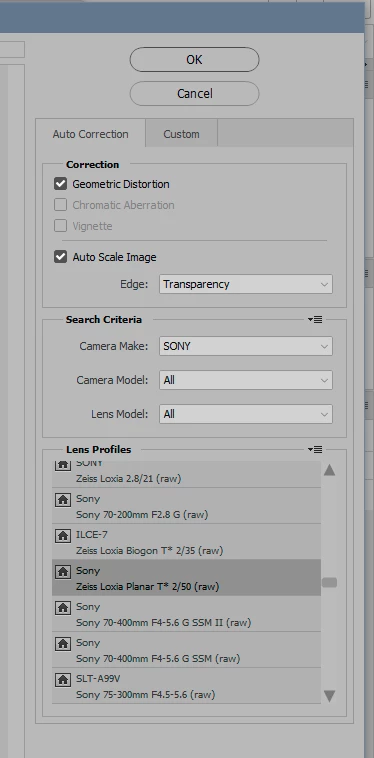
Everything lists correctly once you find the lens:
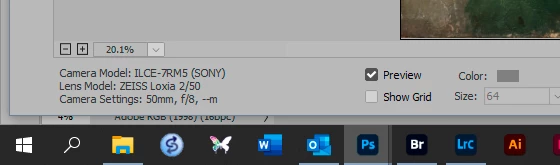
 

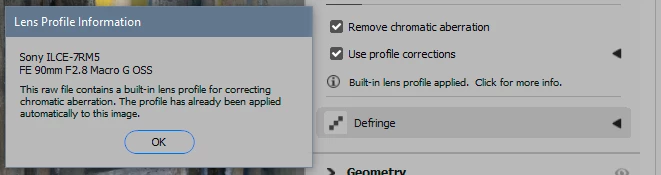
Note that there is an embedded lens profile that will aready have been applied if you shoot raw. But with Sony, that profile just corrects CA, not geometry. For some other cameras, the embedded profile also includes geometry. In any case, it is highly recommended that you apply the lens profile in ACR/Lightroom, on the raw data - not in Photoshop on the rendered RGB file.
返信数 2

D Fosse
Community Expert
D FosseCommunity Expert解決!
Community Expert
March 30, 2023

It's a lens profile, not a camera profile. The camera body doesn't really matter (except as a broad category). They just make the lens profile with some base body model.


My a7r5 isn't listed anywhere, but most lenses come up automatically:


Some don't, and then I need to browse. Just set camera to "all":

Everything lists correctly once you find the lens:


Note that there is an embedded lens profile that will aready have been applied if you shoot raw. But with Sony, that profile just corrects CA, not geometry. For some other cameras, the embedded profile also includes geometry. In any case, it is highly recommended that you apply the lens profile in ACR/Lightroom, on the raw data - not in Photoshop on the rendered RGB file.

Participant
March 30, 2023

Thanx a lot to to all - D Fosse, it works perfectly as you showed me - and of course i only use it in a Raw file 😄

Thank you!

Kevin Stohlmeyer
Community Expert
Community Expert
March 30, 2023

Hi @Andrea29157122uqrb It appears to be recognizing your camera - what lens are you using?

Participant
March 30, 2023

Hi Kevin - In this case Tamron 70-180, and this one ist not in the list. Maybe thats the Problem? But Camera Raw knows, whats in use: it shows the attachement in the left side of the window... alle infos are there...

PECourtejoie
Community Expert
Community Expert
March 30, 2023

Hi, @Andrea29157122uqrb Maybe simply this body-lens combo has not been tested? With the number of lenses and cameras, how many combinations does it make? dozens, hundreds of thousands?