



FedPer
Participating Frequently
June 30, 2023
質問

unable to save colour swatch/table

  • June 30, 2023
  • 返信数 1.
  • 554 ビュー
hi guys
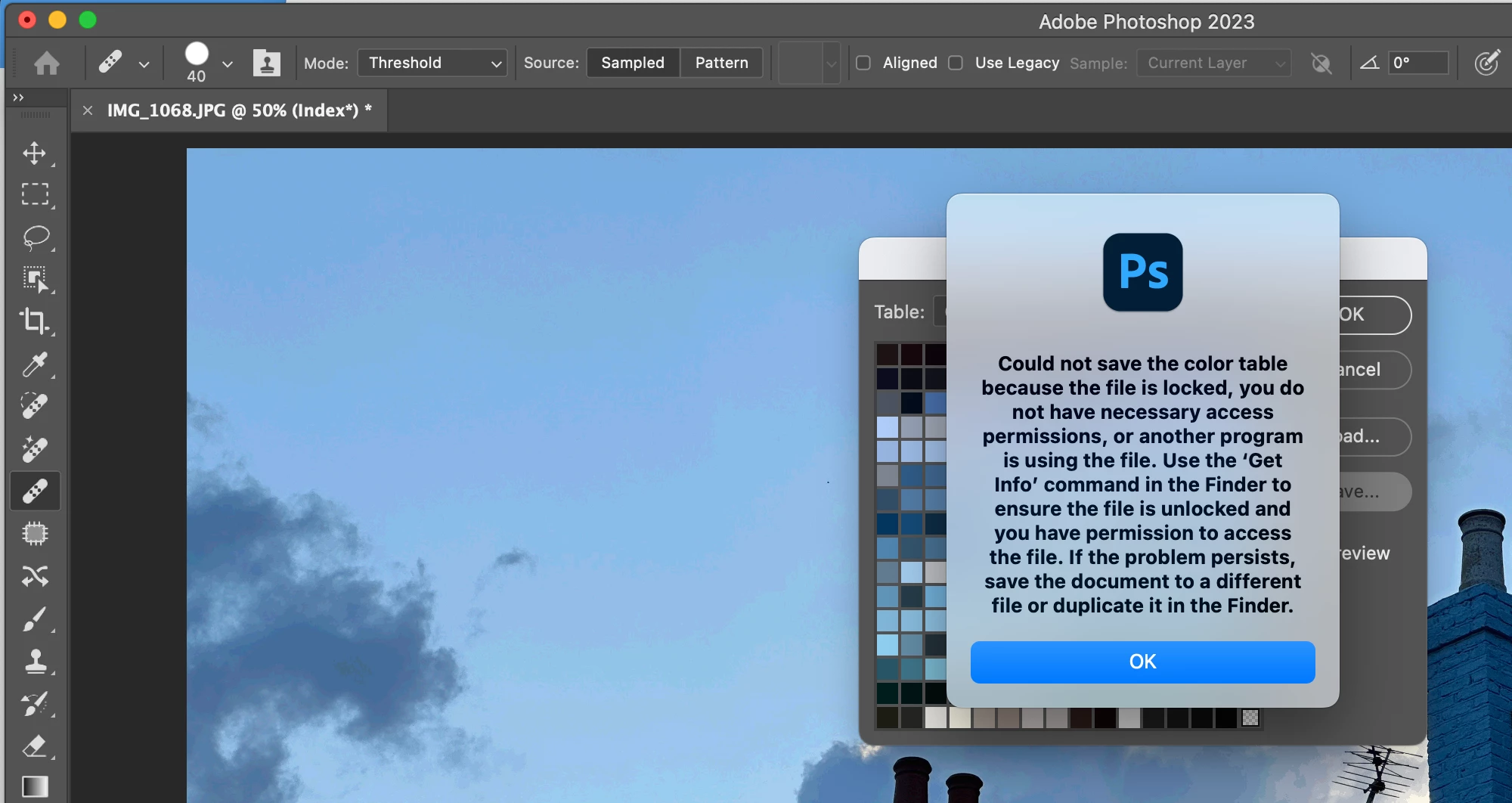
trying to create a colour swatch from an image but, as soon as I try and save the scheme, I get this message.
tried everything on my mac and it won't work. any idea why?
I already tried to give photoshop full disk access and to disable my antivirus  - this happens no matter what image I try to use.
I use a Mac with Monterey 12.6.1
 
thanks!
 
Fed
!
このトピックへの返信は締め切られました。

返信数 1

gener7
Community Expert
Community Expert
June 30, 2023

I was able to create and save the Color Table without error. I use the command Image > Duplicate, changed the mode to Indexed and create the color table from the duplicate. See if that helps.

FedPer
FedPer作成者
Participating Frequently
June 30, 2023

still doesn't work unfortunately

gener7
Community Expert
Community Expert
June 30, 2023

Yes, sorry I see where you already tried full disk access. I guess you already reset preferences as well.

If not one shows up, try Support Chat: https://helpx.adobe.com/contact.html

There a bubble in the lower right that connects you to chat. Also try typing "agent" if you don't like answering screening questions.