


marcocapone
Participating Frequently
June 17, 2020
解決済み

update 21.2.0 pc version, strange problem with refresh of layers

  • June 17, 2020
  • 返信数 4.
  • 808 ビュー

hi everyone

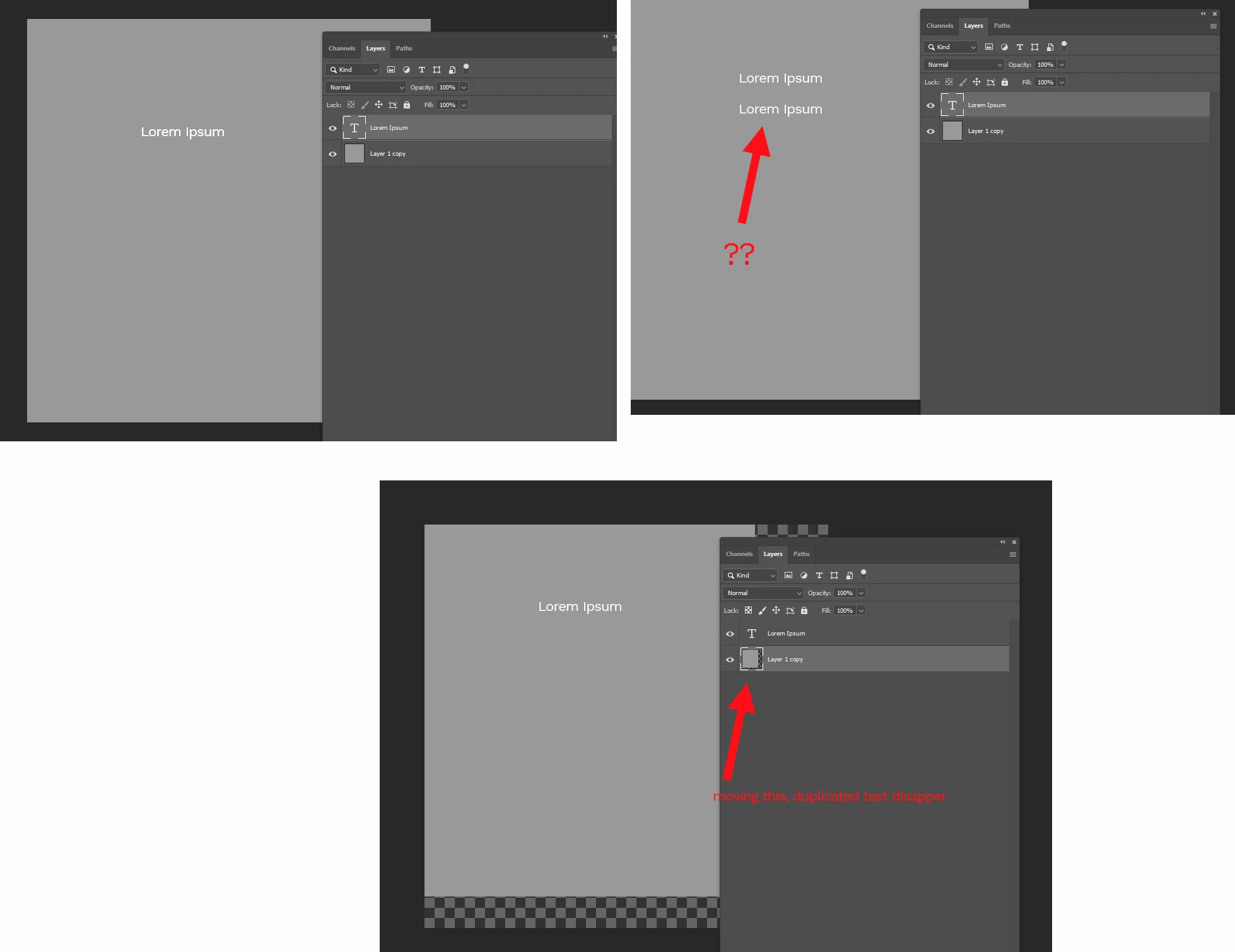
when i add some text, it create a new layer (like always), but when i move it the layer below seems not to refresh correctly


EDIT
it seems to be a GENERAL refresh problems of layers, when i modify any layers the previus version seems like "stamped" under and is visibile until you manually refresh it (move, show/hide, etc)
 

このトピックへの返信は締め切られました。
解決に役立った回答

Hi

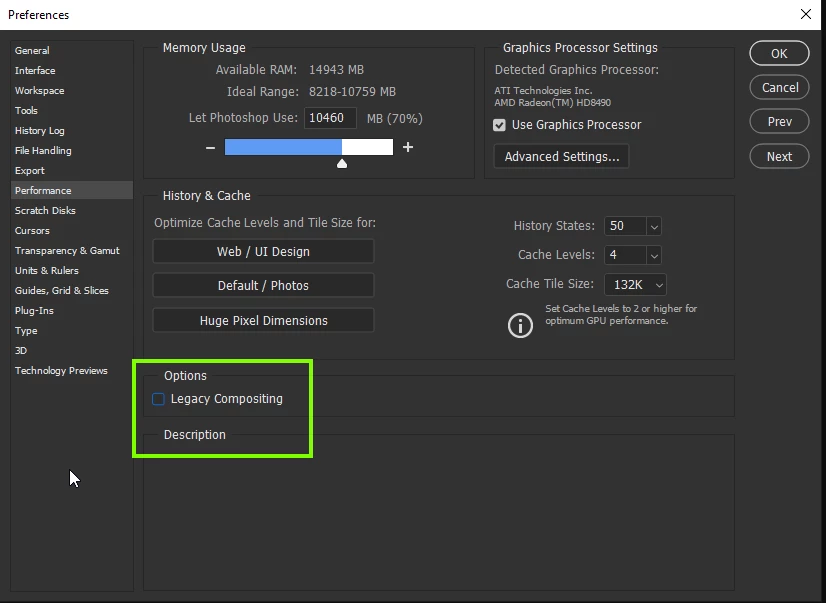
Try disabling this option if it's enabled in preferences and restarting Photoshop


返信数 4

Participant
June 28, 2020

Disabling legacy composting worked for me to fix this issue, however, now the program freezes every so often and the only recourse I have is to terminate the application and restart it.  I believe enabling the legacy composting option was a fix for this issue for me previously. 

Studio Flip
Known Participant
June 17, 2020

Phew that helped ...

garryg70673208
Inspiring
June 17, 2020

I had the same problem as others and got a 'solution' here, so thank you. 
That is, select a layer and transform or move it, and get a duplicate of the layer.  

But the bigger question is, how could Adobe let such a 'bug' get through their QA testing?

Incredible. 

June 17, 2020

QA testing?, I'm not sure that exist any longer LOL

htfudge
Participant
June 17, 2020

Great! It worked, I was having the same problem.

解決!
June 17, 2020

Hi

Try disabling this option if it's enabled in preferences and restarting Photoshop


marcocapone
marcocapone作成者
Participating Frequently
June 17, 2020

Solved! thanks for the advice 🙂

June 17, 2020

You're welcome 🙂