


Participant
August 4, 2022
質問

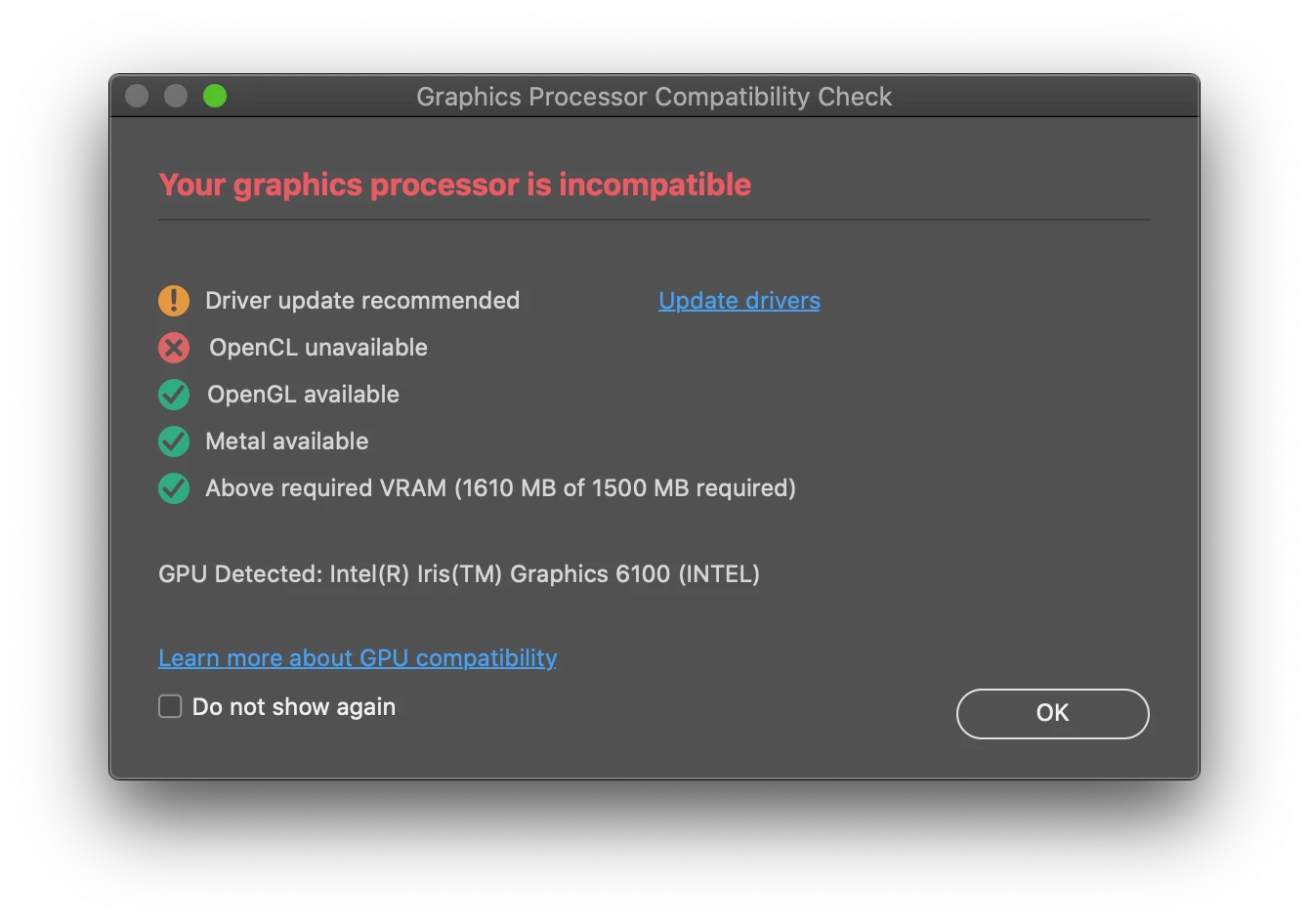
'Your graphics processor is incompatible'; OpenCL greyed out (Early 2015 Macbook Pro, 10.15.7)

  • August 4, 2022
  • 返信数 3.
  • 1090 ビュー

Hi all. When I opened Photoshop earlier today, I was greeted with this box telling me that my graphics processor is incompatible, even though I have been using Photoshop seamlessly this last month or so and never had this pop-up before. Updating to the latest version of Photoshop (23.4.2), restarting my computer, and closing and reopening Photoshop several times did not fix the issue. I am currently running Catalina 10.15.7 but don't really want to update my OS unless there's no other option. Any help or advice would be appreciated.
このトピックへの返信は締め切られました。

返信数 3

Legend
August 5, 2022

You are right on the trailing edge of compatibility. My 2015 iMac has Iris Pro 6300 which is still supported, but anything much older will not be. I'd consider updating to Big Sur or Monterey, Catalina is going to be unsupported this fall when the next version of macOS is released.

benjaminlemar
Participant
September 22, 2022

How did you get that information about Catalina being unsupported this fall when the next version of macOS is released? 

gener7
Community Expert
Community Expert
September 22, 2022

https://nextcraftsecurity.co.uk/macos-end-of-life shows past end of support dates which does go to Dec 1st at the latest, still technically fall. While the dates can officially vary, I wouldn't bet past the December 1 given their history.

Bojan Živković11378569
Community Expert
Community Expert
August 5, 2022

It is old one which may be outdated for newest versions of Photoshop. In general Adobe is recommending GPU with score 2000 or more PassMark Software - Video Card Benchmarks - GPU Compute Video Cards Your Intel Iris 6100 has score 564.


You can try to update driver as recommended in that warning dialogue, what means you must update OS.

toml11924954作成者
Participant
August 5, 2022

Thanks for getting back. I'm still fairly surprised as I've been using the 2022 versions of Photoshop on this computer without any problems or pop-ups like this until now.

gener7
Community Expert
Community Expert
August 5, 2022

I have a mid-2012 MBP running 10.15.7 with an onboard Intel HD 4000 and my GPU report is the same yours. OpenCL is not important unless you want the Oil Paint Filter. OpenGL is the important part and you can still run Photoshop as before.

toml11924954作成者
Participant
August 4, 2022

Bump