



4k laptop to 1080p monitor scaling issues in Photoshop
I tried to do some research to my issue before posting this but was unable to find anything similar to what I was experiencing. I recently bought a laptop which has a 4k screen but I use a 1920x1080 monitor as my main display. When I use Photoshop on the monitor, the projects displays issues such as banding and pixelation/noise that isn't there when I switch Photoshop to my 4k laptop screen. This occurs for all of my past projects which were originally created on a laptop that had a resolution of 1366x768 but scaled perfectly fine to my 1920x1080 monitor. Another strange visual issue I've run into is this very extreme sharpening that occurs sometimes in the Recent view after opening Photoshop. There is sharpening around most of the icons/images that goes away if I move my mouse around it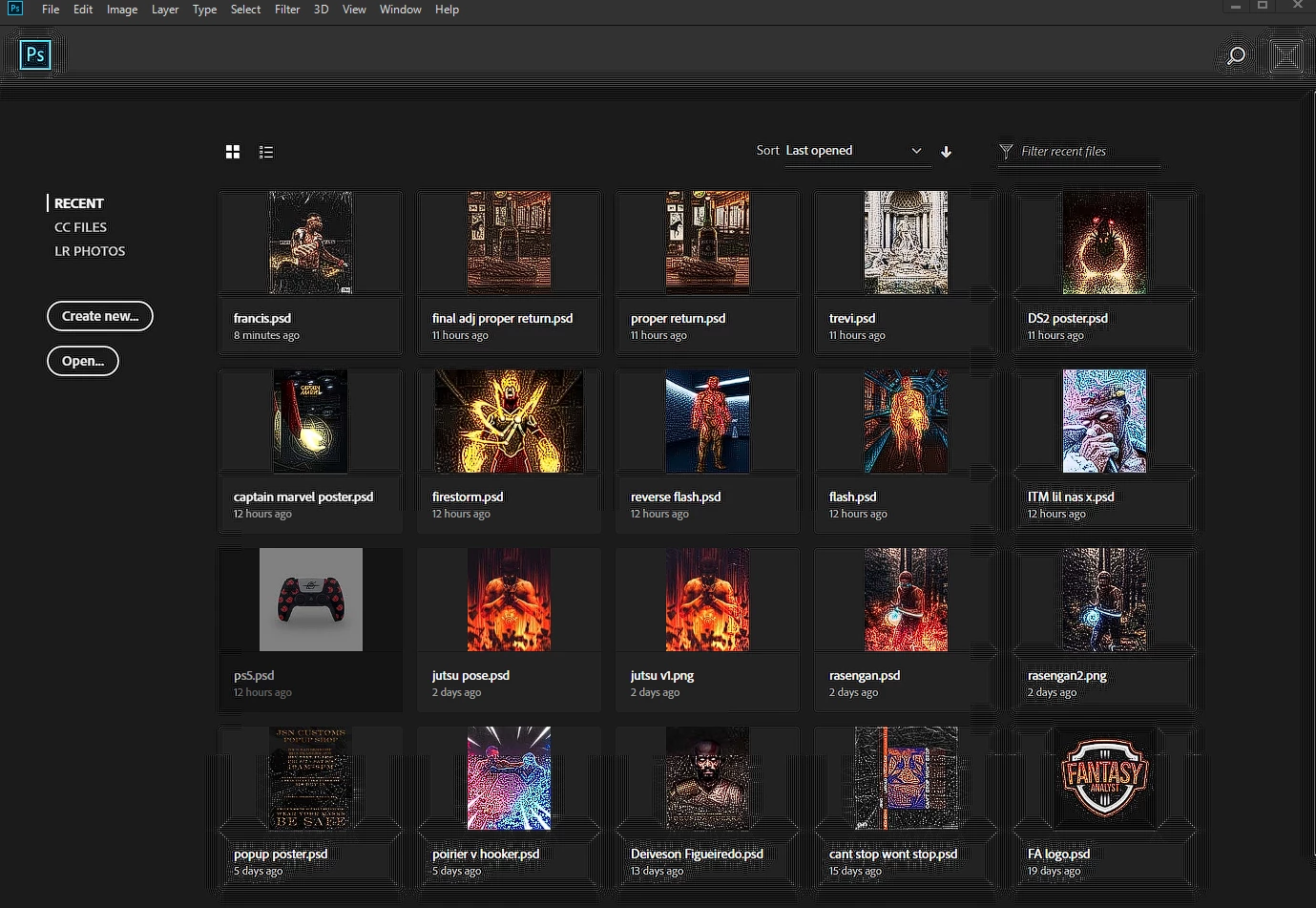 I've tried editing the app's properties by right clicking the desktop icon and going to Properties>Compatibility>Change high DPI settings and checking the first and last checkbox as well as changing scaling to be performed by System(Enhanced) but this makes no difference. Any solutions? Thanks in advance!
 AdChoices