


解決済み
Photoshop not an option in "Open with..." menu
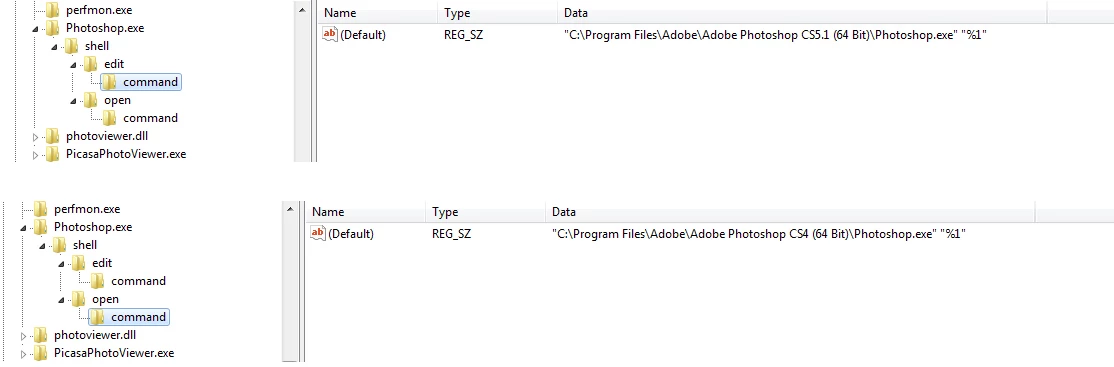
When I right-click an image file in Windows and select "Open with...," Photoshop CS 5.5 is not listed as an option. Even when I browse for the program to open it with and select the appropriate "Photoshop.exe" file, it still will not show up in the app menu. I basically can't get a JPG into Photoshop without using "File : Open" from within Photoshop.
I used to have Photoshop CS4 installed, so wondering if that messed up the installation of 5.5. I've uninstalled Photoshop CS4. Also uninstalled and reinstalled Photoshop CS5.5 (although I kept my preferences). No luck.
Anybody else having this problem? Is this related to a Windows registry issue?
 AdChoices