


Exporting multichannel audio for final delivery of a film
Hi all,
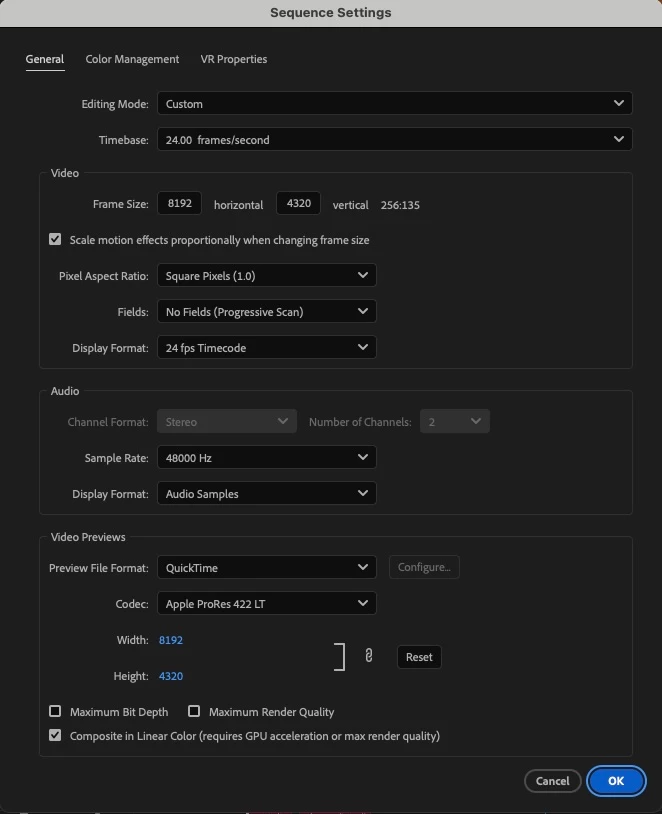
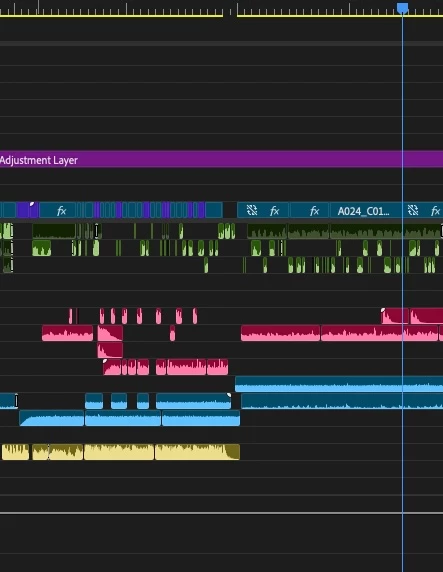
So the situation is as follows... I have edited and sound mixed a film in Premiere Pro. I've attached a screenshot of the sequence settings I've edited / mixed in. And also a screenshot of the timeline to show the tracks used. Tracks 1-4 are dialogue (green), 5-9 are SFX (pink), 10-12 has additional background atmos (blue), and 14-16 has music (yellow). All the audio is a big mix of stereo and mono source material.
The film is essentially finished and now we need to get the it ready for final delivery.
Regarding the audio, I've been told I need to deliver...
Final delivery of the audio should be as follows, and exported as discrete channels (not interleaved pairs):
CH1: English Printmaster Stereo L
Ch2: English Printmaster Stereo R
CH3: Fully-filled M&E Stereo L
CH4: Fully-filled M&E Stereo L
So, my question/s are fairly simple... how do I get from where I'm at now to delivering the correct file? Am I able (from the sequence I'm working in) to simply send the dialogue tracks to somewhere and the Music & Effects tracks to somewhere else, when exporting the file? Or do I need to create a new sequence (with new audio settings) to be able to export it correctly?
The video required is a ProRes 4444, but when I select that and go to the dropdown menu for audio, the 'Output Channels' options are Stereo, Mono or 2 channels. So I'm assuming I do need to be working from a sequence with different settings?
For someone who has only ever been required to export simple stereo audio alongside a video, this is all a bit confusing!
Thanks in advance for any help!
Regards,
Phil
 AdChoices