Ok I actually figured out the problem and was able to fix it (it had to do with a problem with my .kys keyboard shortcut file), and I think I even know the root cause. And it does indeed appear to be a bug.
Summary of the bug and cause (full details after):
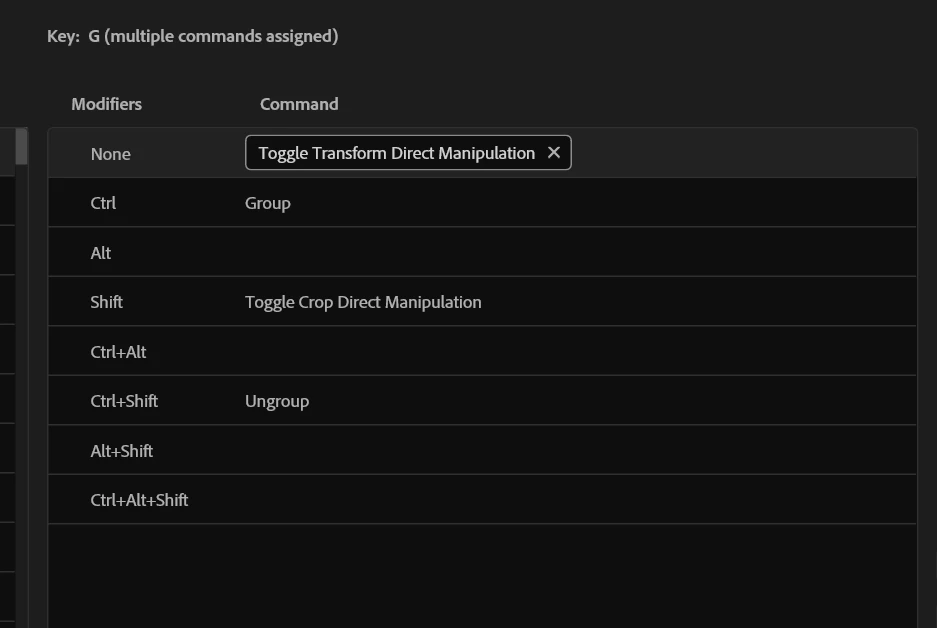
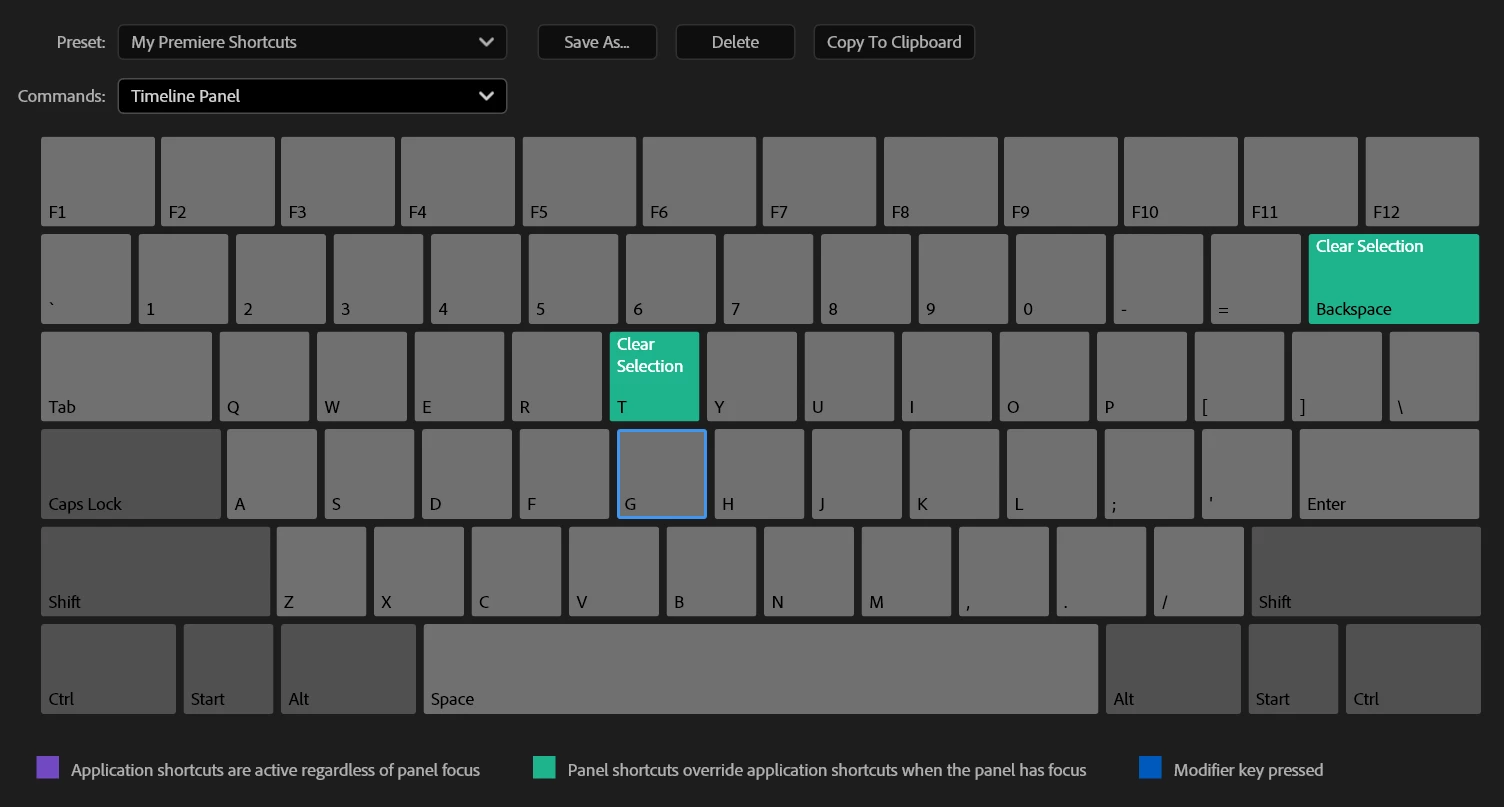
For context, I previously had the G key bound to the previous equivalent of the direct manipulation command in Premiere version 24.0 (where it would activate the transform controls in the program monitor). This command, the "cmd.timeline.show.direct.clip.manipulation" entry in the .kys file, appears to have been migrated from being a "timeline" context control in Version 24.0, to a "global" control in 25.0. But the timeline-level bind in the kys XML file doesn't seem to have been removed during the upgrade, and I guess that timeline context command doesn't do anything anymore. Since any more specific context overrides the global, that means that the non-functional timeline command would appear to block any command, even itself assigned at the global level!
------------------------------------------------------
Investigation - How I Figured It Out:
- First through some testing, I realized that if I set the Keyboard Shortcuts profile/preset to the default one (called "Adobe Premiere Pro Default" in the preset dropdown in the "Keyboard Shortcuts" menu), if I then set the same 'G' key to the direct transformation command, it worked fine! When switching back to my custom profile, again it wouldn't work.
- So to remove all doubt, I installed Premiere Pro on an absolutely fresh Windows virtual machine, with no extensions or anything. The 'G' key would work fine when bound to the direct transformation command, so then I copied over my seemingly-problematic .kys profile to the VM, and set that fresh install of Premiere Pro to use it, and same exact problem!
- I also realized that when setting the 'G' key to other commands like 'Audio Gain', that would also not work, so it wasn't just the manipulation commands.
- So clearly the problem was with the .kys file itself somehow
The Fix:
Looking in the .kys file, i found that the command in question was "cmd.timeline.show.direct.clip.manipulation". And I could see that the command appears in two places (like many commands do in the .kys file) in two "contexts", one for 'global' and one for 'timeline'. Below is those entries isolated to show the contexts they're in, but in reality the kys file has many entries for keys above and below each.
<context.global Version="1">
			<item.611 Version="1">
				<virtualkey>2147483719</virtualkey>
				<modifier.ctrl>false</modifier.ctrl>
				<modifier.alt>false</modifier.alt>
				<modifier.shift>false</modifier.shift>
				<commandname>cmd.timeline.show.direct.clip.manipulation</commandname>
			</item.611>
</context.global>

<context.timeline Version="1">
			<item.77 Version="1">
				<virtualkey>2147483719</virtualkey>
				<modifier.ctrl>false</modifier.ctrl>
				<modifier.alt>false</modifier.alt>
				<modifier.shift>false</modifier.shift>
				<commandname>cmd.timeline.show.direct.clip.manipulation</commandname>
			</item.77>
</context.timeline>
(For those curious, the virtual key value of "2147483719" corresponds to the G key. If you convert the number to hex, it is "80000047", where the 'high bit' of 47 corresponds to the "virtual key" hex code for G, which is 47. Not sure why some keys are stored like this and others just have the exact virtual key hex number).
I then compared those entries to another Test kys profile that was working with the 'G' key bound to the command, and in that working one, the entries looked like this:
<context.global Version="1">
			<item.608 Version="1">
				<virtualkey>2147483719</virtualkey>
				<modifier.ctrl>false</modifier.ctrl>
				<modifier.alt>false</modifier.alt>
				<modifier.shift>false</modifier.shift>
				<commandname>cmd.timeline.show.direct.clip.manipulation</commandname>
			</item.608>
</context.global>


<context.timeline Version="1">
			<item.76 Version="1">
				<commandname>cmd.timeline.show.direct.clip.manipulation</commandname>
			</item.76>
</context.timeline>
The Solution: I simply removed the following 4 lines only from the "timeline" context entry of the 'bad' kys file, so it looked like the working one (So only the 'item' and 'commandname' lines were still there):
<virtualkey>2147483719</virtualkey>
<modifier.ctrl>false</modifier.ctrl>
<modifier.alt>false</modifier.alt>
<modifier.shift>false</modifier.shift>
After that, where the "global" context entry was the only one, and the "timeline" context entry was empty, now the command worked as expected. It also fixed the behavior of any other command assigned to that key.
The Cause:
I then had a hunch, where I went on the virtual machine where I copied the 'bad' kys file, tried removing the 'G' keybind for the bad profile, and realized Premiere was not removing the "timeline" context entry for the manipulation command, only the global entry. It also appears that the manipulation command ID "cmd.timeline.show.direct.clip.manipulation" is the same as what it was in version 24.0, and G is the key I had that command assigned to, which must not be a coincidence. I believe in the process of 25.0 upgrading the .kys file, it probably didn't remove the "timeline" context entry for the command, which was meant to be migrated to the global context. But since the now-non-functional timeline entry was still there, it was blocking the global version of itself.






 AdChoices