


- Home
- Premiere Pro
- Discussions
- Re: Shape Layer - Missing handles / Unresponsive
- Re: Shape Layer - Missing handles / Unresponsive

Copy link to clipboard
Copied
This has been going on in several versions including V23.2.0 (Build 69). Whenever I create a new shape layer in the timeline, say a rectangle, the handles would appear and then disappear. Immediately clicking out of that layer and back in will not make the handles appear. You will need to move the playhead further down the timeline in order for the handles to reappear. But that wouldn't be the "in" point you want the shape to be in, so you move the playhead again.
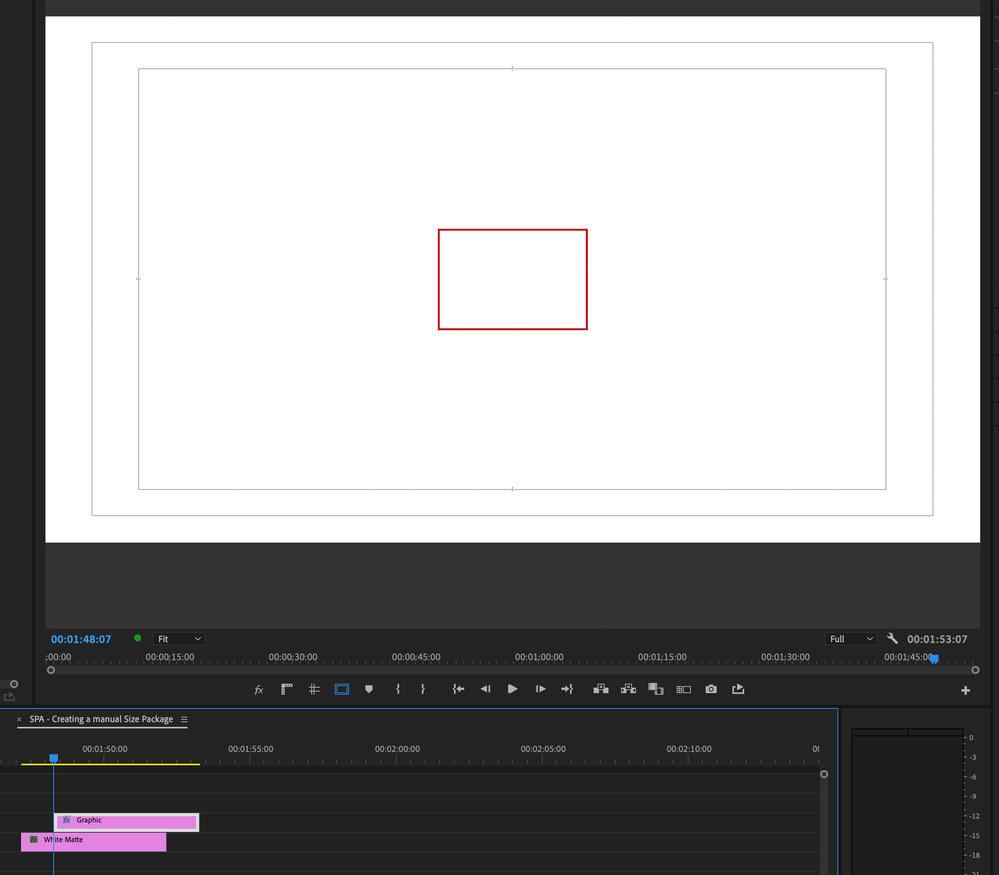
Top screenshot shows a rectangle shape layer with no fill. Playhead is at the beginning of the shape layer, but the handles for the shape are not appearing EVEN if the shape layer has been selected.
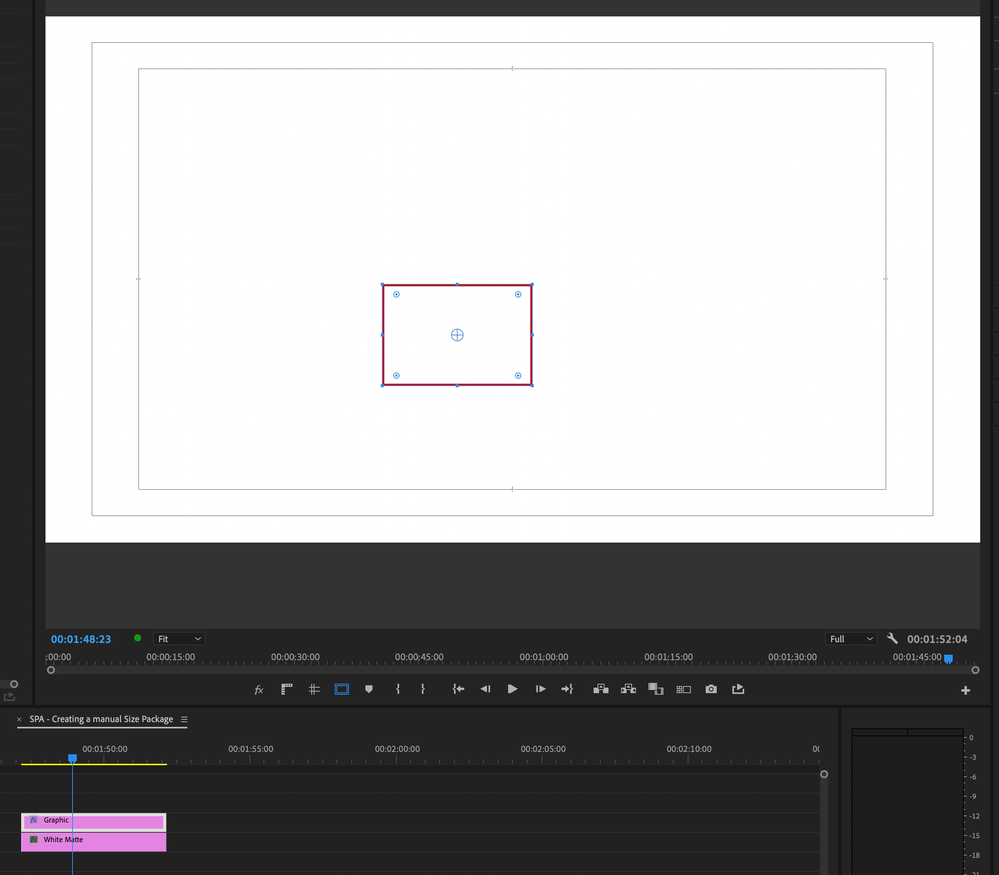
Second screenshot shows the playhead has been moved further into the rectangle shape layer in order for the handles to now appear. But that isn't the "in" point where I would make the shape adjustment so I have to move the playhead back to where it originally was.
Please fix to make the handles appear once the shape layer has been selected. Sometimes it does and sometimes it doesn't. You have to "play" around with it to make it appear.


 1 Correct answer
Hi @Kevin-Monahan appreciate the late follow up. This issue has been fixed in the latter uodates of the app.

 1 Pinned Reply


Hello @raymondocampo,
Thanks for the message. It’s been a long time since you filed this bug, and I apologize for the lack of a response from developers. Are you still having this issue? If so, the team will need more information from you to reproduce the bug. Can you provide the information required here? How do I write a bug report?
I'll move your post to the Discussions board while we await your information.
Thanks,
Kevin
 17
Replies
17
17
Replies
17


Copy link to clipboard
Copied
This is all designed to be controlled from the Essential Graphics Panel (EGP). So you really should either be in the Graphics workspace to do graphics, or add the EGP to your workspace.
Then select the parts you work on from the EGP layer stack, and what you want done to them in the options that appear below.
Working graphics without the controls 'up' is a bit ... slow.
Neil
Copy link to clipboard
Copied
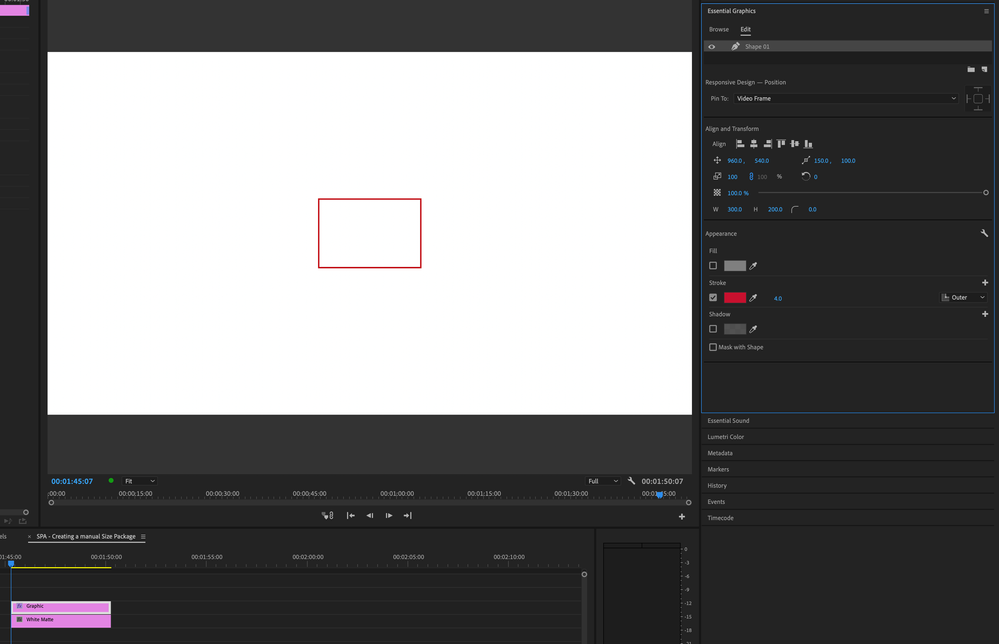
I appreciate the attempt to assist. I always have the Essential Graphics panel and every other panel on hand. If you take a look at my expanded screenshot, the EG panel is open, the shape is selected there. In the timeline, the shape layer is also selected, but the handles do not appear.
It's a bug that never was an issue in previous versions.
Copy link to clipboard
Copied
Also to add clarify, I'm not trying to align the shape. I need to "reshape" it and will need the handles to do that which do not appear until you jiggle with the playhead along the timeline.
Copy link to clipboard
Copied
That seems odd ... when I go over the shape, if I click in the shape, the handles appear. Apparently they don't for you?
Neil


Copy link to clipboard
Copied
You need the selection tool to adjust the shape.
Probably still have the rectangle tool selected.
Copy link to clipboard
Copied
They will appear when you first create the shape, but as soon as you click away and do something else it will disappear and not come back despite having clicked on the shape layer in both the timeline and Essential Graphics panel.
Copy link to clipboard
Copied
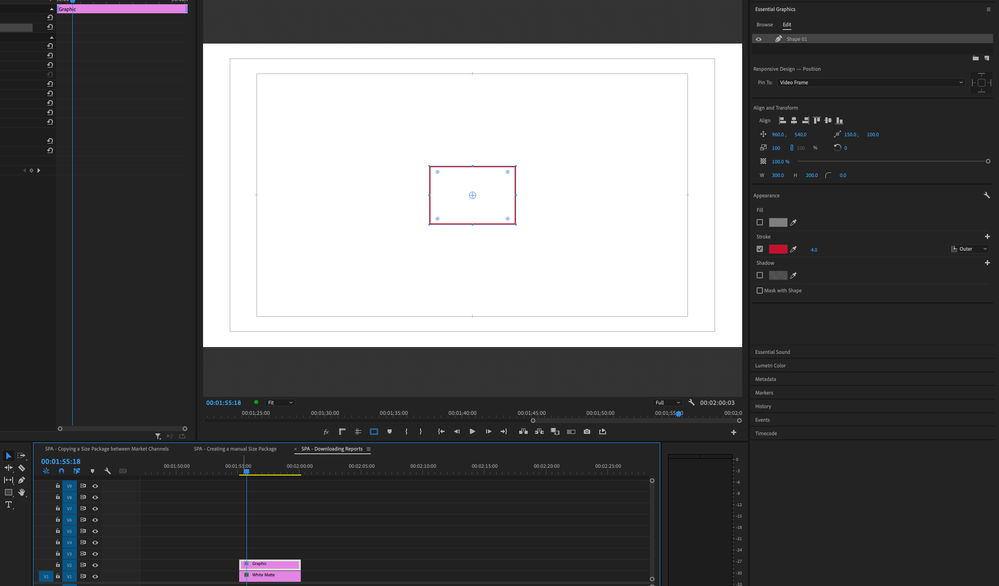
@Ann Bens yes of course the Selection Tool is selected. There's no other tool to select anyway when moving about the shape. I'm a seasoned user of Premiere Pro, AE, and Illustrator. These actions are second nature to me. Here's yet another expanded screenshot to show the selections in case there are any doubts.

Copy link to clipboard
Copied
And if I move the playhead just a little bit forward along the timeline...PRESTO! The handles will appear again.
Copy link to clipboard
Copied
Cannot reproduce.
Reset preferences.
Copy link to clipboard
Copied
@Ann Bens are you on a Mac or Windows? I'm guessing this might be a Mac OS issue, as it's happening to both my Mac Pro 2019 desktop and PowerBook Pro 16" 2022 laptop.
Copy link to clipboard
Copied
W11 and 2023.2 and beta.
Copy link to clipboard
Copied
That explains why you do not experience the same behaviour. Most likely a Mac OS Ventura issue.
Copy link to clipboard
Copied
I'm PC also.
Copy link to clipboard
Copied
Thanks @R Neil Haugen
Copy link to clipboard
Copied
Hello @raymondocampo,
Thanks for the message. It’s been a long time since you filed this bug, and I apologize for the lack of a response from developers. Are you still having this issue? If so, the team will need more information from you to reproduce the bug. Can you provide the information required here? How do I write a bug report?
I'll move your post to the Discussions board while we await your information.
Thanks,
Kevin
Copy link to clipboard
Copied
Hi @Kevin-Monahan appreciate the late follow up. This issue has been fixed in the latter uodates of the app.
Copy link to clipboard
Copied
Cool! Cheers. Happy editing.
Kevin


Get ready! An upgraded Adobe Community experience is coming in January.
Learn more
 AdChoices