
darrell3
Participant
May 1, 2018
Answered

Ultra Key not removing non-green background on Win 10

  • May 1, 2018
  • 1 reply
  • 11033 views

I'm using Premiere Pro vs 12.1.1 (Build 10) on Windows 10. I've applied Ultra Key to a short clip and am attempting to remove a non green background. (#F6F6F6 / R246 G246 B246). I've set the color manually in the Ultra Key Color Picker. The background color persists as if there is no Ultra Key applied. I've reset the Premiere preferences but that had no effect. I've rendered the sequence effects, again no effect. Am I missing something? All the directions and tutorials I've found indicate that this should be working but the background color persists, blocking the background I want to show behind my subject.
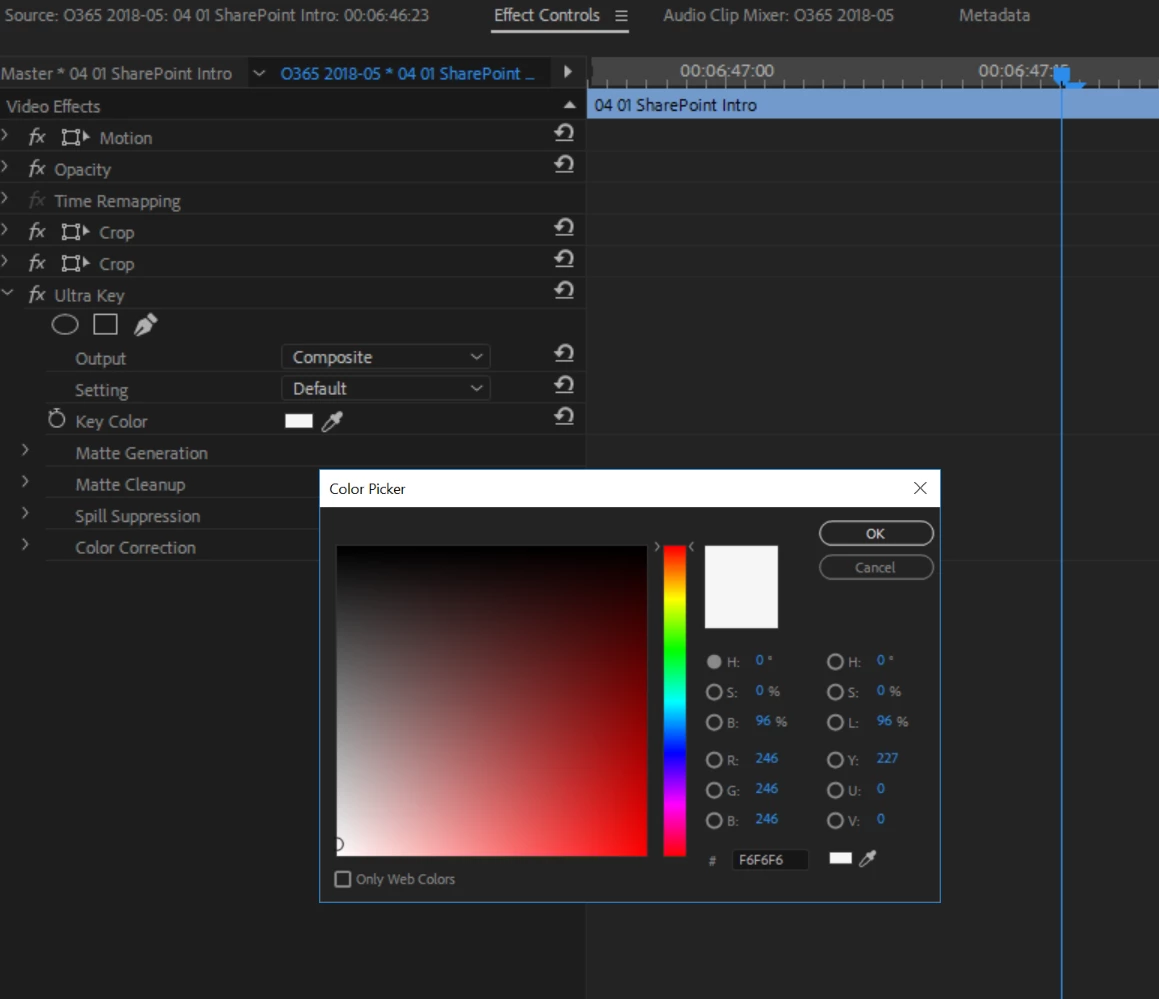
This topic has been closed for replies.
Correct answer darrell3

Per my original post, screen shot, and subsequent update, Ultra Key FAILS to remove #F6F6F6 no matter whether I use the eyedropper or type the value in explicitly in the color picker. That was why I asked the question in the first place.


I just got off the phone with Adobe Creative Cloud support. I was told this is a known issue with build 12.1.1 and was advised to downgrade to version 12.0.0. The other option offered was to wait until a patch is applied in the next release.

1 reply

darrell3
darrell3Author
Participant
May 9, 2018

I've done some testing. Ultra Key works with green (#2ADB00/ R:42 G:219 B:0) but it doesn't work with the footage I have where the background is off-white (#F6F6F6 / R246 G246 B246). I can't locate any documentation stating what Ultra Key's limitation are, but this clearly is one of them. Can anyone point me to documentation on this?

Participating Frequently
May 9, 2018

You are using a CHROMA keyer to attempt a LUMA key.

ChromaKeyer keys based on color (Chrominance), of which you have none when trying to key white basically. The color picker doesn't work as you have no color in white.

In Premiere, select the LUMA Keyer and that will key based on brightness (Luminance) part of the video signal, for instance black or white can be keyed out of image. Often used for titles, like white letters on black background and you key out the black to superimpose titles over video.

Thanks

Jeff

darrell3
darrell3Author
Participant
May 9, 2018

More testing. While Ultra Key doesn't remove #F6F6F6, Color Key does (upping the color tolerance to 70).

Jeff, I have no idea why you recommended Luma Key as it doesn't give me the effect I'm looking for. (At least not for this project.)