

jenniferm95420244
Participant
February 16, 2021
解決済み

Extending still image time in Premier Rush

  • February 16, 2021
  • 返信数 2.
  • 5770 ビュー

HELP there is no way to extend the time of a still image! The typical arrows do not show up to drag. 

    解決に役立った回答 KarrieDi

    It's 2022 and there is still no way to slow down a slide of an image in Rush.  Has anyone found a work-a-round, yet?


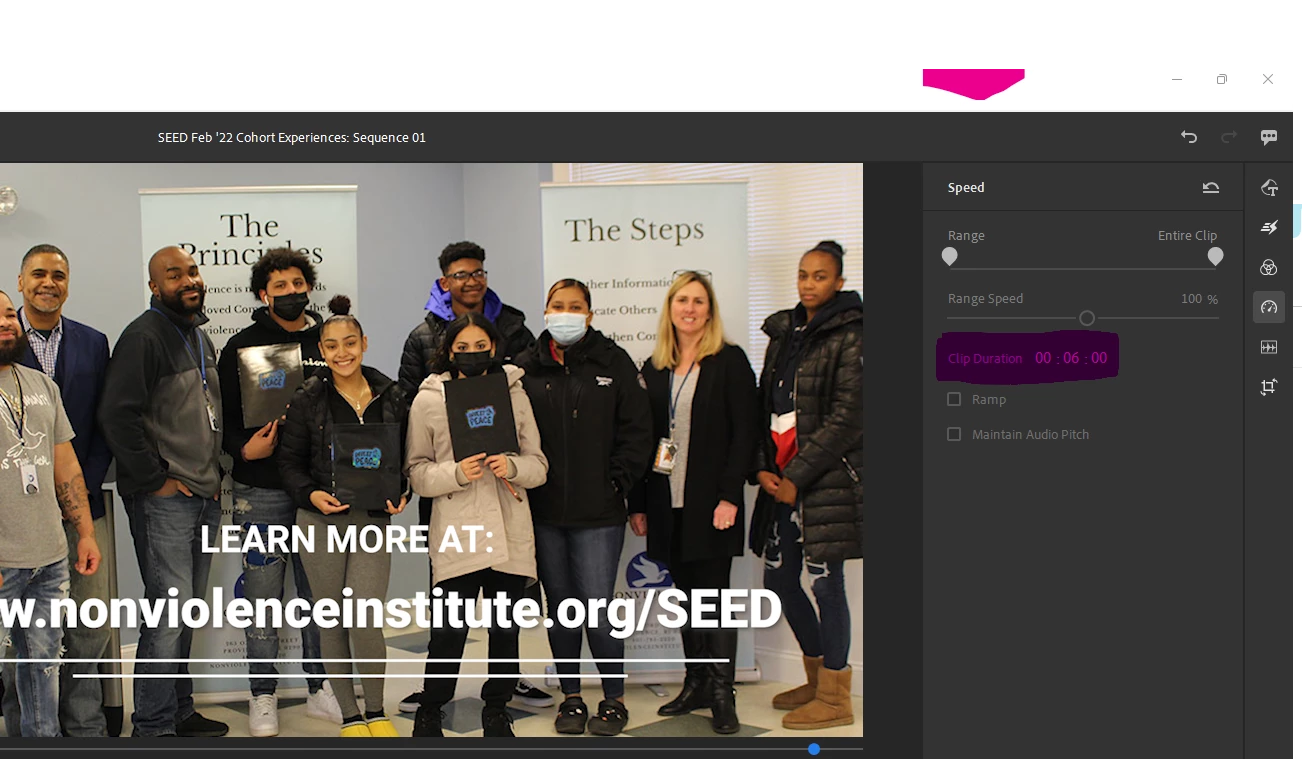
    I was pulling my hair out as well until I realized that I could go to the "Speed" adjustment on the right side of the screen (it looks like a speedometer in your car) and manually change the clip duration - not with the drag button, but actually typing in the number. I've attached a screenshot 🙂
    返信数 2

    Participant
    November 22, 2022

    Is the ONLY way to extend a still image to drag it? My audio clip is 10 minutes long, and dragging my image to extend it second by second it taking WAAAAY too much time. Is there no way to type in an END TIME and have it auto-extend to that time frame? What am I missing?? THX!

    Kartika Rawat
    Community Manager
    Community Manager
    February 18, 2021

    Hi Jennifer!

    After selecting your file in the timeline. You can drag the right side further.  This will extend the image. 

    Please refer to this image.

    Let us know if that helps.

    Thanks,

    Kartika


    Participant
    March 21, 2021

    Hi. Iguess the author is trying to choose multiple images. I just can't believe a basic issue like changing multiple clip/still image duration after import is still not adressed after all this time. Or am I missing something?
    I would love to actually use Rush for my slideshows but now it just makes me frustrated, sorry to say.

    Would love to be wrong here.

    sherlene2
    Participating Frequently
    February 25, 2022

    It's 2022 and there is still no way to slow down a slide of an image in Rush.  Has anyone found a work-a-round, yet?