Known Participant
August 12, 2021
解決済み

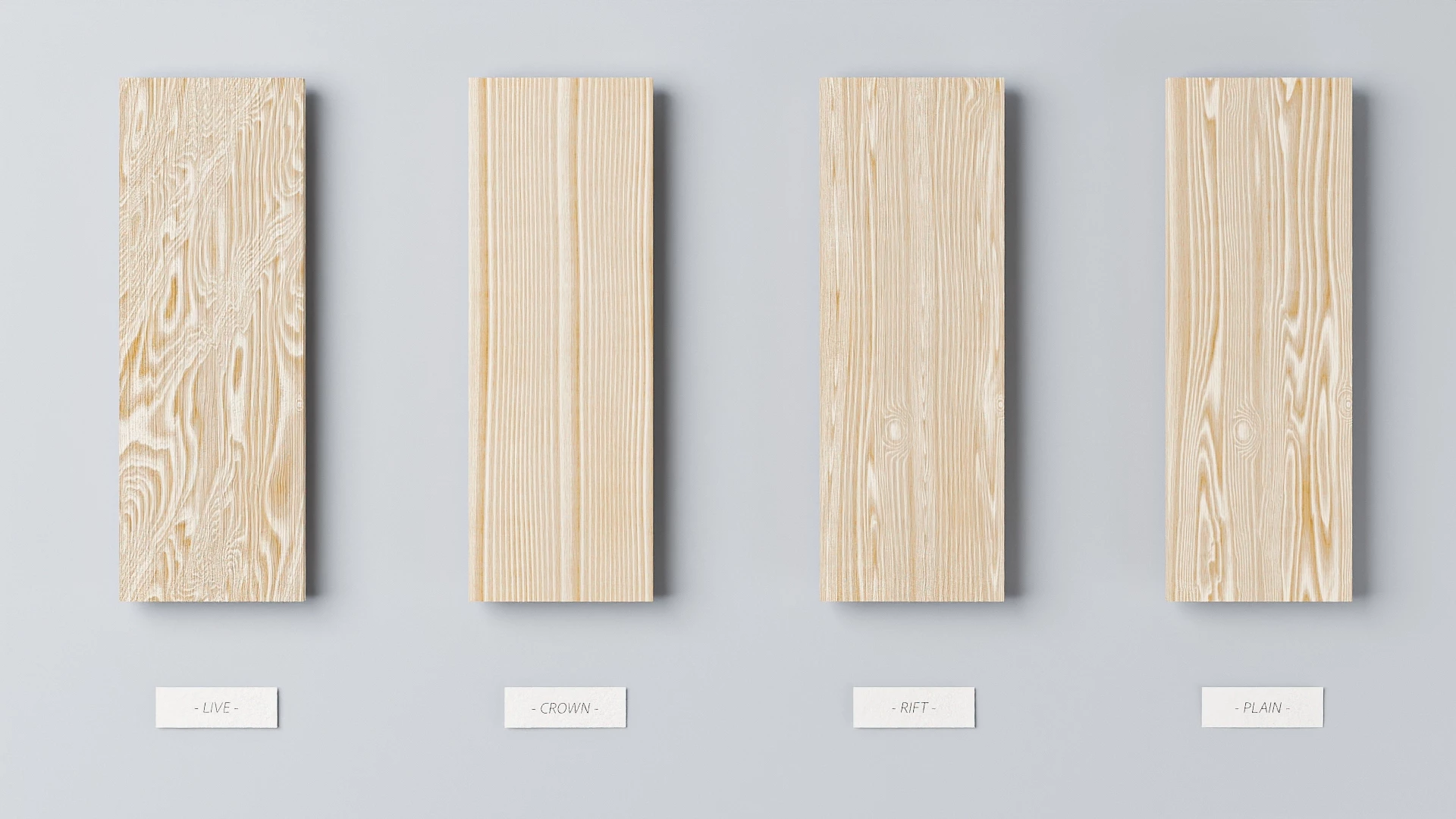
How can I know material can be used to create wood end-grain?

  • August 12, 2021
  • 返信数 3.
  • 4271 ビュー

Hi

I see a post about wood cuting material with substance material.

Lost in the Parametric Woods (adobe.com)

I go to substance sources, How can I know material can be used to create wood end-grain?


I intent to use oak and pine in design furniture. wood end-grain is important.


Thank

Travis

このトピックへの返信は締め切られました。
解決に役立った回答 davescm

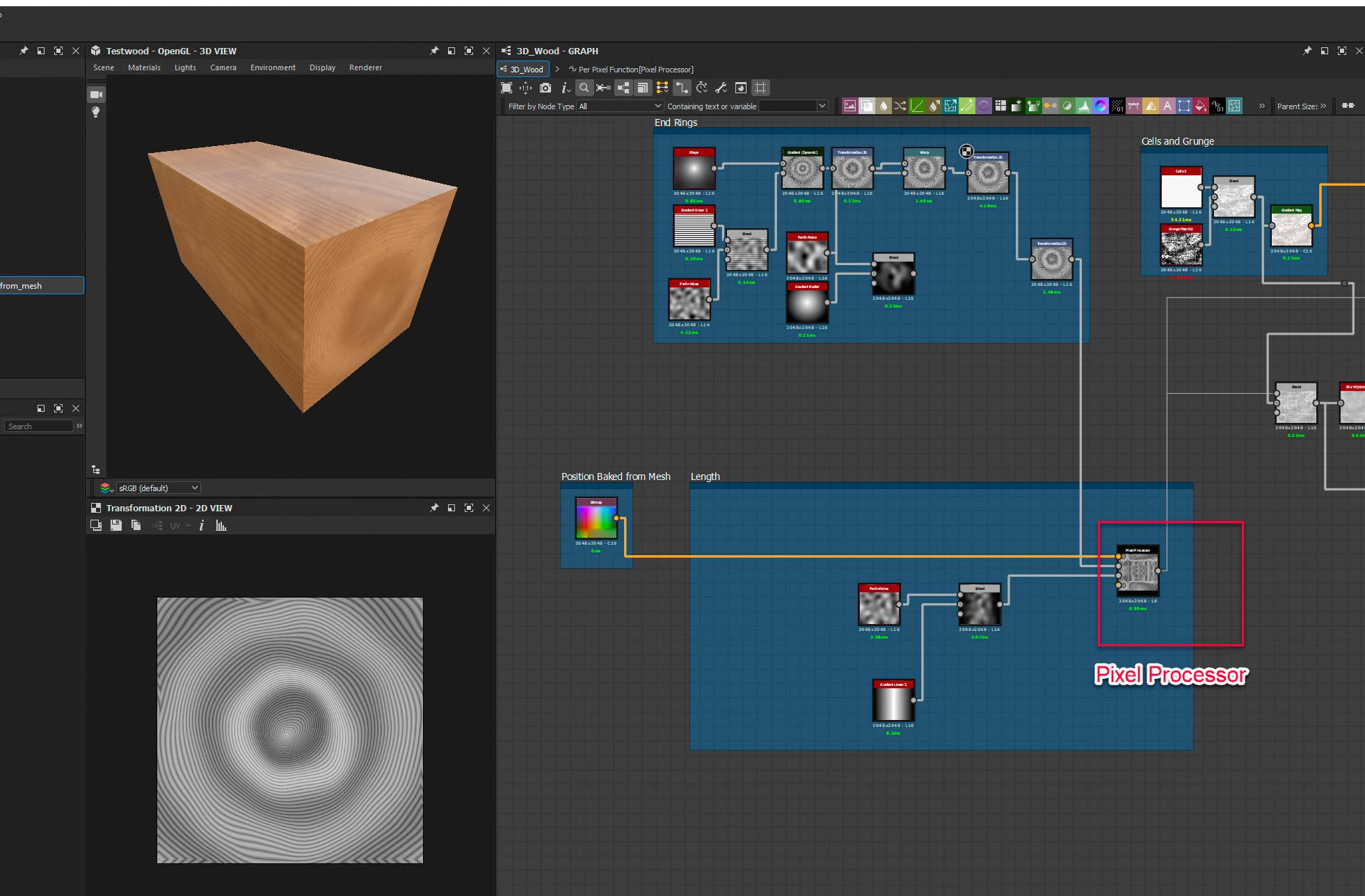
I had a bit more think about this one and came up with a solution using the pixel processor and and a baked from mesh position map.

Basically it uses the original two dimensional wood end grain graph that I showed previously.

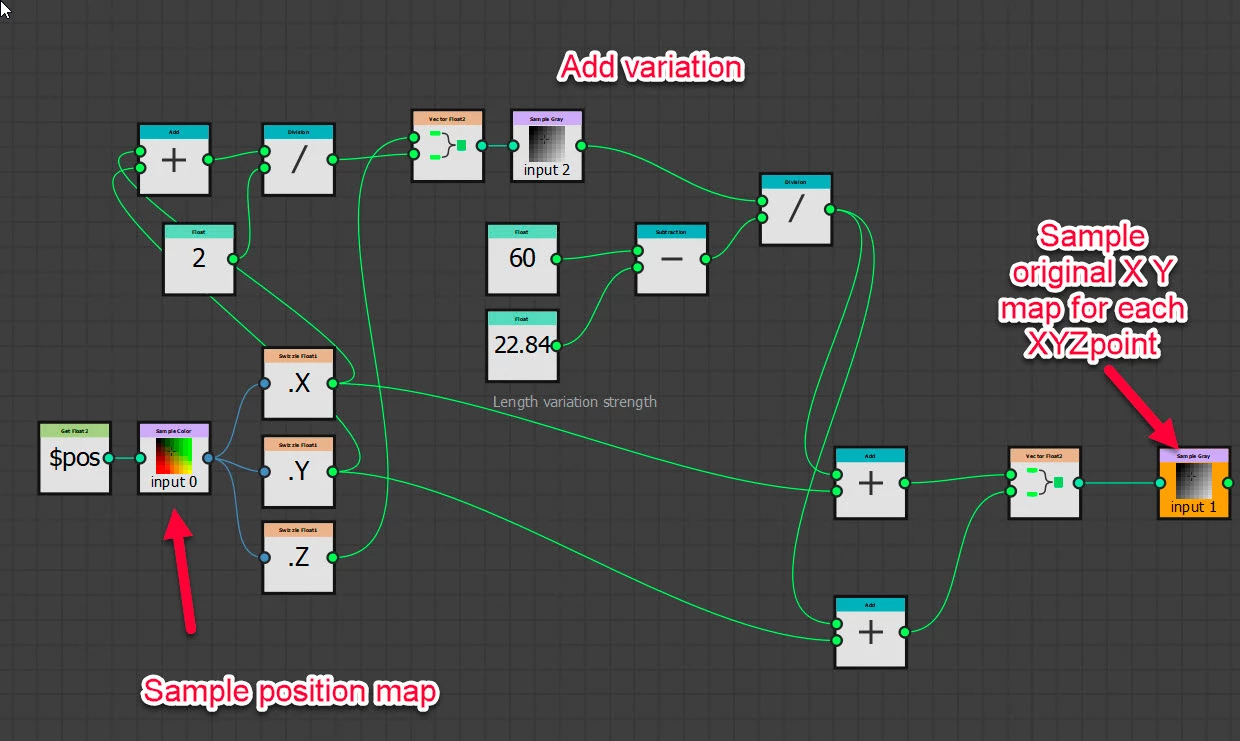
It then reads the position of each point on the UV using a baked 'position from mesh' graph. So it now has an X,Y and Z co-ordinate. Then it samples that end grain (X,Y) and places it across the third dimension (Z). I added a little variation in the sampling of the long grain to make it more realistic
So in short it is treating the end grain as a cross section through the material and then sampling at each surface point along the third axis what the value would be if it was cut out of that section (as well as adding a little variation)
 

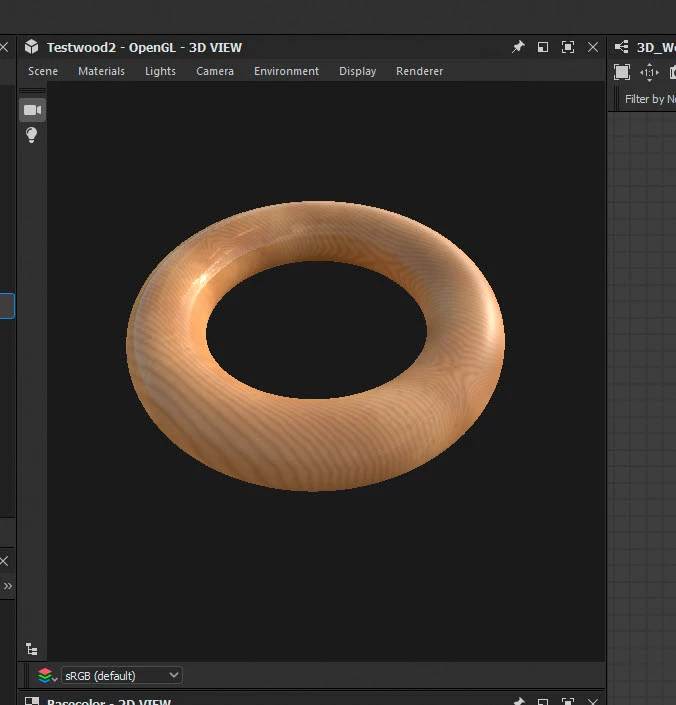
Applied to a torus:
 

Hopefully that is sufficient steer to get you started on your own 3D wood material.


Dave

返信数 3

Participant
March 6, 2024

When I read the article, I was also thinking that Substance could create truely 3D wood textures as well by downloading on of the procedural wood materials: https://substance3d.adobe.com/assets/allassets?assetType=substanceMaterial&category=Wood. But these all seemed to be image based, and upon looking at the image more closely and seeing the solution to this problem, I realized that the problem must be much deeper and be based on how Substance uses images and 2D noise textures rather than truely 3D textures. I'm new to Substance, and I hope I'm wrong here.


Notice that the grain does not line up on the edge in the Substance example, but in the Blender example the grain lines up perfectly: https://blendermarket.com/products/carvature?search_id=28673520. If you only need to texture boards, Substance could be finagled to will work adequately so long as you don't get too close to the edge, but if you need to make a wooden sculpture, or something that doesn't play well with triplanar projection or UV seams, I'd suggest using Blender for the wood instead. In my opinion, any system that projects 2D noises to try to recreate a 3D phenomenon is a patch or a crutch, not a solution.

I love the Adobe programs, and Substance seems to have a lot of promise for different things, but it doesn't seem to allow for the creation of truely-parametric 3D textures. Again, I'm new to Substance, and I hope I'm wrong. Do any of the Substance programs have 3D noise textures, or is everything 2D?

davescm
Community Expert
Community Expert
March 6, 2024

Substance Designer can indeed create procedural textures that work correctly in 3D, wrapping around edges and corners using the technique I described above.  It involves using the pixel processor, a baked position map, and a bit of maths  but can be done.

I'll post another example later.


Dave

davescm
Community Expert
Community Expert
March 6, 2024

Example attached, all in Designer, - wood rings align across sides and end grain, including cutouts.


The pixel processor function looks like this :


The material uses a baked position map from the model mesh which gives the material position of each point on the mesh surface in 3D space. It uses that to map a cross sectional wood grain pattern (effectively a cube with the pattern running through it) onto the surface.


In short - yes you can make material in 3D Designer, that can be used in Designer or Painter to apply a cross sectional texture to a surface correctly in 3D without tri-planar mapping. That can be rendered in Substance or exported as a set of 2D texture maps for rendering in any 3D software.


Dave

davescm
Community Expert
davescmCommunity Expert解決!
Community Expert
April 19, 2022

I had a bit more think about this one and came up with a solution using the pixel processor and and a baked from mesh position map.

Basically it uses the original two dimensional wood end grain graph that I showed previously.

It then reads the position of each point on the UV using a baked 'position from mesh' graph. So it now has an X,Y and Z co-ordinate. Then it samples that end grain (X,Y) and places it across the third dimension (Z). I added a little variation in the sampling of the long grain to make it more realistic

So in short it is treating the end grain as a cross section through the material and then sampling at each surface point along the third axis what the value would be if it was cut out of that section (as well as adding a little variation)


Applied to a torus:


Hopefully that is sufficient steer to get you started on your own 3D wood material.


Dave

Travis Nguyen作成者
Known Participant
April 19, 2022

Thank a lot @davescm Need time to learn and understand.

davescm
Community Expert
Community Expert
April 19, 2022

It is treating the model as if it sits in a cuboid with the end grain map printed all the way through it. Then it just samples the position of each surface point. As I said I did add a little variation in the sampling otherwise it would just have been straight lines from front to back.

This is it applied to a bowl shape


It needs parameters adding to control angle etc but the basics are there


Dave

Travis Nguyen作成者
Known Participant
August 12, 2021

more ref image

Participant
November 25, 2021

I'd also appreciate some clarification on how to do this, the article doesn't go into much detail on how the end grain is done but shows off a lot of examples, it's disapointing to see this was not made a part of the materials available on substance source.

davescm
Community Expert
Community Expert
November 25, 2021

Try blending some lines from a linear gradient with some noise, and then using a Dynamic Gradient node to distort the lines. Then warp them using a warp node and noise.


You can go on to add wood cell structure, cut marks etc


Dave