

premiere is once again corrupting my AE renders by putting some weird outline around it
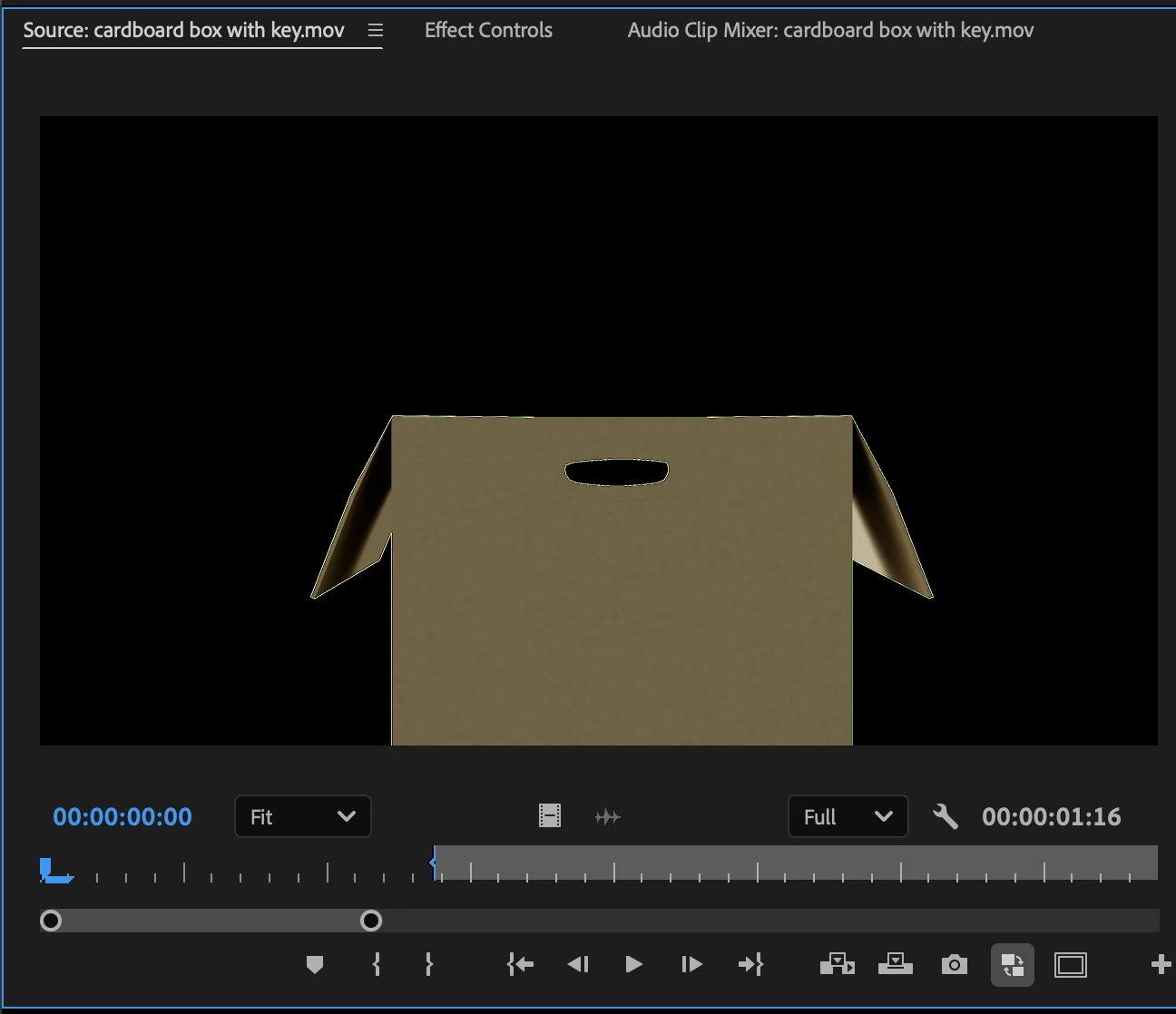
premiere is once again corrupting my AE renders by putting some weird outline around it. I've written to the forums before about this issue but cant remember if i put it in the after effects forum or premiere forum but I render it out of After Effects and it looks fine and then a few minutes later i scrub back to it on my timeline and theres this crazy outline around it but if you bring the render into AE you dont see that crazy outline. Adobe has acknowledged this issue in the past and told me not to use a blue background but im not using any background. the glitch was on two separates files. both with alpha channels in them. One was a rotobrushed shot of a person.
in the past: if you re export the file from scratch from AE, you couldnt see the nasty outline any more until you hit quit on premiere and re open premiere and that nasty outline is back and then you'd have to re render in AE all over again to get it to go away again https://community.adobe.com/t5/premiere-pro-bugs/premiere-altering-my-ae-renders-to-include-odd-artifcating-in-the-background/idc-p/15204210/page/2#M46808
mac os sequoia 15.5
premiere 25.2.3 (build 4)
afte effects 25.2.2 (build 2)


 AdChoices