



Open for Voting
Premiere Pro Feature Request — Toggle Track Output Keyboard Shortcuts
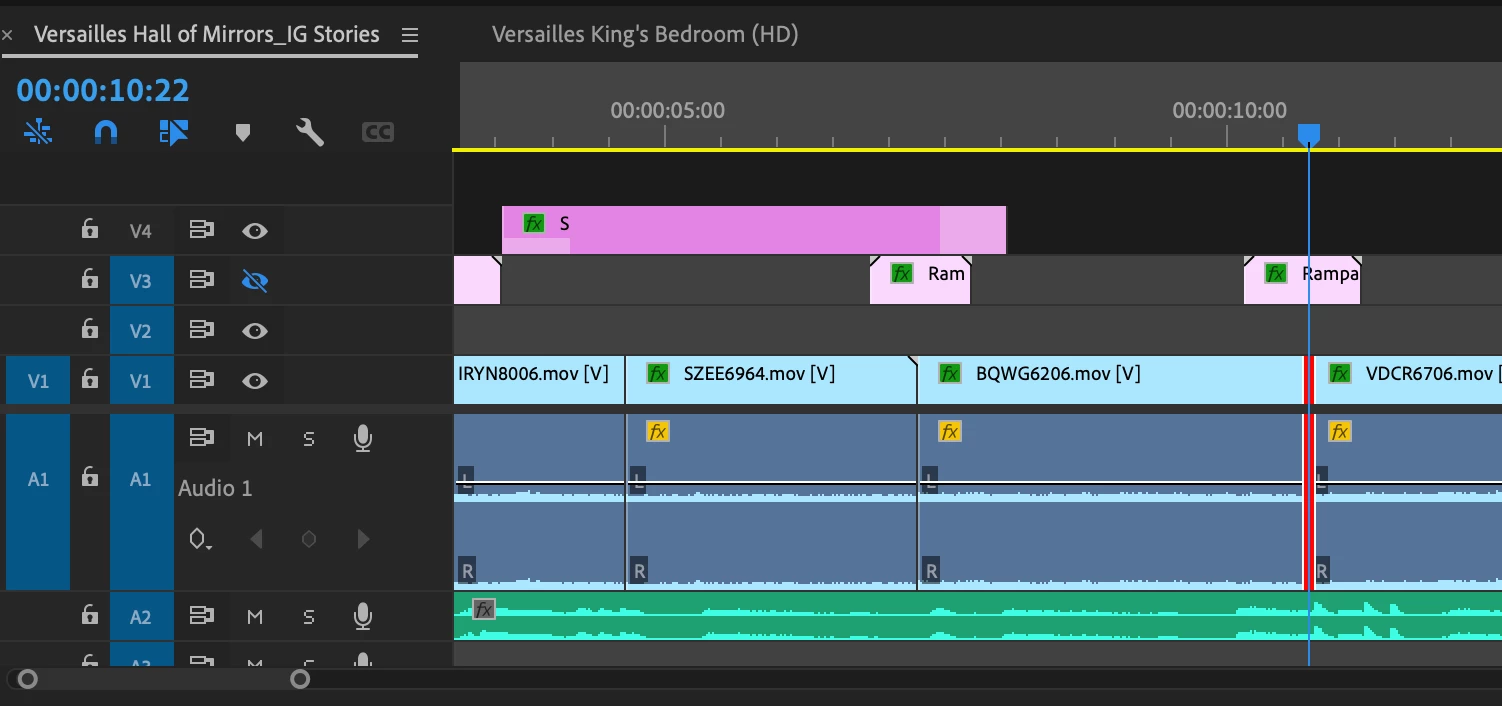 Feature Request: "Toggle track output" shortcut. As an editor, I would like a keyboard shortcut for Toggle Track Output (the eyeballs) for each track.
- Edit: User Voice links are removed from this post.
Please upvote!
Use Case
I was running into the need to toggle track output today, where I'm nudging an edit point as I'm looping. One problem: I want to turn off the "camera clutter" clip on V2 momentarily as I adjust the edit point, then turn it back on (as I'm still looping).
- It works great with the mouse, and I'd much rather toggle it back on with a shortcut similar to my other timeline toggles.
- I find it a little odd that it is missing from Timeline shortcuts.
- Shortcuts exist for all the other timeline toggles.
What do you think, community?
Thanks,
Kevin
 AdChoices