

April 1, 2016
質問

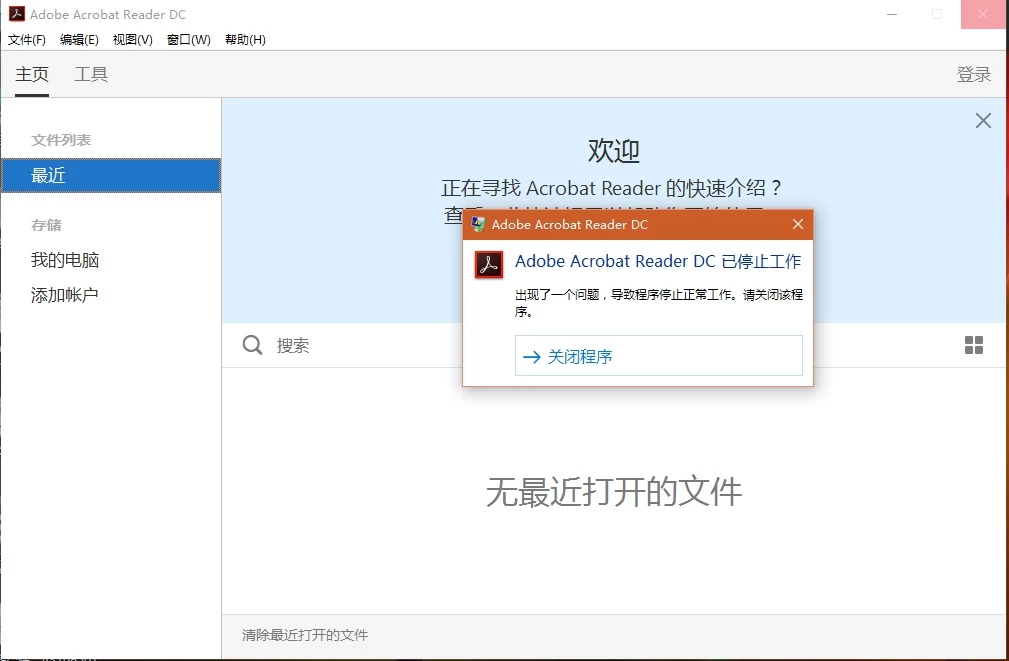
打开adobe acrobat reader dc后提示停止工作

  • April 1, 2016
  • 返信数 1.
  • 32258 ビュー

操作系统为win10,当我更新了adobe acrobat reader dc后,不管我是直接开软件,还是打开pdf格式的文件,立刻出现如下图所示的提示框,我现在已经没有办法查看任何pdf格式的文件内容了!

    このトピックへの返信は締め切られました。

    返信数 1

    Participating Frequently
    April 2, 2016

    Hi ,

    Please provide the exact dot version of the software & OS installed at your system .Also check whether is there any update available for the software after going through "help > check for updates "

    Follow this thread to reset the preferences for the Acrobat software :- How to reset Preference settings in Acrobat.

    Please refer to this KB article :- https://helpx.adobe.com/x-productkb/global/troubleshoot-system-errors-freezes-windows.html

    Let me know if it works.

    Regards,

    Yatharth