

JKOMET-DEP
Participant
March 23, 2026
Question

Acrobat opens pdfs in the background and doesnt create windows or tabs for me to see

  • March 23, 2026
  • 1 reply
  • 11 views

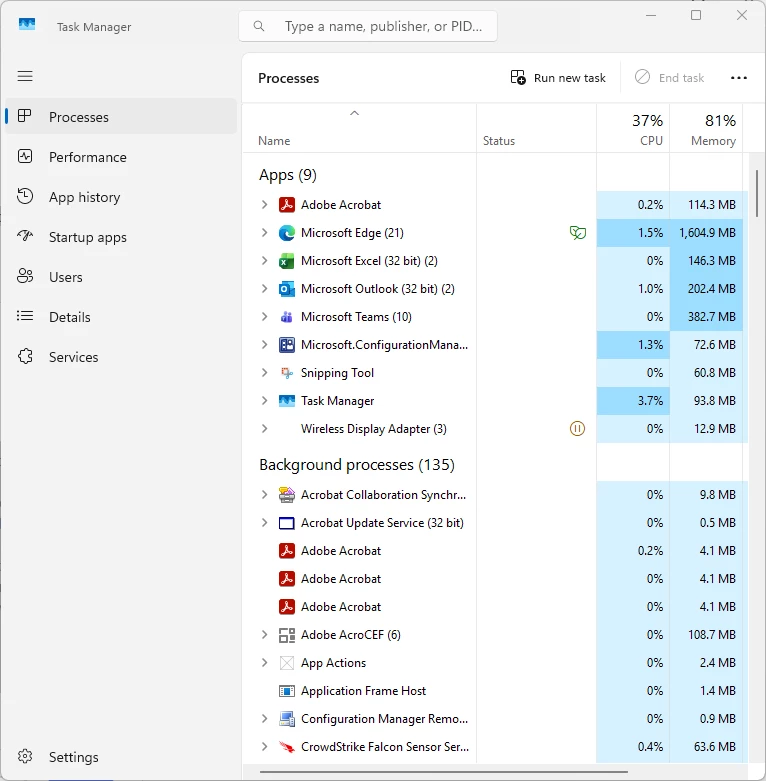
I have a few users experiencing issues with acrobat and pro. Where if I have a pdf open that is saved to the c drive. I then attempt to open a pdf from outlook it does not open a second tab with that pdf nor does it open a window with that pdf. The only thing I can see is when I have task manager open there is a instance of acrobat opening in the background processes, but no window gets created for me to see. The strange part is if I have acrobat closed then open a pdf from outlook first. I can then open any number of pdf correctly from any drive or from outlook. It only happens when the user opens a pdf from their c drive first. This issue has persisted through reinstalls of acrobat on multiple different devices. Let me know if I can provide any more information about this issue. The devices are all win 11 most recent updates installed. Most recent version of acrobat/ pro depending on the user. This is also happening on my work device although I
don't use acrobat that much 

    1 reply

    Amal.
    Legend
    March 25, 2026

    Hi there,
     

    Hope you are doing well, and thank you for reaching out and for explaining the issue in such detail. We are sorry for the trouble you are experiencing.
     

    As described, Acrobat launches in the background but does not bring the window to the front when a second PDF is opened from Outlook. However,  it works fine if Outlook is used first.
     

    We need some more information for a better understanding. Could you please share:

    • Are all users on the same Acrobat version/build?

    • Is this happening only with PDFs opened directly from Outlook attachments or also from downloaded files?

    • Are you using any enterprise policies or managed installations?
       

    Here are a few things you can try:

    1. Disable “Open PDFs in the same window.”

    Open Acrobat > Go to Edit > Preferences > General > Uncheck “Open documents as new tabs in the same window” and restart Acrobat and test again

    2. Check Protected Mode / Enhanced Security

    Go to Edit > Preferences > Security (Enhanced) > Uncheck ‘Enable protected mode at startup’ 
    and reboot the application and check.
    (This helps identify if security sandboxing is causing the issue.)

    3. Set Acrobat as the default PDF handler (including Outlook)

    Make sure Adobe Acrobat is set as the default app for PDFs
    In Outlook, check if it's forcing preview mode or another handler

    4. Try disabling the Outlook preview pane. Sometimes, Outlook preview conflicts with Acrobat's opening behavior.

    5. Check for multiple Acrobat processes
    Since you already noticed background processes in Task Manager:

    End all Acrobat processes
    Reopen and test again

    6. Repair Installation (even after reinstall)

    Go to Help > Repair Installation. 
    This sometimes fixes deeper configuration issues that a reinstall may miss.


    Let us know how it goes.


    ~Amal