


redies
Participating Frequently
October 15, 2018
Question

Searching for tools yields no results on every other program start.

  • October 15, 2018
  • 2 replies
  • 2030 views

Hi,

I use Adobe Reader DC Continues Release Version 2019.008.20074

I observe the following behaviour:

After booting the PC, when I start Adobe Reader DC and click on Tools next to Start in the upper left corner of the window, I type in "Zertifikat", or a substring of that, or any other Toolname that is shown before I begin to type.

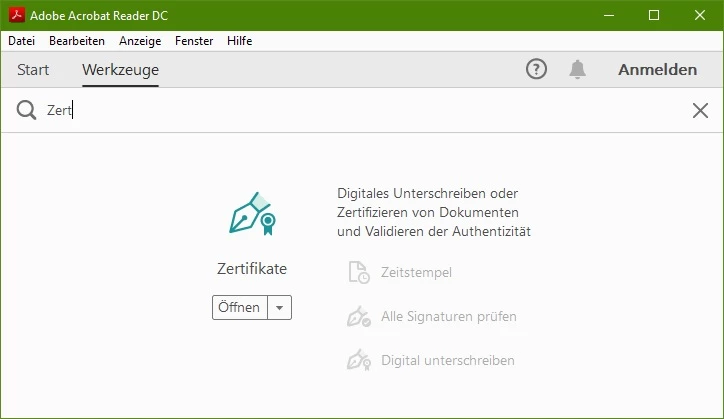
I expect to see results of that search, in this specific case I expect the "Zertifikate" tool which allows me to use a dongle to sign a document.

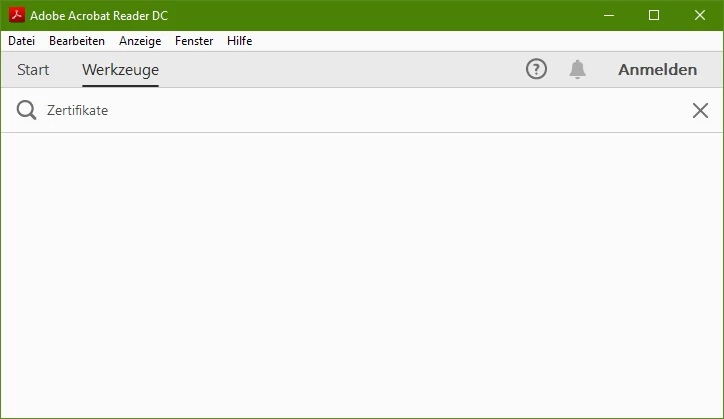
What actually happens is that the page is blank, showing no results:
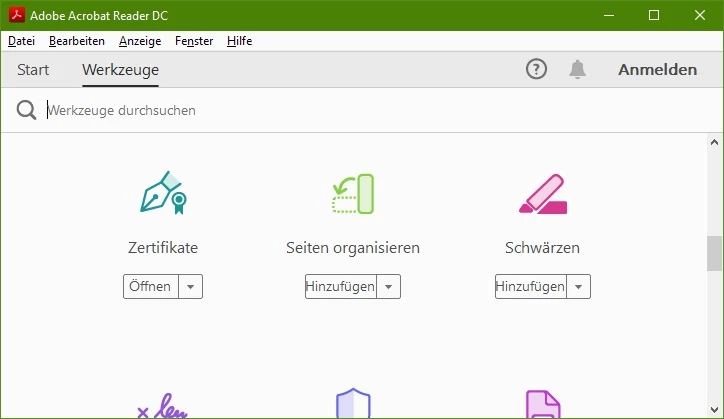
The tools are all there, mind you, it's just that the search function doesn't work:
When I now close the program and start it anew, I observe the correct behaviour of showing one result:
And this repeats every odd numbered time I restart adobe reader. So, first time I start it: it doesn't work, second: works, third: nope, fourth: yepp, fifth: nope... I tried this ten times.

It's bizarre.

This topic has been closed for replies.

2 replies

redies
rediesAuthor
Participating Frequently
December 10, 2018

Any news regarding this?

AnandSri
Community Manager
Community Manager
October 15, 2018

Hello Redies,

We're sorry for the trouble you had with Adobe Reader, is it a Mac or Windows machine on which you are facing this issue and what is the version of OS installed?

Reset Adobe Reader's preferences once and reboot the machine, to reset the preferences, refer to How to reset Acrobat Preference settings to default. Reboot the machine and check.

If you still experience any issue, please use Acrobat cleaner tool to remove Adobe Reader Download Adobe Reader and Acrobat Cleaner Tool - Adobe Labs

Reboot the machine and install Adobe Reader from Adobe - Adobe Acrobat Reader DC Distribution

Once Adobe Reader is installed, download the latest update of Adobe Reader 2019.008.20074 from help>check for updates, reboot the machine after updating Adobe Reader.

Let us know how it goes and share your observation.

Thanks,

Anand Sri.

redies
rediesAuthor
Participating Frequently
October 15, 2018

Hi, it's Windows 10, as can be seen in the screenshots. I can reproduce this behaviour on two Windows 10 machines and one machine running Windows 7.

I have to correct one thing though: it's not every odd numbered app-start but every even numbered app-start instead.

I removed the preferences folder, didn't help. Will try your other suggestions next.

Edit:

Ok, I used your cleaner tool, rebooted, installed from your link, rebooted, updated, rebooted, the problem persists.

What now?

AnandSri
Community Manager
Community Manager
October 15, 2018

Hello Redies,

Thank you for sharing the details, I have tried replicating the issue at my end, but I am able to get the tools details every time I type a tool name in the Tools section. I have checked it on Mac and Windows machine.

For testing purpose, please create a test user profile with full admin rights and install Adobe Reader and check.

Let us know how it goes in the test user profile.

Thanks,

Anand Sri.