


Participant
7月 21, 2026 3:04 午後 UTC
解決済み

I cancelled my trial subscription on July 16, before the free trial ended on July 20. However, I was charged 69,87 RON on July 21. Please review my account and issue a refund.
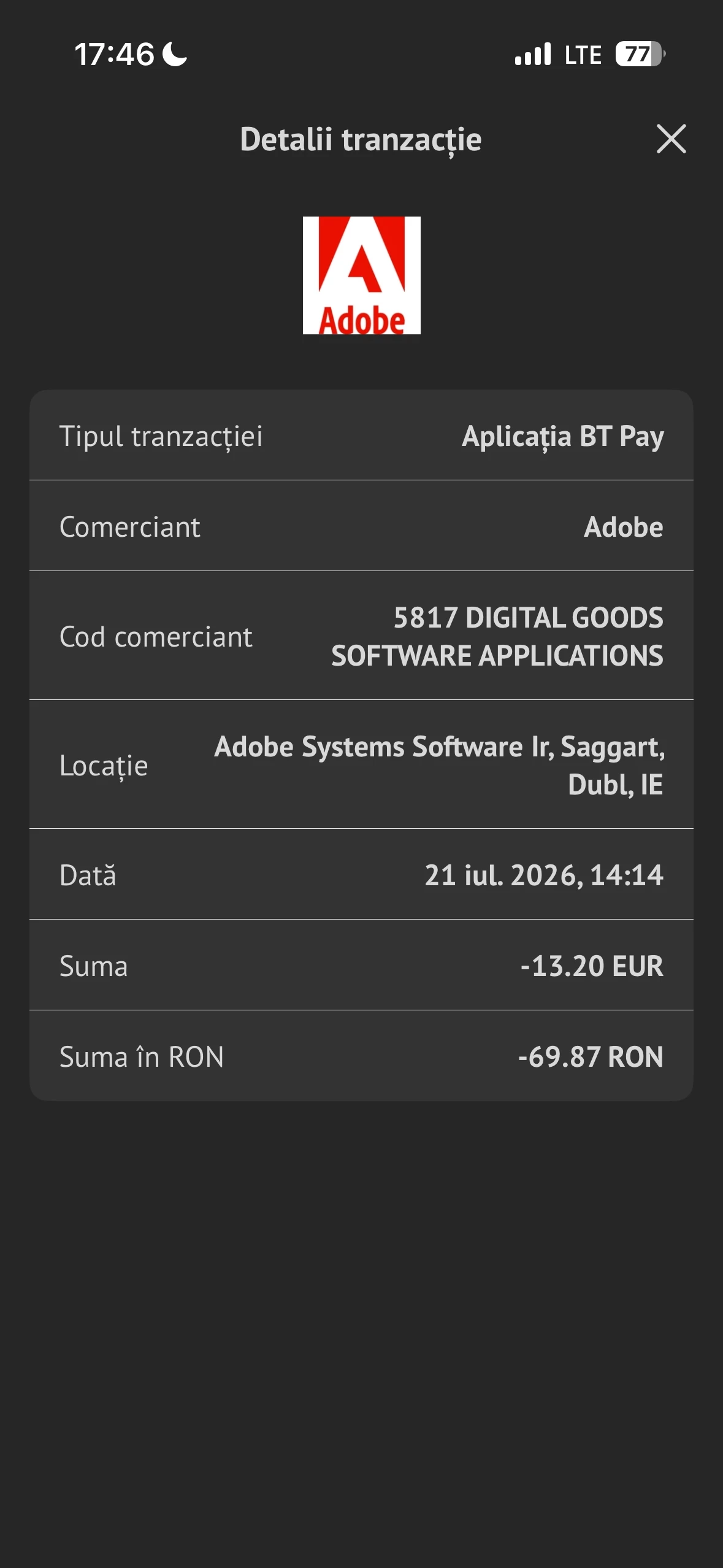
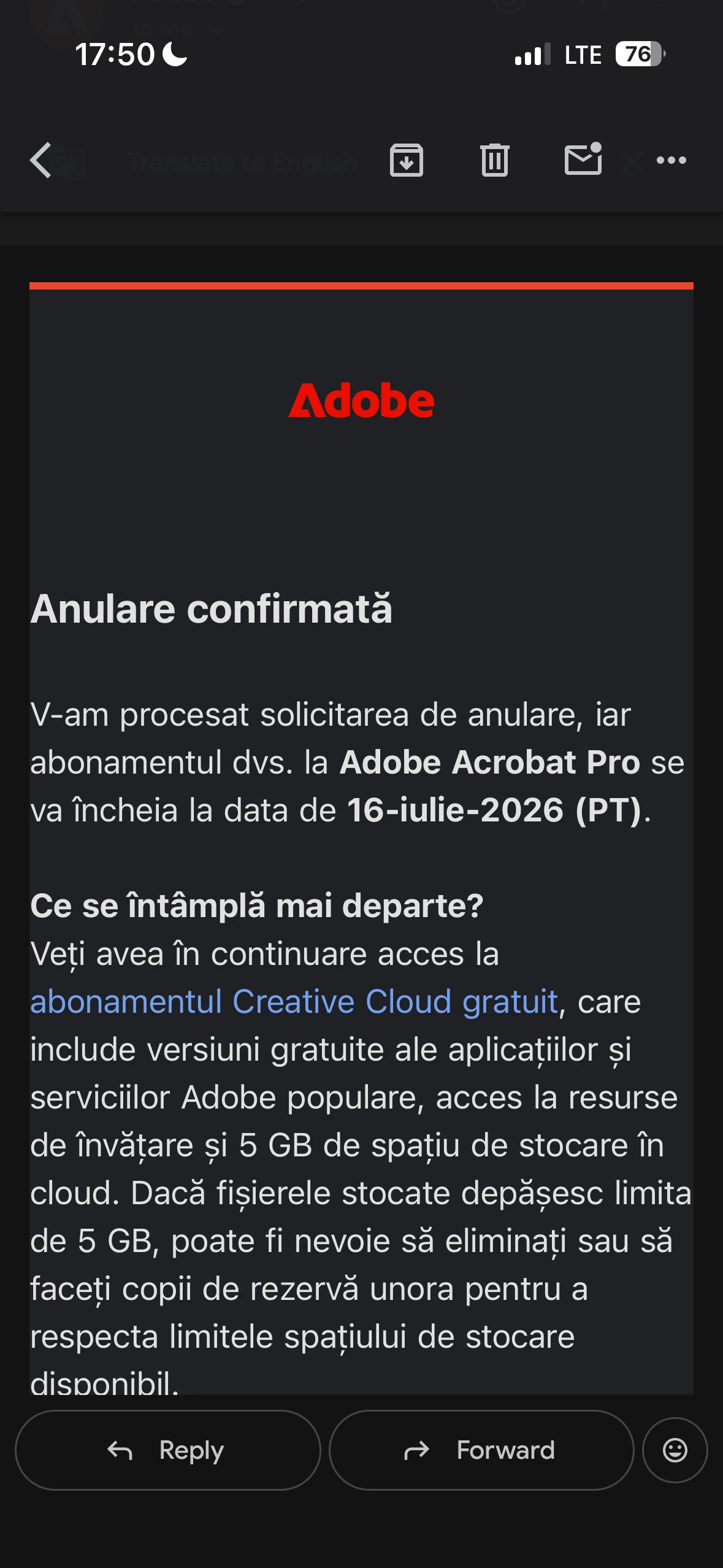
I started a free trail on 13th July and cancelled my trial subscription on July 16, before the free trial ended on July 20. However, I was charged 69,87 RON on July 21. Please review my account and issue a refund. 

    justlearn
    justlearn解決!
    Community Expert
    8月 4, 2026 8:12 午前 UTC

    ​@Allexandra19 I don’t want to be bearer of bad news, but if you are a past user have used a trial versions and then cancel it, the company may not cancel it and charge you for the app. Hopefully, that isn't the case….By the looks of your screenshot, if you purchased an Adobe Acrobat Pro subscription on your mobile device—whether through the Google Play Store or the Apple App Store—then the subscription is managed entirely by that store. Adobe cannot access, modify, or cancel subscriptions billed through Google or Apple, because those companies handle the billing directly. 

    On Android: Use the automated cancellation form to submit your request. It only takes a few moments.

    On iOS (iPhone or iPad): To cancel your subscription, follow the instructions outlined in the help article.


    m

    返信数 4

    justlearn
    Community Expert
    justlearnCommunity Expert解決!
    Community Expert
    8月 4, 2026 8:12 午前 UTC

    ​@Allexandra19 I don’t want to be bearer of bad news, but if you are a past user have used a trial versions and then cancel it, the company may not cancel it and charge you for the app. Hopefully, that isn't the case….By the looks of your screenshot, if you purchased an Adobe Acrobat Pro subscription on your mobile device—whether through the Google Play Store or the Apple App Store—then the subscription is managed entirely by that store. Adobe cannot access, modify, or cancel subscriptions billed through Google or Apple, because those companies handle the billing directly. 

    On Android: Use the automated cancellation form to submit your request. It only takes a few moments.

    On iOS (iPhone or iPad): To cancel your subscription, follow the instructions outlined in the help article.


    翻訳
    m
    Allexandra19作成者
    Participant
    8月 5, 2026 8:45 午前 UTC

    I had a refund, everything is fine now. Thank you for your response 

    翻訳
    Participant
    8月 20, 2026 10:04 午前 UTC

    Hi, I am in the same situation right now trying to get a refund, how did you manage to get one? 

    翻訳