Participant
March 22, 2017
Answered

I need to ad adobe reader to the share options iPhone 6 Safari

  • March 22, 2017
  • 1 reply
  • 10656 views

How do I ad adobe reader to the share options iPhone 6 Safari Share menu ?

reader says to import a pdf from my email go to my email open the file hit the share button and choose

Adobe reader. But reader isn't there as an option. Dropbox, iBooks, email, message, and others but

no Adobe reader or Fill and Sign.

This topic has been closed for replies.
Correct answer MobileDeveloperCK

Hi everyone,

Safari on iPhone/iPad behaves a little bit differently from any other iOS apps.

Some apps do not appear when you tap the Share button in Safari's toolbar.

Please try the following steps in Safari, instead.

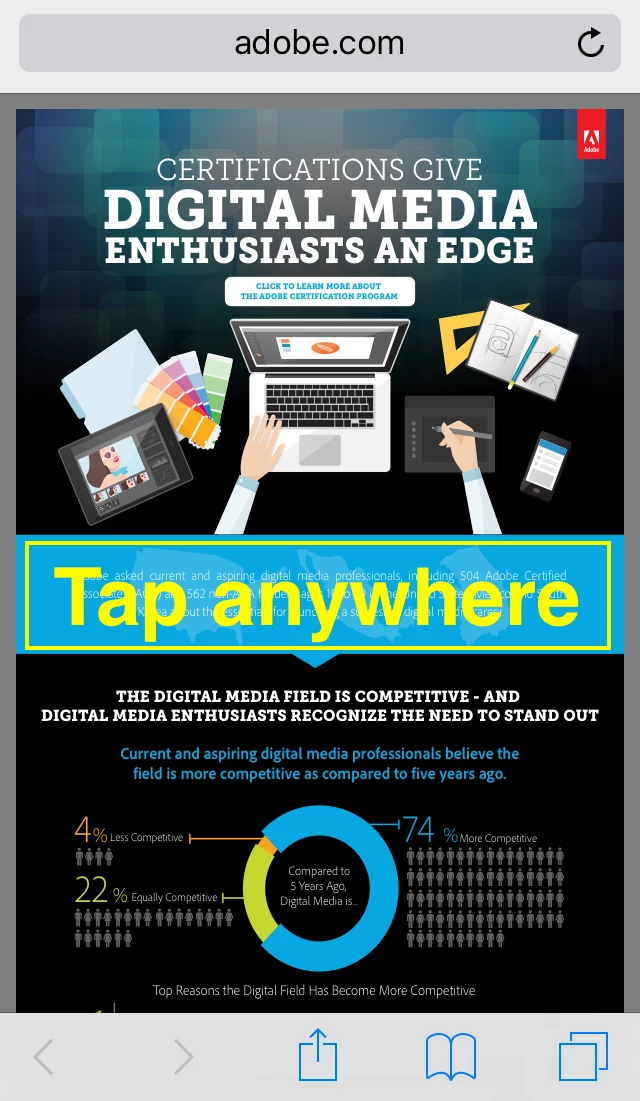
1. Tap anywhere in the PDF document that is displayed in Safari.

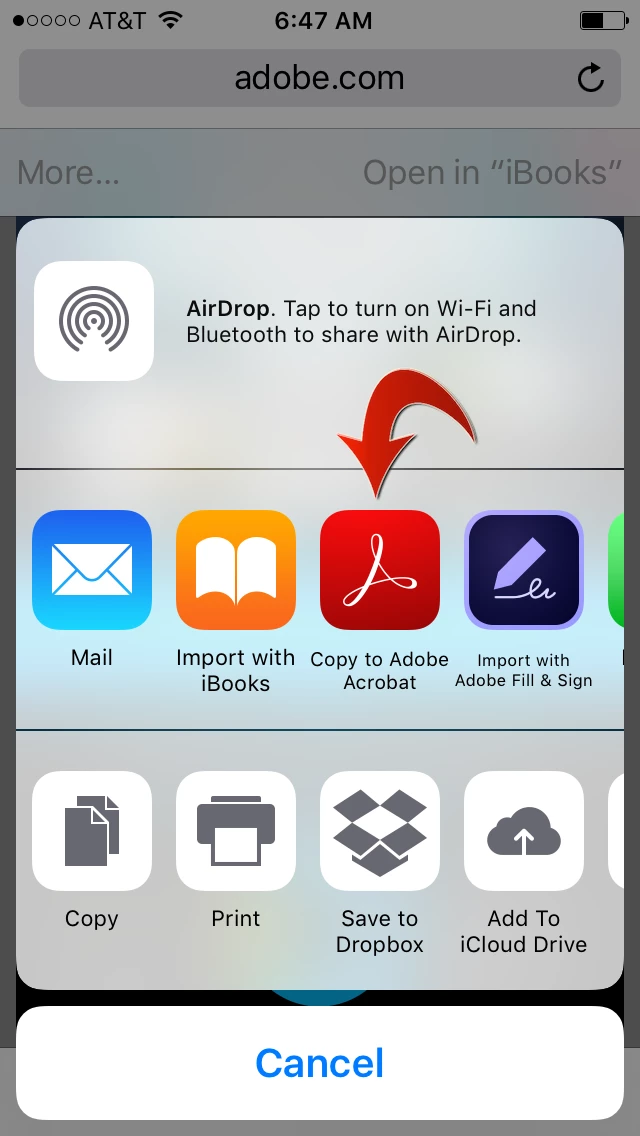
2. Tap the "More..." button in the secondary top toolbar that pops up.

3. Tap "Copy to Adobe Acrobat".

If you don't see the red Acrobat icon, please scroll to the right to see more options.

Hope this helps.

1 reply

Meenakshi Negi
Community Manager
Community Manager
March 29, 2017

Hi vradulich,

To import a PDF from email account open on Safari, you need to first open the attachment on the browser.

Once the PDF is open, tap on the document. You will get "More" option on the top left of the window.

Click on More and select "Copy to Adobe Acrobat". The PDF file will open in the Adobe Reader mobile application.

Let us know if need any help or experience any issue.

Regards,

Meenakshi

Participant
April 10, 2017

This is helpful and it works for me but when my co-worker tries the "more" button, Adobe doesn't show up on the list -- although he has downloaded the app.  How can we get that option to become available?

Kathy

Meenakshi Negi
Community Manager
Community Manager
April 11, 2017

Hi Kathy,

Could you please let us know if he/she trying to open the document from a browser or from an email account.

Also, please share the dot version of the iOS and the application installed on the device.

Can you share the screenshot of the screen where you get the more option?

Regards,

Meenakshi