
Known Participant
February 7, 2021
Answered

Is there a way to get a decibel markets on the right side of a multitrack session editor?

  • February 7, 2021
  • 1 reply
  • 488 views

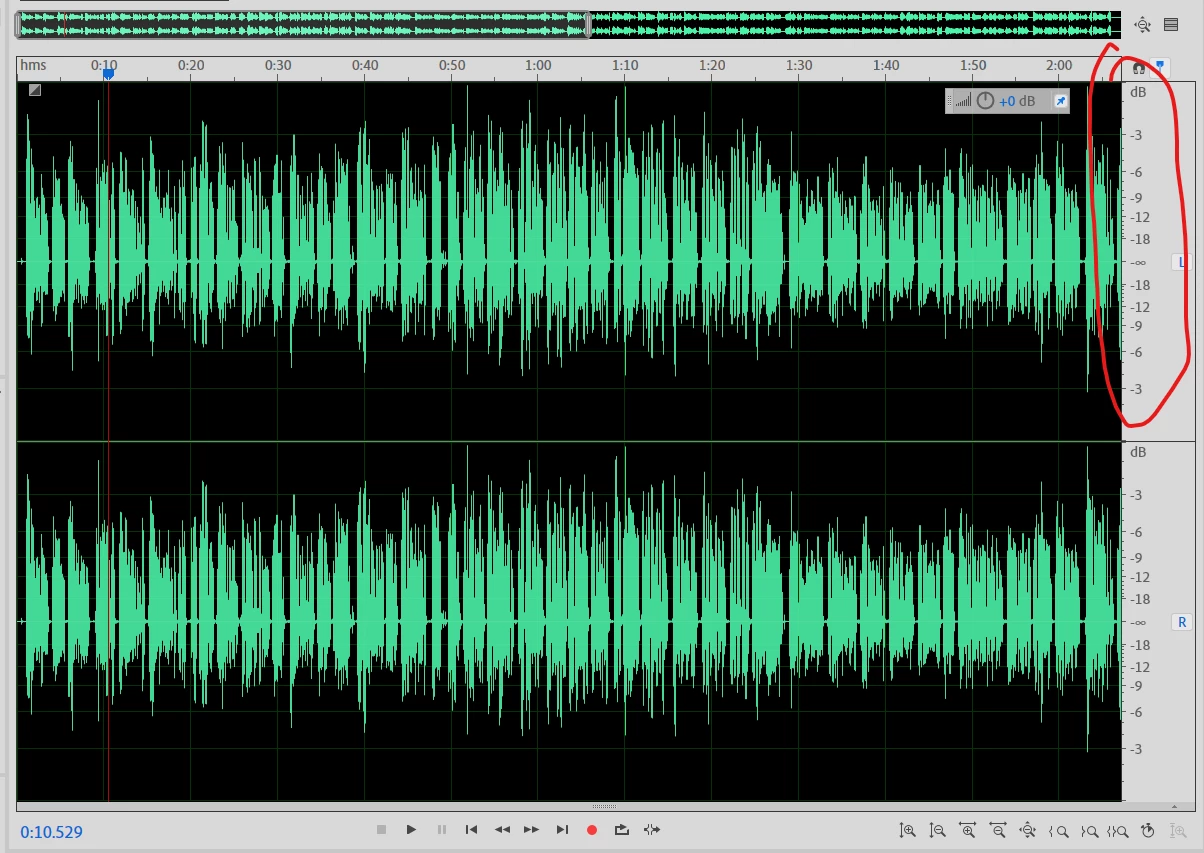
I was wondering if I could get the decibel markers you see on the right side of the wav form editor in the multitrack session editor.


I circled the decibel level marks you see in the wave form editor in this pic:
 

As you can see it is missing in the multitrack session editor below: 
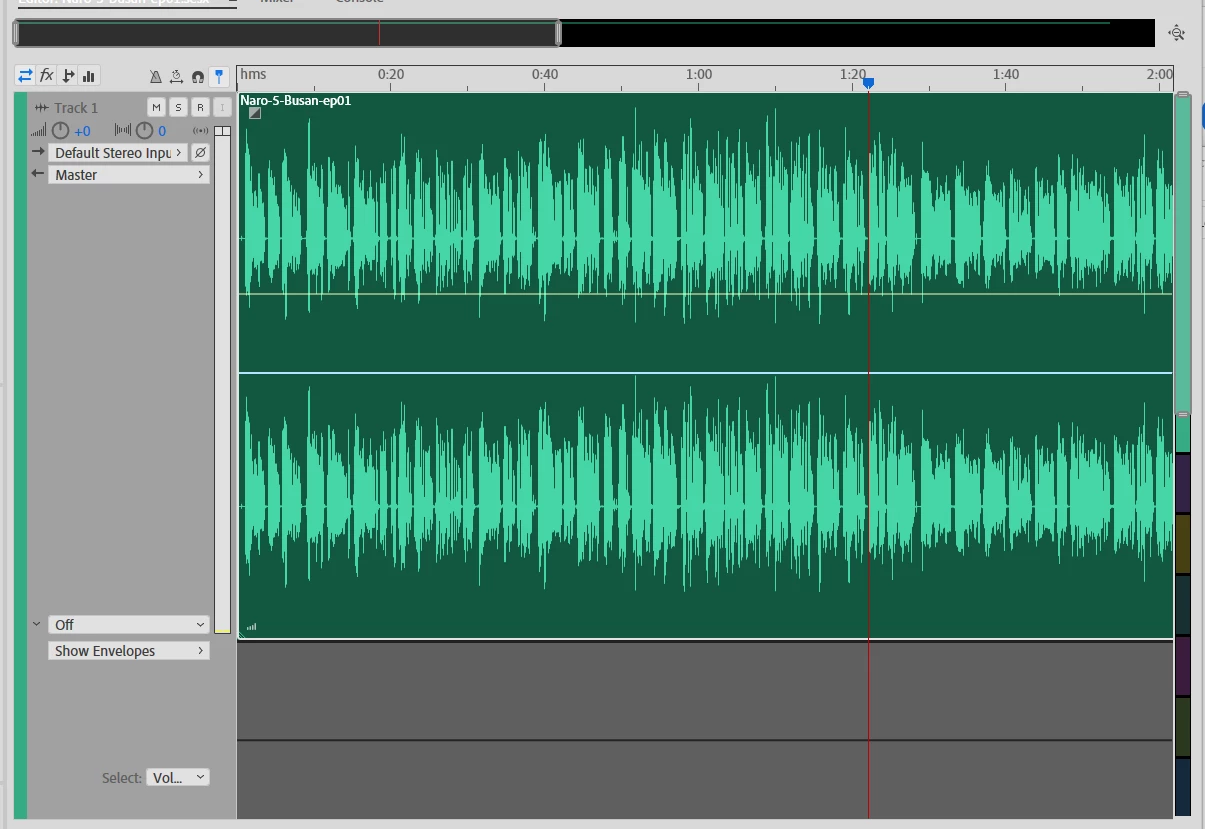
I find it more difficult to figure out how much volume levels I should change working in the multitrack session editor compared to the wave form editor.

This topic has been closed for replies.
Correct answer SteveG_AudioMasters_

There is no scaling there and no, you can't alter that, I'm afraid. It is generally much easier to use the mixer view if you have difficulty with relative levels; you can see exactly what effect moving the (calibrated) slider is having because the associated track meter is immediately next to it. This is by far and away the easiest way to establish the balance between tracks.

1 reply

SteveG_AudioMasters_
Community Expert
SteveG_AudioMasters_Community ExpertCorrect answer
Community Expert
February 7, 2021

There is no scaling there and no, you can't alter that, I'm afraid. It is generally much easier to use the mixer view if you have difficulty with relative levels; you can see exactly what effect moving the (calibrated) slider is having because the associated track meter is immediately next to it. This is by far and away the easiest way to establish the balance between tracks.

HybridaAuthor
Known Participant
February 7, 2021

Thanks for clearing this up Steve.

I looked into the  mixer view and it seems strange to work this way without seeing the waveform on a horizontal/timeline view.


I wonder is there a reason for not having the scales in multitrack session? It seems it would make making adjustments much easier but I am probably overlooking the reason as a beginner.

SteveG_AudioMasters_
Community Expert
Community Expert
February 7, 2021

There is one overriding one, I suppose. To explain it thoroughly, I'd have to get into the nuts and bolts of how the multitrack version of non-linear editing works, and that's reasonably complicated. The only thing you really need to remember about it is that essentially, there's no ceiling level on the signals you can have - this is all to do with the way the signals are handled, which is based on a Floating Point system which can scale signals losslessly. So unlike in Waveform view, where ulitmately you want things not to overload when saved in some form of integer-based format, the actual signal level in Multitrack doesn't really have a 0dB point - and that's the main technical reason why there's no scaling shown. It really doesn't matter if you bang your signals completely off the top of the scale (except that they will be hard to monitor, because your sound system can only use finite signals) because if you decide to reduce them after the event they will rescale back to a sensible value with no loss or distortion at all.


Yes it's very clever - and also for a lot of people quite confusing. People are always banging on about pan laws, what changing them does to the output level, etc and it's all for nothing - the way the system works, you can make a good mix that suits your ears - the size of the waveforms is completely irrelevant. You just need to get used to the idea!