

Secondary Window showing different content
Hello!
So, the thing is: from v14.1.3 and beyond (including v15 released this week in October), whenever I open a Secondary Window (cmd+n), instead of showing the same folder I’m currently working in, it opens a folder from other project I worked in the past (specifically, the last project I was working on when I last used Bridge).
Example:
I used Bridge on Project A, closed the program, restarted my computer, etc. Then I opened Bridge again, navigated to Project B’s folder, but when I open a Secondary Window, it goes back to Project A’s folder.
Also, it doesn't keep the same workspace as the main window.
This didn’t happen in version 14.1.2. I’ve done a clean reinstall and tested it on two different Macs (both running macOS Ventura), but the issue persists.
My current settings on content prefs are default.
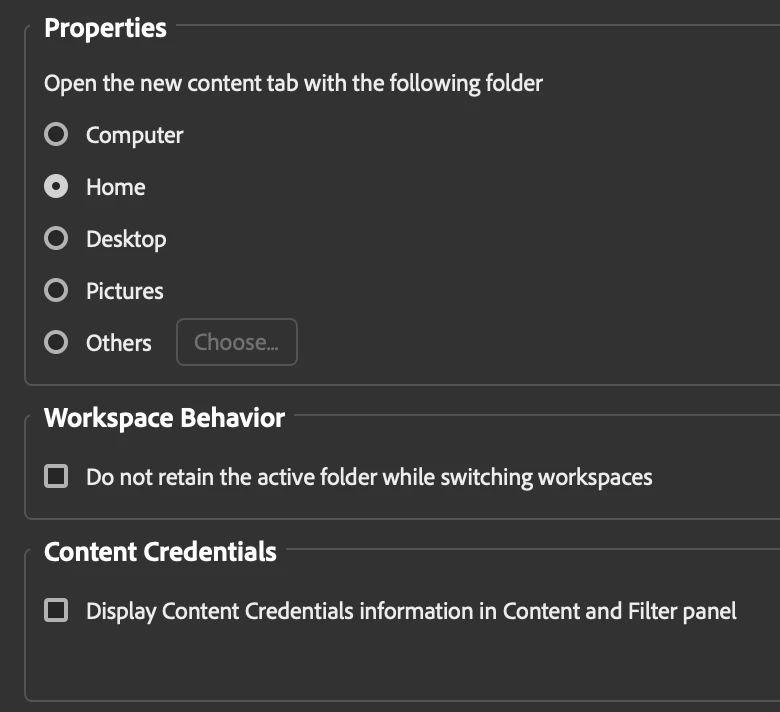
Someon on the same boat? Any thoughts or solutions?
Thanks!


 AdChoices