OK, it's still there,
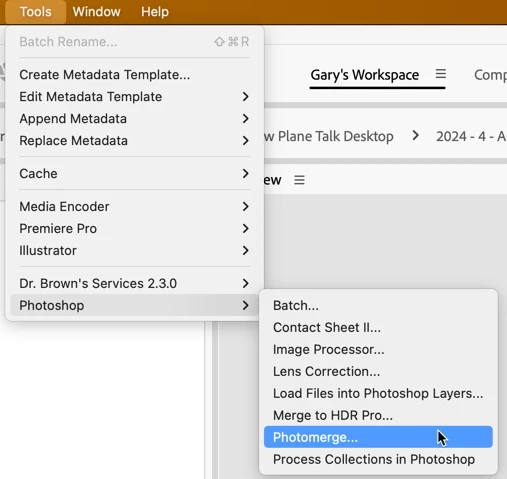
But I have a question: you are on version 16.2.0.1763 of what? Bridge is now in version 14, not 16 (and Photoshop is in version 25).
Assuming you misread the version, here's how to get things back to normal. If any of these Tools are not under the Tools menu, it's missing because of either:
- Your copy of Bridge does not match your copy of Photoshop. That is, if you are using Bridge 2022 and Photoshop 2023 when Photoshop is installed, Photoshop looks at the copy of Bridge, and if the two do not match, Photoshop will not install the scripts.
- If Photoshop is installed before Bridge, it cannot know that Bridge "may" be installed in the future, so it does not install any of the scripts into Bridge.
To resolve this, be sure you are using paired copies of Bridge and Photoshop, and when installing, be sure to install Bridge BEFORE installing Photoshop. If you've already installed both applications, you'll probably have to uninstall both and then reinstall them in the proper order. Let me add that whenever I update PS, besides quitting PS, I also quit Bridge (this resolves any issue around item #1 above).
Let me know if this works.




 AdChoices