

解決済み
Can't decrease slide duration
Hello
I am using captivate 9 and I created a software simulation. The problem is that on the demos I increased slide duration from 3 to 15 but I can't decrease, it always go back to 15 after saving.

Hello
I am using captivate 9 and I created a software simulation. The problem is that on the demos I increased slide duration from 3 to 15 but I can't decrease, it always go back to 15 after saving.
I usually don't use the timeline, I increased from the Properties>Timing. Here is the screenshot:
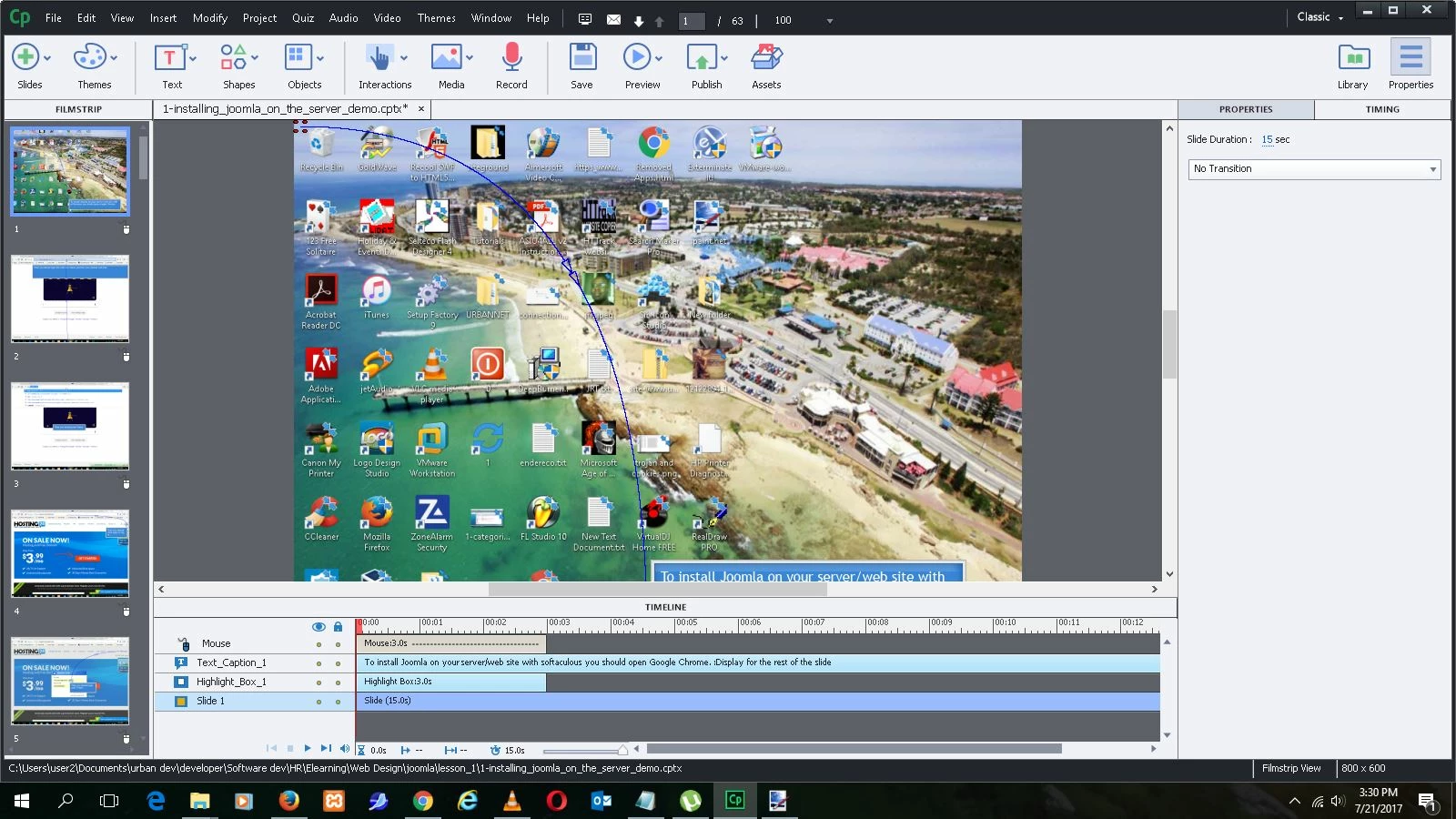
Well, IMO the Timeline panel is the most important panel in Captivate (the biggest stumbling block: Challenges for Starters - Captivate blog). I wrote a sequence of 5 pretty long articles about them. A lot of questions in this forum are linked with not understanding the Timeline. You showed me only part of the timeline, cannot see its end part.
Captivate's Timeline(s) Demystified - Intro - Captivate blog
Video Demo Timeline demystified (cpvc-project) - Captivate blog
Captivate's Timelines (master slide/normal slide cptx) demystified - Captivate blog
Pausing Captivate's Timeline - Captivate blog
Captivate Timelines: color coding and shortcut keys - Captivate blog
Slide duration depends on the object timelines, you cannot decrease its duration if that will cause problems with one of the object timelines. I see a text caption with a timeline longer than 3 seconds, check its timing in the Timing Properties panel: is it set to a specific time, or is it set to 'Rest of Slide'. In the first situation you will not be able to decrease the slide duration below the lenght of the timeline of that Text Caption. If it is set to rest of slide, you will be able to decrease the slide duration to 3 seconds, which is the duratio of the other objects I can see in the timeline
Enter your E-mail address. We'll send you an e-mail with instructions to reset your password.
 AdChoices