The time shown indicates how much it takes to the Remote engine (Substance Integration Tools) to load/update the material, generate the map, export it, create the material inside blender and tell blender it is ready to be used.
What is not measured is how long it takes to blender to actually load the material and show it in the UI, and this can take some time depending on the loaded scene, on the computer performance capabilities, on the size of the textures, on the available memory in the computer at that exact moment, etc.
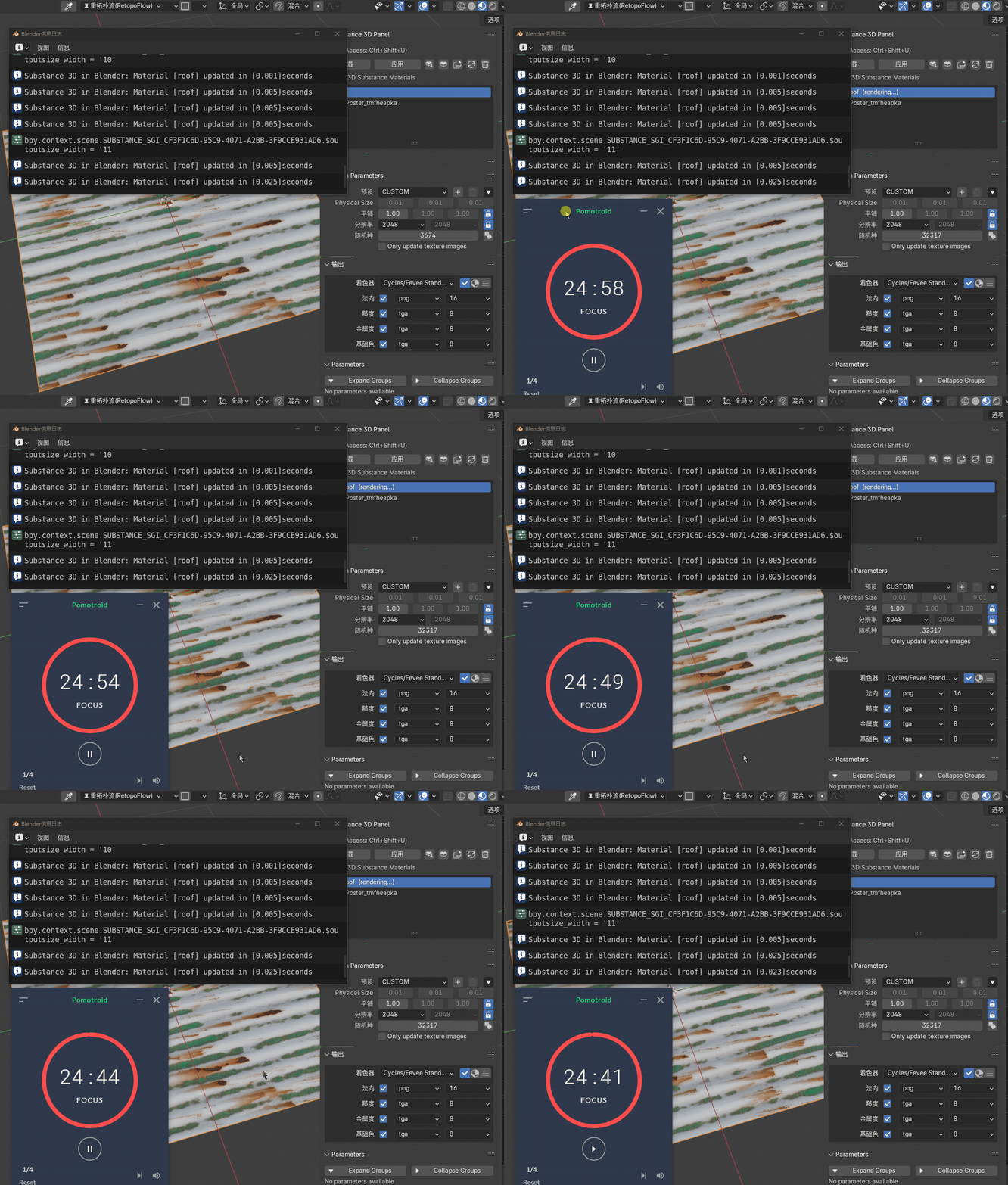
Thank you for your explanation. However, if the remote engine only takes a very short time, while Blender requires nearly 20 seconds, that seems excessively long. In that amount of time, one could directly export textures from Substance Designer, making this plugin rather pointless.
This is my computer configuration. The Blender scene I tested only has a single plane
I really hope it's just an issue with my Blender settings.
In most cases the loading is pretty fast, as i said it depends a lot more on how fast your computer can update the blender UI than the substance engine work, and that is not only your computer configuration, it also depends on the workload you are putting your system through. And that is something i cannot measure since each computer is different and even a pretty powerful one can be laggy under a specific workload...
In regards to making the plugin pointless, agree to disagree, sounds like an oversimplification as we have many happy users actually using it in professional and hobbist workflows.
Feel free to share your sbsar so i can test it if you want to, usually all the sbsar files i test, load in less than 2 seconds



 AdChoices