


j.khakase
Inspiring
September 2, 2023
Answered

Apply Clipping mask to all images with Above shapes

  • September 2, 2023
  • 1 reply
  • 435 views

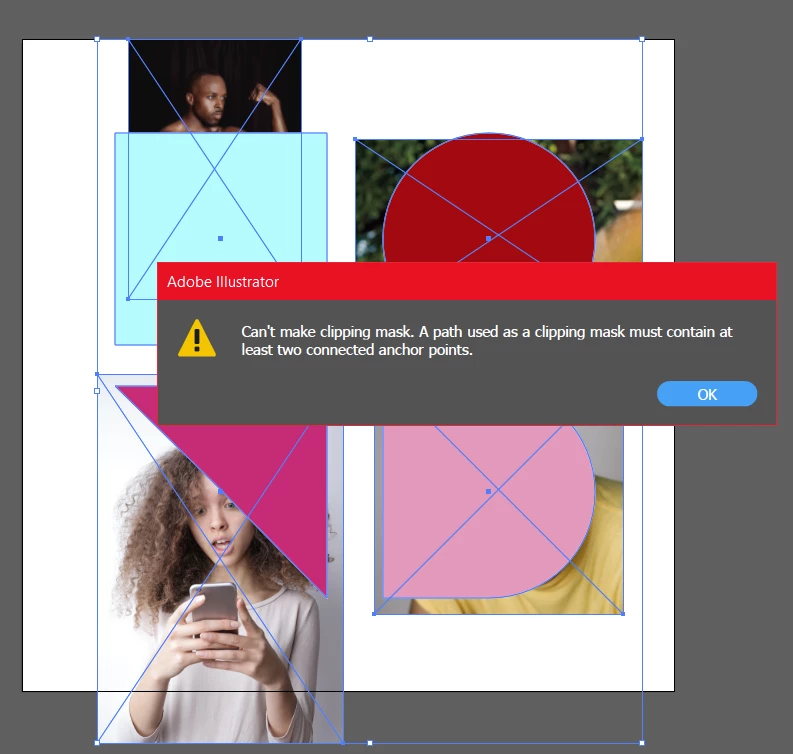
I want to apply Clipping mask all images to Respective shape I place above, it that possible by any trick or script



This topic has been closed for replies.
Correct answer j.khakase

thank @Scott Falkner  for your quick reply.

I got the expected solution at here


1 reply

Scott Falkner
Community Expert
Community Expert
September 2, 2023

You can select a path then go to the Layers panel flyout menu and select Make Clipping Mask. The path will mask all objects on the layer and in any sublayers, but not any layers below that.


What you cannot do is select multiple paths above multiple images and expect Illustrator to mask each image iwht the path above it. If you select multiple objects then try to apply a clipping path the topmost object, if possible, will become a mask for all objects below. For what you want select each pair of objects (image plus path) then go to Object > Clipping Mask > Make (or press Command-7 or Control-7).

j.khakase
j.khakaseAuthorCorrect answer
Inspiring
September 2, 2023

thank @Scott Falkner  for your quick reply.

I got the expected solution at here