


Participant
July 18, 2017
解決済み

CPU preview problem ILLUSTRATOR

  • July 18, 2017
  • 返信数 4.
  • 20184 ビュー

Hello everybody,

I'm stuggeling with my Adobe Illustrator.

When I'm working on GPU preview everything works fine, when I switch to CPU preview the file just freezes. Illustrator still works and when I turn on GPU preview again it works again.
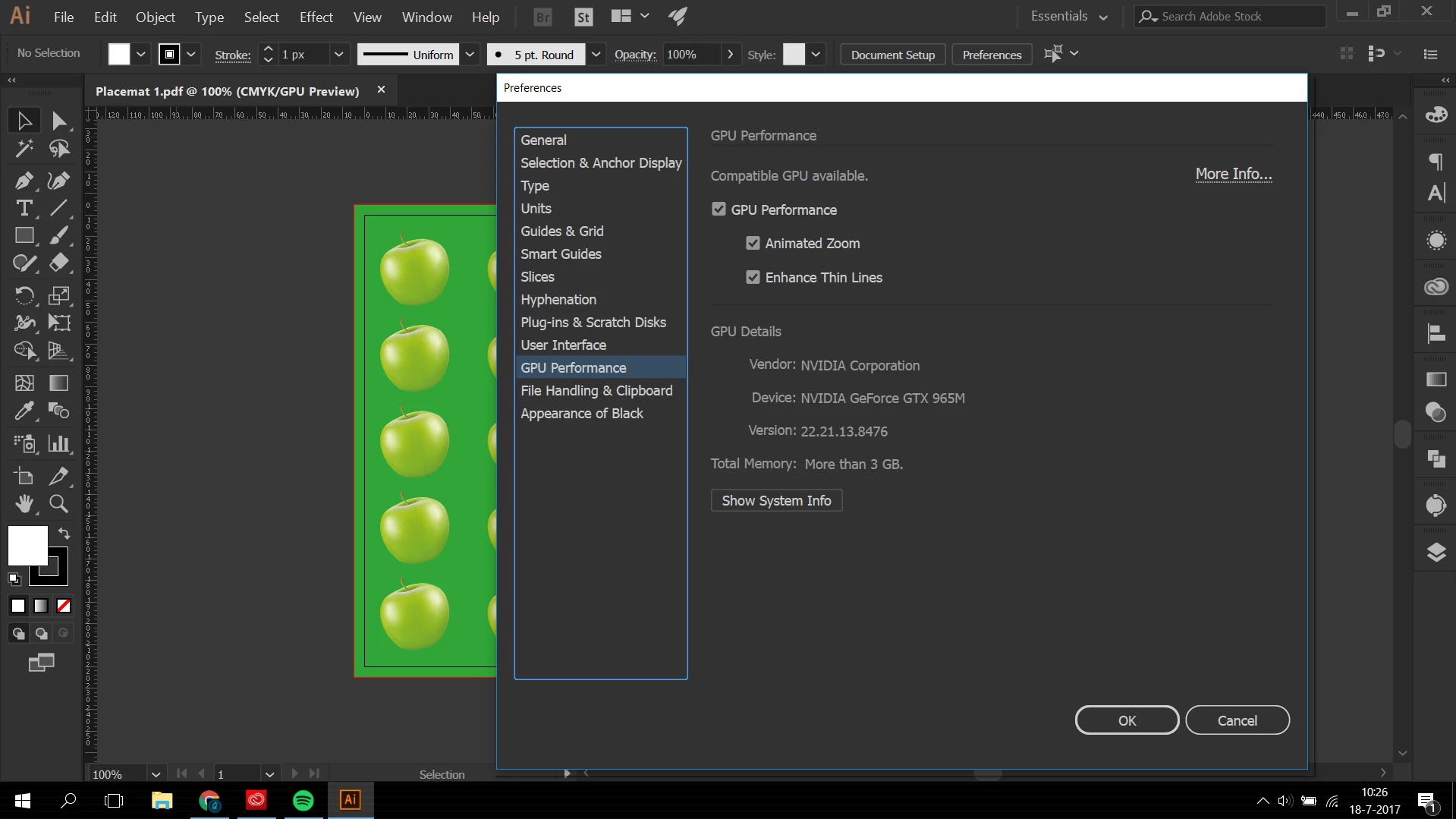
My GPU settings.

I hope somebody can help me with this problem, I reinstalled the program but it still keeps doing it.

このトピックへの返信は締め切られました。
解決に役立った回答 Jimi_

I found out a solution! As I said earlier I had exactly the same problem and I simply fixed it by disabling gpu preformange in illustrator preferences!

Just go to Edit > preferences > performance and simply uncheck the box which says "GPU performance"!

Hope this solves your problem too

返信数 4

chung deht81760750
Participant
March 26, 2021

Thank you everyone. That works great. I'm still stuck on Comand Y instead of Comand E. 

Jimi_解決!
Participant
November 2, 2017

I found out a solution! As I said earlier I had exactly the same problem and I simply fixed it by disabling gpu preformange in illustrator preferences!

Just go to Edit > preferences > performance and simply uncheck the box which says "GPU performance"!

Hope this solves your problem too

Participant
November 2, 2017

I'm having exactly the same problem! First I noticed it when I tried to use pixel preview and later on realized it happens also when I press preview on cpu. My cpu is intel core i5-6300HQ 3.2Hz and my GPU is Nvidia Geforce GTX 950m.

twaritar3263062
Participating Frequently
July 18, 2017

Hi Quenten,

Are you using the latest version of Adobe Illustrator (21.1)? If not, kindly update to the latest version and check. If the problem still persists, it could be with the Fonts.

Try and do the following Steps:

Export All Fonts.

Reset the standard Fonts

Install fonts again

Do not install fonts that have minor and major problems.

Relaunch Illustrator and check.

Let me know if that helps!

Regards,

Twarita

Participant
July 18, 2017

I have the latest version of Illustrator!

I will try the font thing (I've been downloading some fonts these days so maybe thats the problem)