
Participant
August 10, 2024
Question

How can I convert gradient mesh lines to strokes with their own color?

  • August 10, 2024
  • 2 replies
  • 878 views

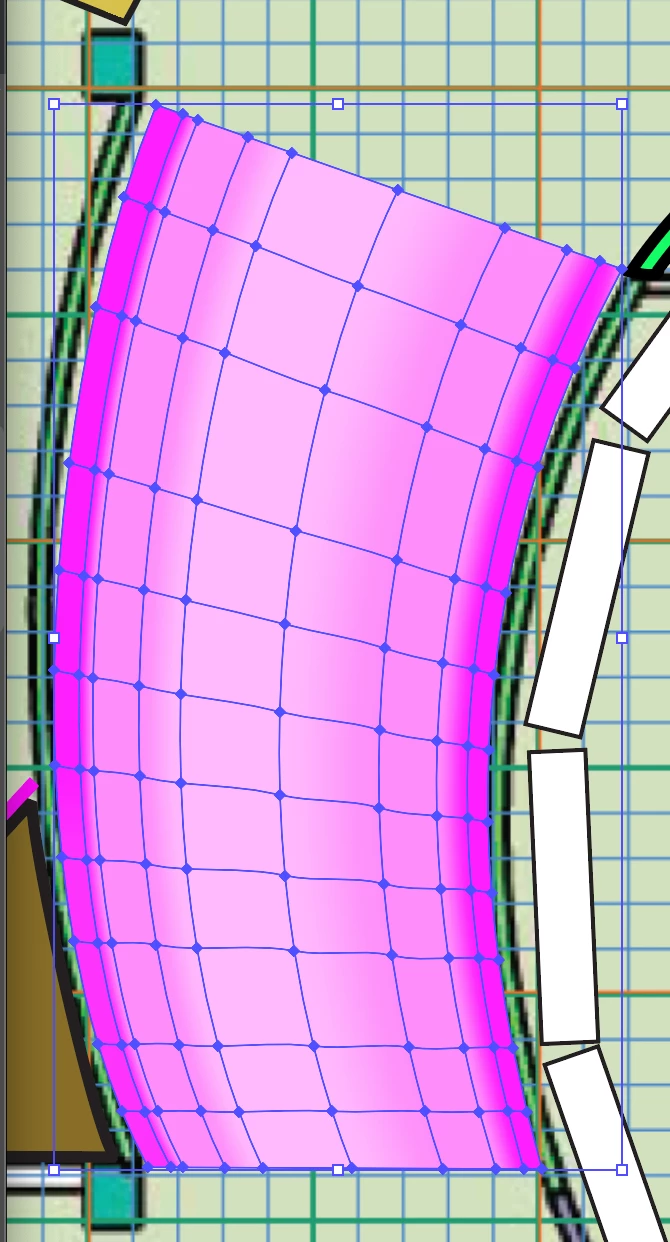
I am a long time Illustrator user but am just using mesh tool for the first time. I get how to create the mesh, and add color to it, but I'd now like to add a stroke color to the mesh lines themselves. Is this possible? Here is where I am - color added, mesh lines highlighted, but I'd like to have a stroke width and stroke color applied to the mesh lines. 
 

This topic has been closed for replies.

2 replies

Kurt Gold
Community Expert
Community Expert
August 11, 2024

It's pretty easy to create stroked paths based on the mesh lines.


  1. Count the numbers of rows and columns of your mesh (in your example: 11 rows, 9 columns).
  2. Take the Rectangular Grid tool and create a stroked grid with 10 horizontal dividers and 8 vertical dividers.
  3. Place a copy of the gradient mesh above the rectangular grid.
  4. Select both the rectangular grid and the gradient mesh.
  5. Object menu > Envelope Distort > Make with Top Object.
  6. Object menu > Envelope Distort > Expand.


After that you can do some Object menu > Path > Simplify in order to reduce the number of anchor points.


Also, bear in mind that after step 3 or 5 you may want to change the Fidelity setting in the Envelope Options dialog to get more accurate results.

Monika Gause
Community Expert
Community Expert
August 10, 2024

I think the plugin Mesh Tormentor has that kind of functionality. 

But I do not know whether it is currently available or running on the latest version of Illustrator.