


解決済み
How to cancel the automatic "Project Symbol and Number" in Illustrator 2023?/ illustrator 2023 怎樣取消自
illustrator 2023 怎樣取消自動 「專案符號和編號」?
當我鍵入以下分段, “1.” 不能選取, 不能轉換另一字款, 但是” 2.” 及”3” 是可以選取的。 因此 “1.” 不能轉換字款? 請問怎樣可以取消自動 「專案符號和編號」?
Sample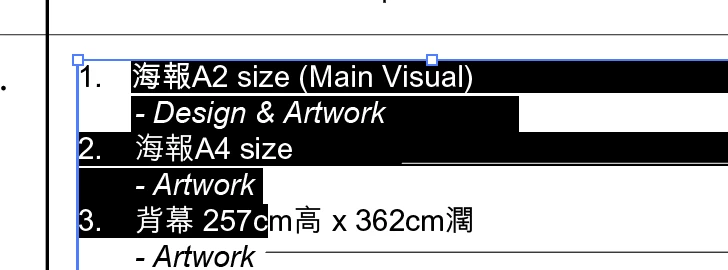
1. XXXX
2. XXXX
3. XXXX
How to cancel the automatic "Project Symbol and Number" in Illustrator 2023?
When I type the following paragraph, "1." cannot be selected and cannot be converted to another type, but "2." and "3" can be selected. Therefore "1." cannot convert the font? How can I cancel the automatic "Project Symbol and Number"?
Sample
1. XXXX
2. XXXX
3. XXXX
https://drive.google.com/file/d/13ux66wHrzXeIvU3iEgUa-bAiB1lPIj7_/view?usp=drive_link


 AdChoices