Scott_Jung
Participant
May 1, 2017
解決済み

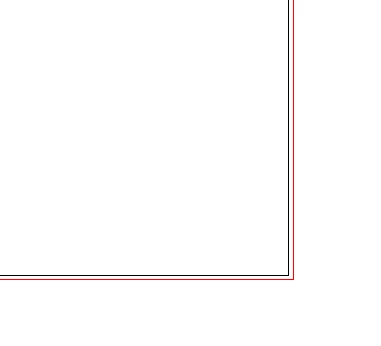
How to delete the red guidelines on the exterior of the art board? [was: I have a question.]

HELLO!!!

I have a question.

How to delete the red guidelines on the exterior of the art board?

All respect.

THX!

    このトピックへの返信は締め切られました。
    解決に役立った回答 carlosgarro

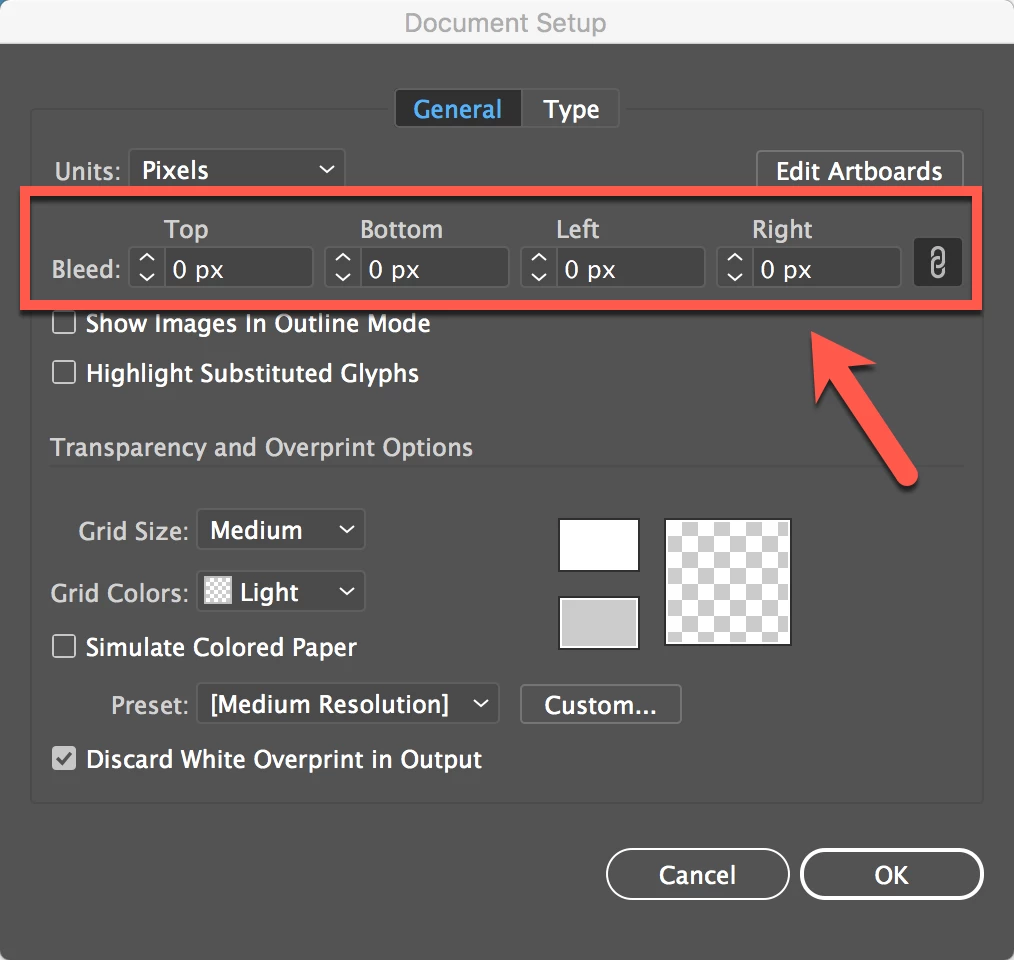
    Go to File > Document Setup and set the bleed to zero

    Best Regards

    返信数 2

    Martin_Bns
    Inspiring
    May 1, 2017

    Hi,

    If you want to hide them, you can go to the VIEW menu on top of Illustrator's interface and thank click "GUIDES", thank "HIDE GUIDES".

    Another option is to delete them. When you setup your document, you probably set the bleeding space. Set it to 0 as Carlos suggested.
    When you are creating a new file, by default you don't see this option. You have to click the "More Settings" button and you can control this parameters while creating a new document.

    All my best,
    Martin

    carlosgarro
    Community Expert
    carlosgarroCommunity Expert解決!
    Community Expert
    May 1, 2017

    Go to File > Document Setup and set the bleed to zero
    Best Regards