


Inspiring
April 30, 2026
Answered

Paste in place - copy and pasting from one dartboard to another pasting in the wrong place (off artboard)

  • April 30, 2026
  • 4 replies
  • 101 views

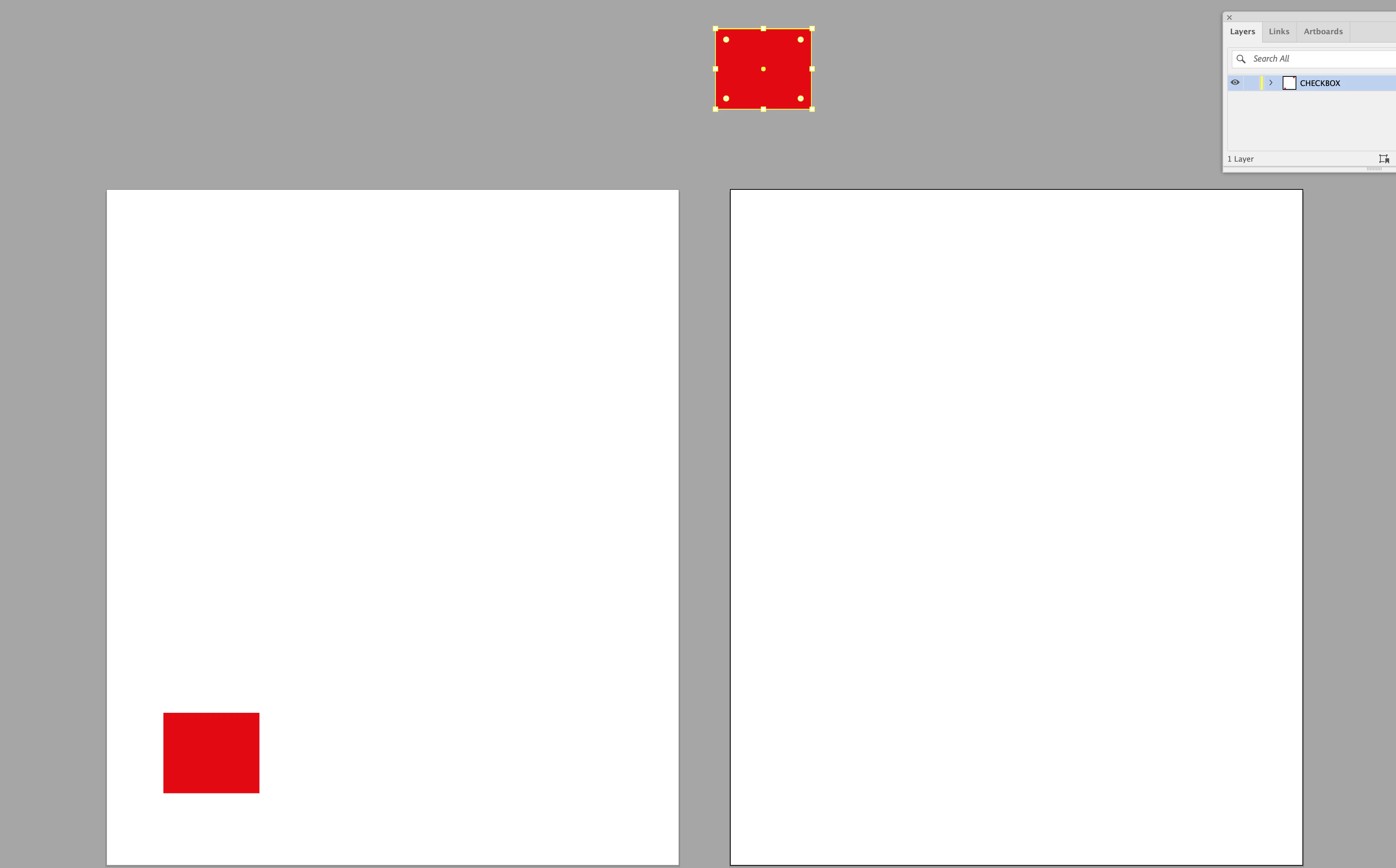
I’m copying an object from one art board and pasting it into the same location on another art board in the same document (and yes I’m selecting the correct art boards whilst doing this). For some reason in this file (which was originally a PDF) when I go to paste in place on the 2nd art board, it pastes the object off the board. I’ve attached the illustrator file so you can play this game aswell. Try copying the red square on the first art board and paste it in place on the 2nd art board. See if you can get it to paste in the correct location - or like me - it pastes it off the top art board (as in the attached screenshot). Does anyone know what I have to do to fix this. And yes I’ve quit illustrator and tried again and this problem still persists. 😀 You can download the ai file here:  https://www.swisstransfer.com/d/d1f27491-8cd2-43ed-ba17-01ef6b59765c
 

    Correct answer Brad @ Roaring Mouse

    @richardesignerUK Try this. Make sure Rulers is Artboard Rulers. Click on your first artboard. Reset the origin point to the top left corner by clicking on the corner of the rulers. Copy. Now click on your second artboard. Is the origin at the top left corner? If not, when you Paste in Front, it will paste it relative to the zero, so will be elsewhere on the page. If you reset the origin point to the upper left corner on the second page, and then Paste in front, it will be in the same position.

    Switching to Global Rulers seems to “remember” what the origin points were individually. This is probably something that should be looked into as a bug. But since there’s now Paste in Place (which is a more recent thing in the history of Illustrator), that’s probably the one you want to use. Paste in Front and back came from a time where artboards didn’t exist so it was more a tool to move things up or down in the layer stack.

    4 replies

    Jacob Bugge
    Community Expert
    Community Expert
    May 1, 2026

    Richard,


    With the solution found and explained, and apologizing for its being stronger than I, caused by the heading here and its also being about hitting the right spot repeatedly,


    Inspiring
    April 30, 2026

    Here's a screen recording: See how I click on the artboard to activate it before I ‘Paste in Front’ 

    Monika Gause
    Community Expert
    Community Expert
    April 30, 2026

    Do you have artboard rulers turned on?

    Inspiring
    April 30, 2026

    Yep. Rulers are on. 

    Monika Gause
    Community Expert
    Community Expert
    April 30, 2026

    And they are set to artboard rulers?

    Inspiring
    April 30, 2026

    Actually I’ve just noticed that I’ve been ‘Paste in Front' rather than ‘Paste in Place’. Doh. This ‘Command+C’ and then ‘Command+F’ usually works - from one art board to another. If I actully do ‘Paste in Place’ it does actually work. Again I’d like to know why ‘Paste in Front’ doesn’t work in this document and Command+F pastes the red square off the art board. 🤔

    Brad @ Roaring Mouse
    Community Expert
    Community Expert
    May 1, 2026

    Paste in Front/Back is relative to the zero point. If you have different zero points in each artboard, then it will paste accordingly.


    Inspiring
    May 1, 2026

    I see what you’re saying. I just don’t understand it. When you have multiple artboards side by side, the y co-ordinates stays the same. However the x co-ordinates are different as the 2nd artboard is further to the right than the left and therefore has a higher x co-ordinate number. They can’t both be 0/0? Or can they? What am I missing?
