


Rasterize Panel Default setting problem
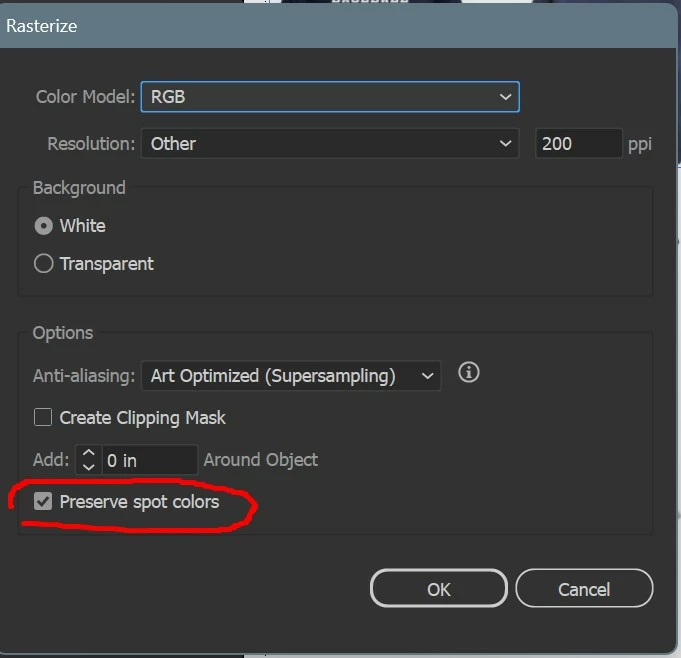
Object/Rasterize. The checkbox for Preserve Spot Colors is on by default. After rasterizing an image, and unchecking it, it will check itself again as soon as you try to rasterize the next image. There is a big problem with this. Image viewers are not able to view this image that has this checkbox. Suddenly, I began to have pdf document, or other documents with blank spots where there should be an image. After some time I figured out the problem. This option was always off by default but if I turn it off once, it should stay off. I used to be able to rapidly rasterize images one after the other but now I have to uncheck that box everytime or else some random image viewer won't be able to view the image. Adobe just needs to make it respect our choice. Disable it and it should stay disabled until we check it again.


 AdChoices