


Participant
8月 20, 2022 9:31 午前 UTC
質問

Lecture cartes SD & XQD sur macbook Pro

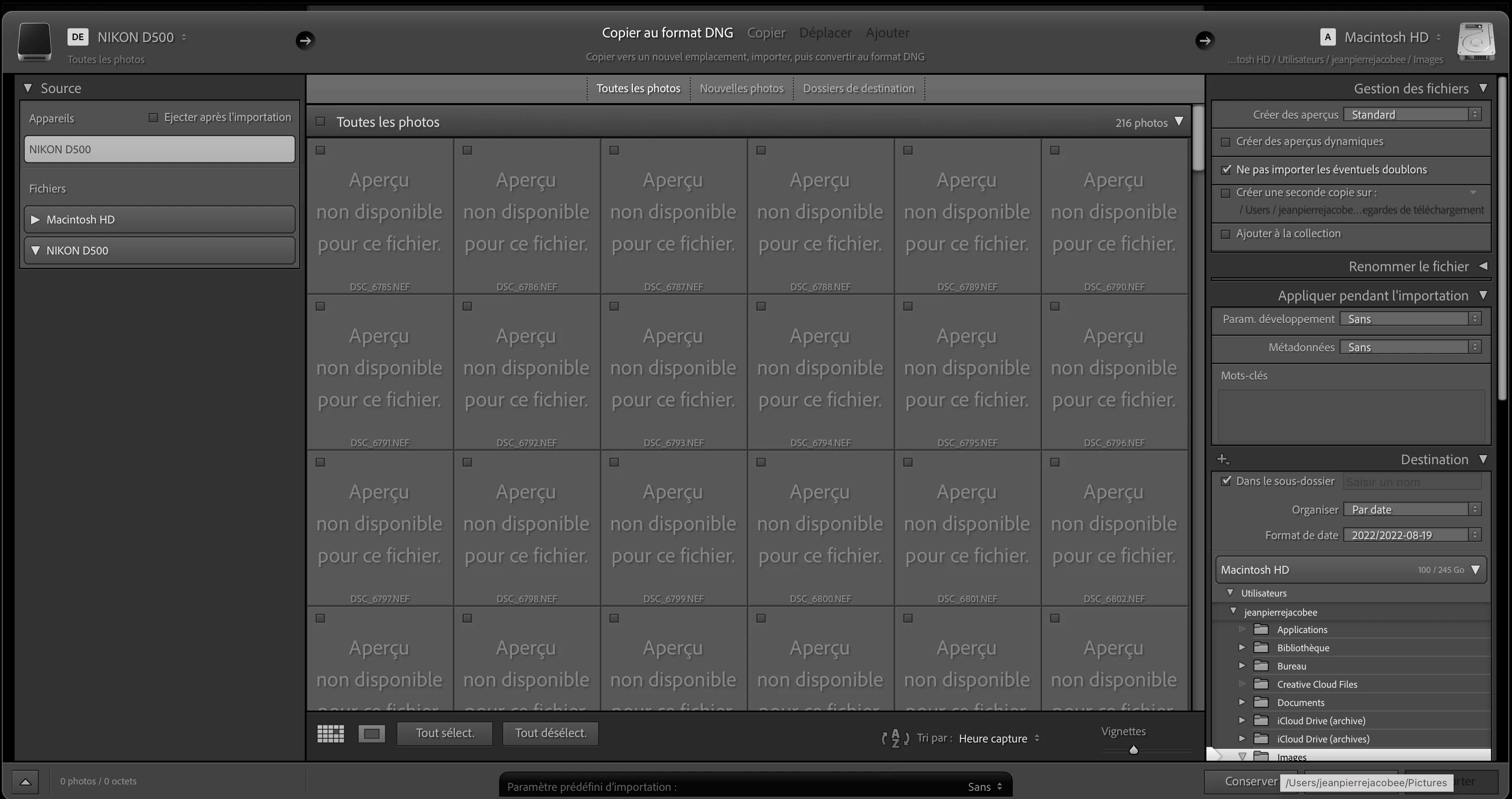
Lightroom  affiche une page d'aperçus vides quand je veux importer le contenu d'une carte SD ou XQD de mon Nikon D500. Le contenu de chaque aperçu est : "aperçu non disponible pour ce fichier" en dessous le N° de la photo. Je peux importer à l'aveugle les photos ou copier avec le finder vers un répertoire provisoire sur le bureau pour que Lightroom puisse les lire.  Une solution ?
 

このトピックへの返信は締め切られました。

返信数 1

johnrellis
Legend
8月 20, 2022 8:39 午後 UTC

[This post contains formatting and embedded images that don't appear in email. View the post in your Web browser.]


Google translation: "Reading SD & XQD cards on macbook Pro. Lightroom displays an empty preview page when I want to import content from an SD or XQD card from my Nikon D500. The content of each preview is: "preview not available for this file" below the photo number. I can blind import the photos or copy with the finder to a temporary directory on the desktop for Lightroom to read. A solution ?"


Normally, it's best to import from cards via the Files (Fichiers) section rather than Devices (Appareils) -- it's much faster and more reliable:


But nothing is appearing under NIKON D500 in your Files section.


Are you connecting to the camera with a USB cable?  If so, use a card reader instead.


If you are using a card reader, make sure you've granted LR Full Disk Access:

https://community.adobe.com/t5/lightroom-classic-discussions/quick-tips-how-to-give-full-disk-access-to-lightroom-classic-on-macos/td-p/12913413


翻訳