
Participating Frequently
April 28, 2026
Question

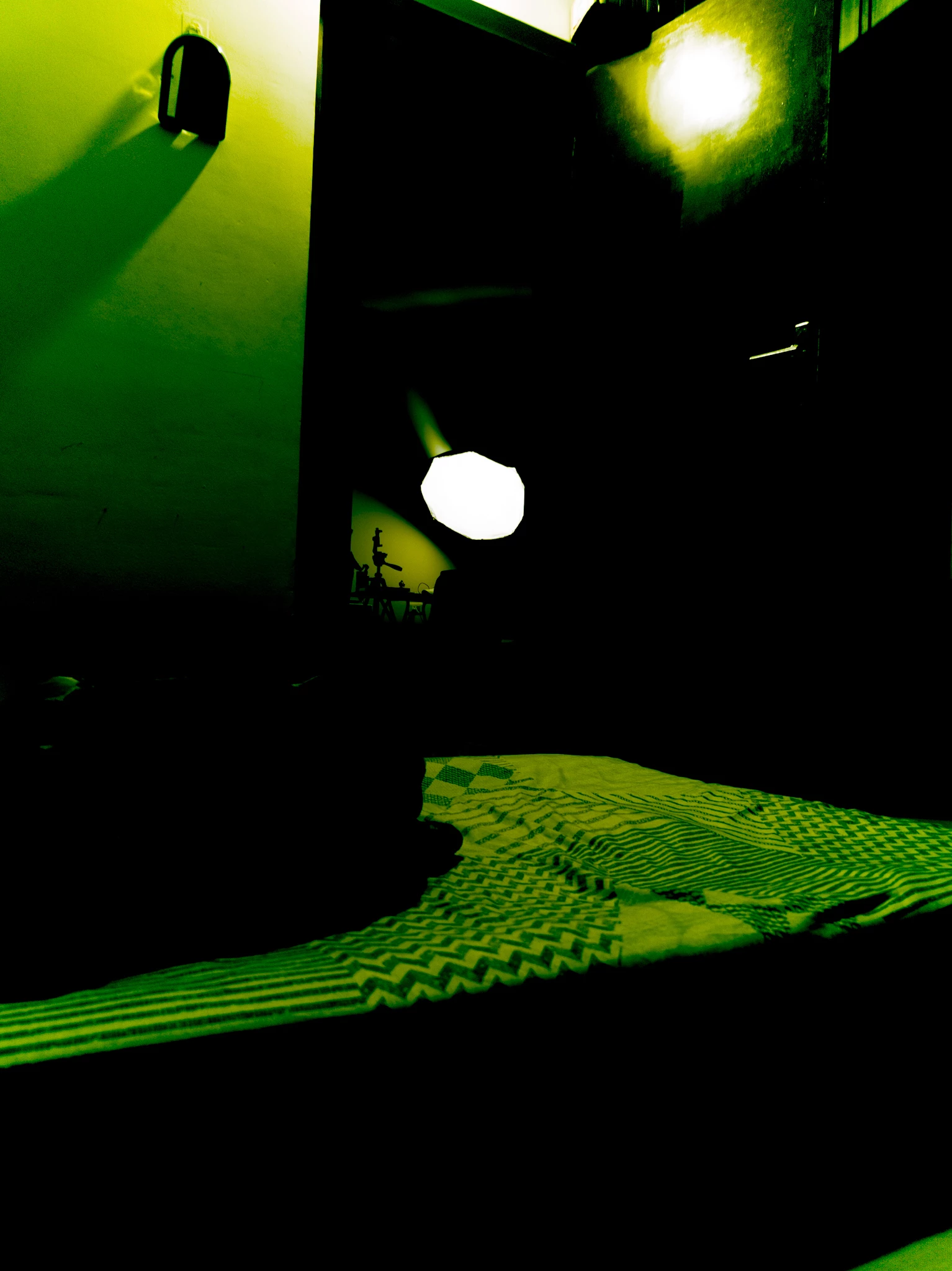
When I am clicking DNG raw using Lightroom mobile, photos are coming out all green. Clicking JPG works fine but color tone is fully off in DNG.

  • April 28, 2026
  • 3 replies
  • 110 views

In Lightroom mobile camera, DNG photos are coming out totally green and color tone is entirely off. Jpg are fine. This is on android 16, Snapdragon 8 elite, Lightroom version 11.3.1. I am using oneplus 13s.
 

    3 replies

    Pr23tham
    Participant
    May 25, 2026

    I recently switched to Oneplus 13s and I'm facing similar issue. I use Lightroom camera as my primary camera app as it offers the best image without processing. Please let me know if you find any fix

    nik.m
    Community Manager
    Community Manager
    May 25, 2026

    Hi ​@Pr23tham, I tried clicking a couple of images using a Nothing Phone 2 running Android 16 but didn’t experience this behavior. 

    Is it possible for you to share a couple of DNG files that display with us to examine? If yes, please share a link with us through which we can download the files. 

    @Aditya Narayan5E82 it would be helpful if we can get some files from you as well. 


    Thanks, 

    Nikunj

    Participating Frequently
    May 25, 2026

    Drive Link

    In this folder I have uploaded 3 DNG images with 2 screenshots of how they look normal in immediate preview after clicking the image and in the gallery. Please check 

    Anshul_Saini
    Community Manager
    Community Manager
    May 19, 2026

    Hi ​@Aditya Narayan5E82,


    Thank you for reporting this issue. Would you mind checking a few things:

    • Update Lightroom Mobile to the latest version available from your app store, v11.3.3.
    • Tap/open the green-appearing photo in Lightroom's editing view (Loupe). Does it also show as green there?
    • Open the DNG in Lightroom's Edit mode, go to Color > White Balance, and use the eyedropper tool on a neutral area to see if the colors can be corrected.

    Also, can you please confirm the following:

    • Does this happen with every DNG shot, or only under certain conditions (low light, HDR, specific lens)?
    • Could you share a sample DNG file? This would help us reproduce the issue.

    If possible, please share a screen recording showcasing the issue.

    We'll continue investigating based on your response. I appreciate your patience!

    Best,
    Anshul Saini

    Participating Frequently
    May 25, 2026

    Hi ​@Anshul_Saini , Lightroom is updated, in the view where I can see all imported photos, i see clicked DNG images green Only. using eye dropper tool to fix white balance is not helping at all. Happens with every single DNG I capture in Lightroom, not in Motion cam pro though, that app captures DNG quite normal. So bug is there in Lightroom i guess. 

    Pr23tham
    Participant
    May 25, 2026

    I used all third party and first party apps to capture in dng format and I'm not seeing any issue when I export them to LR. The issue is only happening when I'm using lr camera in dng

    Adobe Employee
    April 29, 2026

    Hi, can you please check whether there is any filter applied while clicking? 
     

    CMass
    Community Manager
    Community Manager
    May 9, 2026

    @Aditya Narayan5E82 Following up to see if you were able to complete ​@suhasmutmurdu request. 


    ^CMass

    Participating Frequently
    May 12, 2026

    No filter is applied. If I am clicking JPG it's coming out fine, this issue is only with clicking DNG raw .