Participating Frequently
June 13, 2024
解決済み

Can't save Brush the way I want!

  • June 13, 2024
  • 返信数 3.
  • 423 ビュー

I can't save brush the way I want to save. Basically I want it as a general brush, which I could use for everything (not just for normal brush) like was every other brush that I downloaded. When I change the settings of the brush I created, it doesn't last forever, I always need to click on ''+'' to save, but when I do this Brush symbol pops in the diagonal, which seems to mean that I can use this form just as a regular brush, not as an eraser or a stamp tool for example, and I want to usse it for every tool that is possible. How can I save this with the desired settings for an universal use? - Like any other brush I have... 
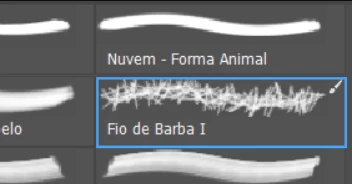
I want to save with this settings for example>>>
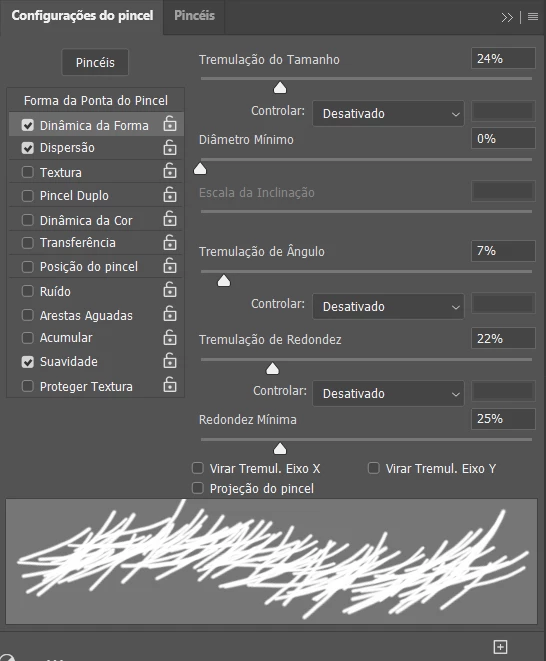
But if I don't click on ''+'', it always resets... And when I do so, it saves, but just to use as regular brush... 
 

このトピックへの返信は締め切られました。
解決に役立った回答 Trevor.Dennis

Hi Marcelo.  Creating a brush preset with settings is a two stage process.  As you have found, Defining the preset and adjusting some settings, does not last.  


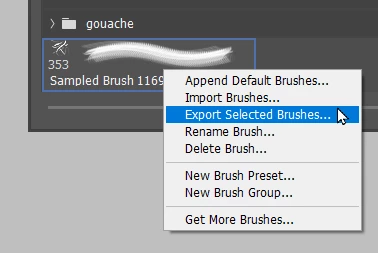
 You need to use New Brush Preset from the Brush Settings panel fly-out menu, and check Include Tool Settings.


Even then, the preset only exists in a Photoshop Settings file.  To keep it forever, and share it with others, you need to right click and Export the preset, or presets in a group.

The preset(s) will now be saved to the Brush Presets folder as an .abr file


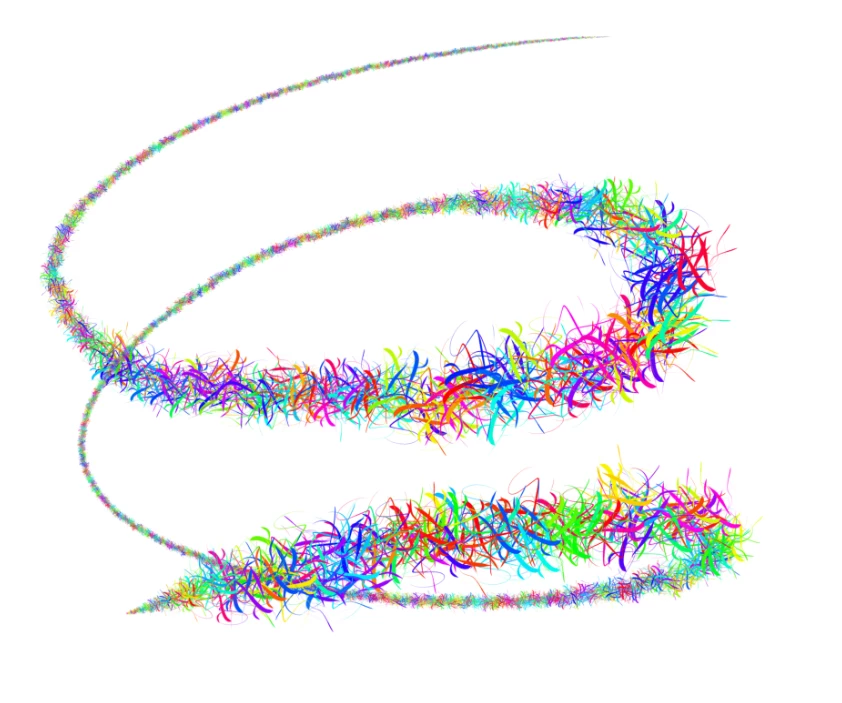
This is mainly 100% Angle and Hue Jitter, and size jitter set to pen pressure, and a tiny bit of scatter.

So it's quite a palaver. As Jack Reacher would say 'That's for damn sure!'


返信数 3

Trevor.Dennis
Community Expert
Trevor.DennisCommunity Expert解決!
Community Expert
June 14, 2024

Hi Marcelo.  Creating a brush preset with settings is a two stage process.  As you have found, Defining the preset and adjusting some settings, does not last.  


 You need to use New Brush Preset from the Brush Settings panel fly-out menu, and check Include Tool Settings.


Even then, the preset only exists in a Photoshop Settings file.  To keep it forever, and share it with others, you need to right click and Export the preset, or presets in a group.

The preset(s) will now be saved to the Brush Presets folder as an .abr file


This is mainly 100% Angle and Hue Jitter, and size jitter set to pen pressure, and a tiny bit of scatter.

So it's quite a palaver. As Jack Reacher would say 'That's for damn sure!'


Bojan Živković11378569
Community Expert
Community Expert
June 14, 2024

You can use any brush with any tool. To do this, activate the tool you wish to use, such as the Brush tool. Then, press Ctrl + Alt and click on the desired brush in the Brushes panel.

chrisg11235813
Participating Frequently
June 13, 2024

when you are using the eraser, can you change the shape to another brush shape?