


Inspiring
August 10, 2017
解決済み

Character spacing problem

  • August 10, 2017
  • 返信数 1.
  • 6525 ビュー

No matter which font I use the spacing when I type text in PS is always off.

The space between letters is too far, and if I decrease it and then use a space the letters start to overlap each other.
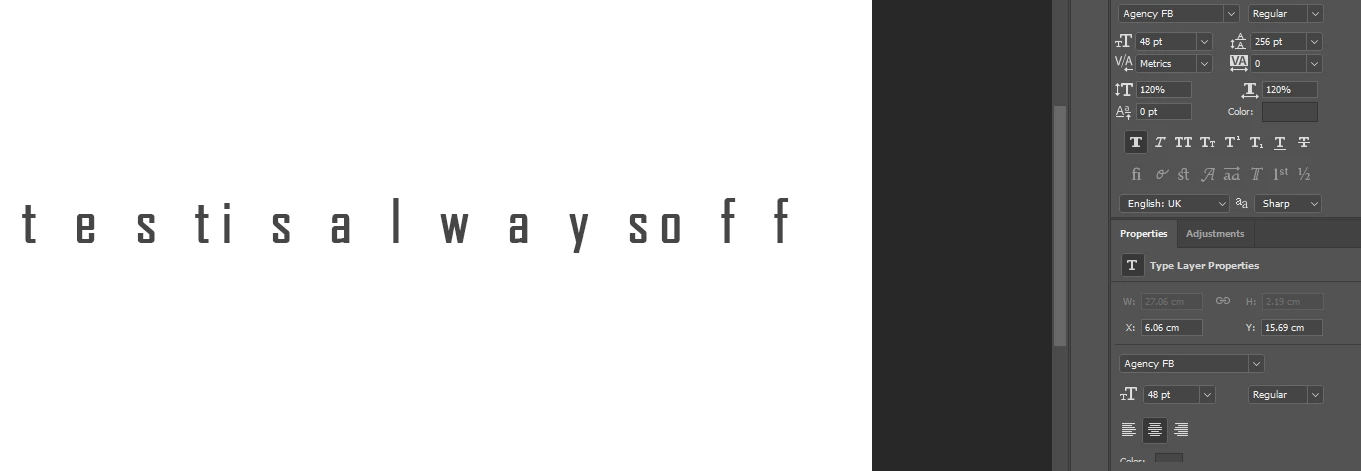
So if I then reduce the spacing between I get this overlapping problem.
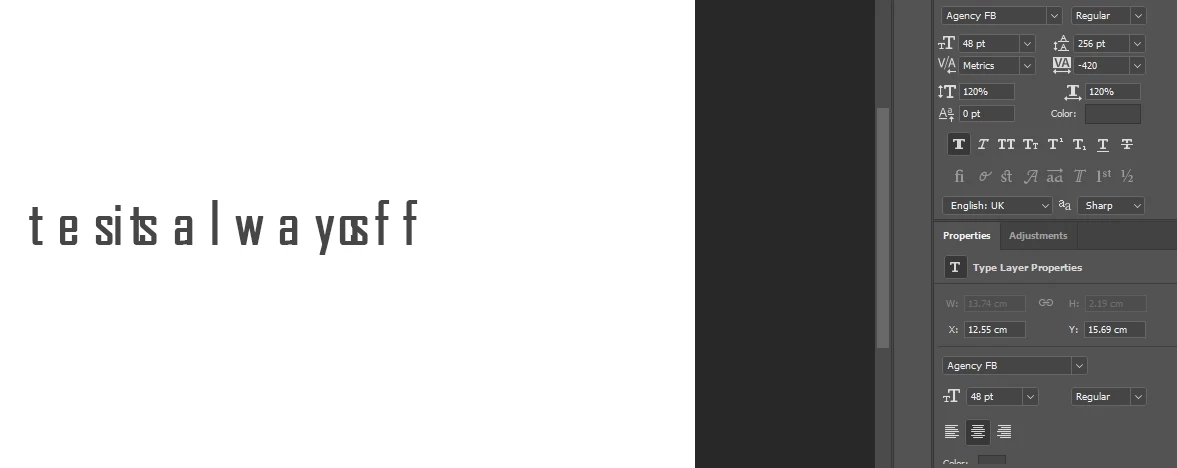
All I want to do is use any font and type normally, just as you can in any text editor, without the fuss over spacing.

If I enter lots of spaces between the letters, to try and even out the spacing, they start going backwards, no matter which text justification setting you have. This is driving me nuts now!

Any ideas what's wrong with my config?

Thanks

John

    このトピックへの返信は締め切られました。
    解決に役立った回答 johng71459820

    OK, an update. I fixed it.

    in cc2017 there is an option under Preferences, General to Reset Preferences on Quit.

    So I tried this, then opened the last PSD and the text was still a problem, so I reset the setting again and then just started a new file and now it's working perfectly fine.

    So the PSDs were also keeping the weird text problem.

    I just thought I'd share this in case any else has the same issue and wants to fix it.

    返信数 1

    davescm
    Community Expert
    Community Expert
    August 10, 2017

    Hi

    Have you tried going to the top right of the character panel and from the drop down menu choosing Reset Character ?

    Dave

    johng71459820作成者
    Inspiring
    August 10, 2017

    Yes, I've tried that, and loading default styles, it's any font too.

    This is only one 1 PC, my laptop works fine, so does anyone know if there's a settings file for PS that i can delete to reset my preferences?

    John

    johng71459820作成者解決!
    Inspiring
    August 10, 2017

    OK, an update. I fixed it.

    in cc2017 there is an option under Preferences, General to Reset Preferences on Quit.

    So I tried this, then opened the last PSD and the text was still a problem, so I reset the setting again and then just started a new file and now it's working perfectly fine.

    So the PSDs were also keeping the weird text problem.

    I just thought I'd share this in case any else has the same issue and wants to fix it.