Participant
February 7, 2023
解決済み

How to Get Rid of Data in a JPG File

  • February 7, 2023
  • 返信数 2.
  • 345 ビュー

I'm saving Photoshop files as JPGS, and it's showing information like Device Make, Device Model, and Exposure Time. How do I get rid of this?

このトピックへの返信は締め切られました。
解決に役立った回答 Kevin Stohlmeyer

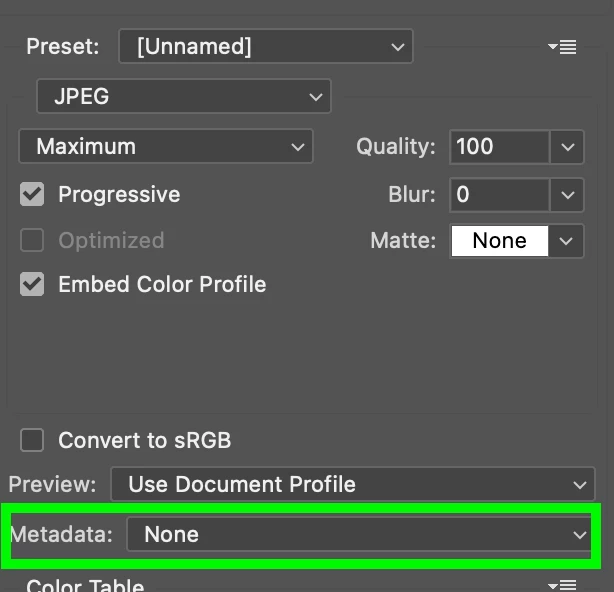
Use File >Export >Save for Web Legacy. That will allow you to strip out metadata.
 

返信数 2

Legend
February 8, 2023

Adobe doesn't have granular controls for stripping out EXIF (camera data). Using Save for Web can do so but may remove more data than you want. Try the different metadata settings to see if one of them works properly.

If not, the free EXIFTool software can do the job, or you can find a third-party utility to remove EXIF data as needed.

Kevin Stohlmeyer
Community Expert
Community Expert
February 7, 2023

Use File >Export >Save for Web Legacy. That will allow you to strip out metadata.


Participant
February 7, 2023

Thank you for your input. Saving this way seems to mess with my dimensions...

Kevin Stohlmeyer
Community Expert
Community Expert
February 8, 2023

This should have nothing to do with your dimensions unless you are scaling using the Image Size settings below. Make sure its 100%