


How to reduce number of colors in an image [2012]
I am fairly new to Photoshop and I'm learning as I go, so I apologize for using your time. I haven't worked with images that much - I've used MS Digital Image Suite with photos from my camera. That's the extent of my knowledge.
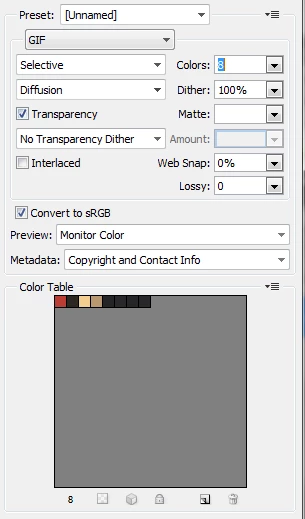
I am taking over a job from someone who is gone and I can't ask him how to do this. He used Photoshop to reduce the number of colors in an image (for example, a color drawing or clipart) to 2-6 colors. I haven't been able to figure this out. I've visited this site that explains how to reduce tones but it's still a lot of colors. I thought I might learn something from this link that explained how to make Photoshop cartoons, but I didn't. I've done a lot of searching but nothing seems to explain this. I know that the other guy had some knowledge of Photoshop but he wasn't a power user.
Thanks to anyone who will help me. (I am using CS5.)
 AdChoices