


michellet96261164
Participant
November 18, 2017
質問

Just Upgraded from CS6 to CC & Ps and Ai Keep Crashing Upon Opening

  • November 18, 2017
  • 返信数 1.
  • 308 ビュー

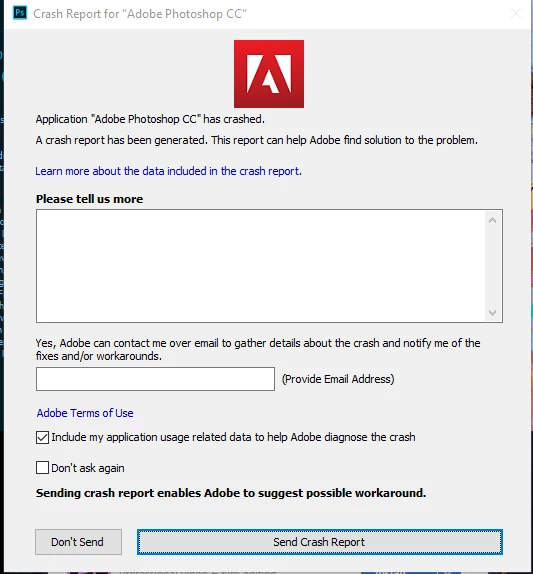
I have been running Adobe Cs6 off a PC for years now.  I just purchased a Macbook and Adobe CC. I downloaded CC on the Mac first, and am having zero issues with it. However, when I downloaded CC to my PC (Running Windows 10) Photoshop and Illustrator either send a crash report before completely opening, or one opened and I start using the application it immediately crashes and the below pops up.   Please help... I have uninstalled, reinstalled CC. I have uninstalled CS6 and then reinstalled CC, and to no avail... nothing has worked. Please HELP!!!
このトピックへの返信は締め切られました。

返信数 1

kglad
Community Expert
Community Expert
November 18, 2017
michellet96261164
Participant
November 18, 2017

This didn't work :[  It is now giving me this:

kglad
Community Expert
Community Expert
November 18, 2017

uninstall everything cc including preferences, https://helpx.adobe.com/creative-cloud/help/uninstall-remove-app.html

then uninstall the cc desktop app, https://helpx.adobe.com/creative-cloud/help/uninstall-creative-cloud-desktop-app.html

clean your computer of cc files per http://www.adobe.com/support/contact/cscleanertool.html

restart your computer (don't skip this)

reinstall the cc desktop app, https://creative.adobe.com/products/creative-cloud.

if you're unable to install the cc desktop app at this stage, use an administrator account (solution 3 here, https://helpx.adobe.com/creative-cloud/kb/creative-cloud-missing-damaged.html)

use the desktop app to install your cc programs/trials