


kathryne71307986
Participant
November 11, 2023
Question

NEF files opening looking much darker than the original in Camera Raw

  • November 11, 2023
  • 2 replies
  • 1086 views

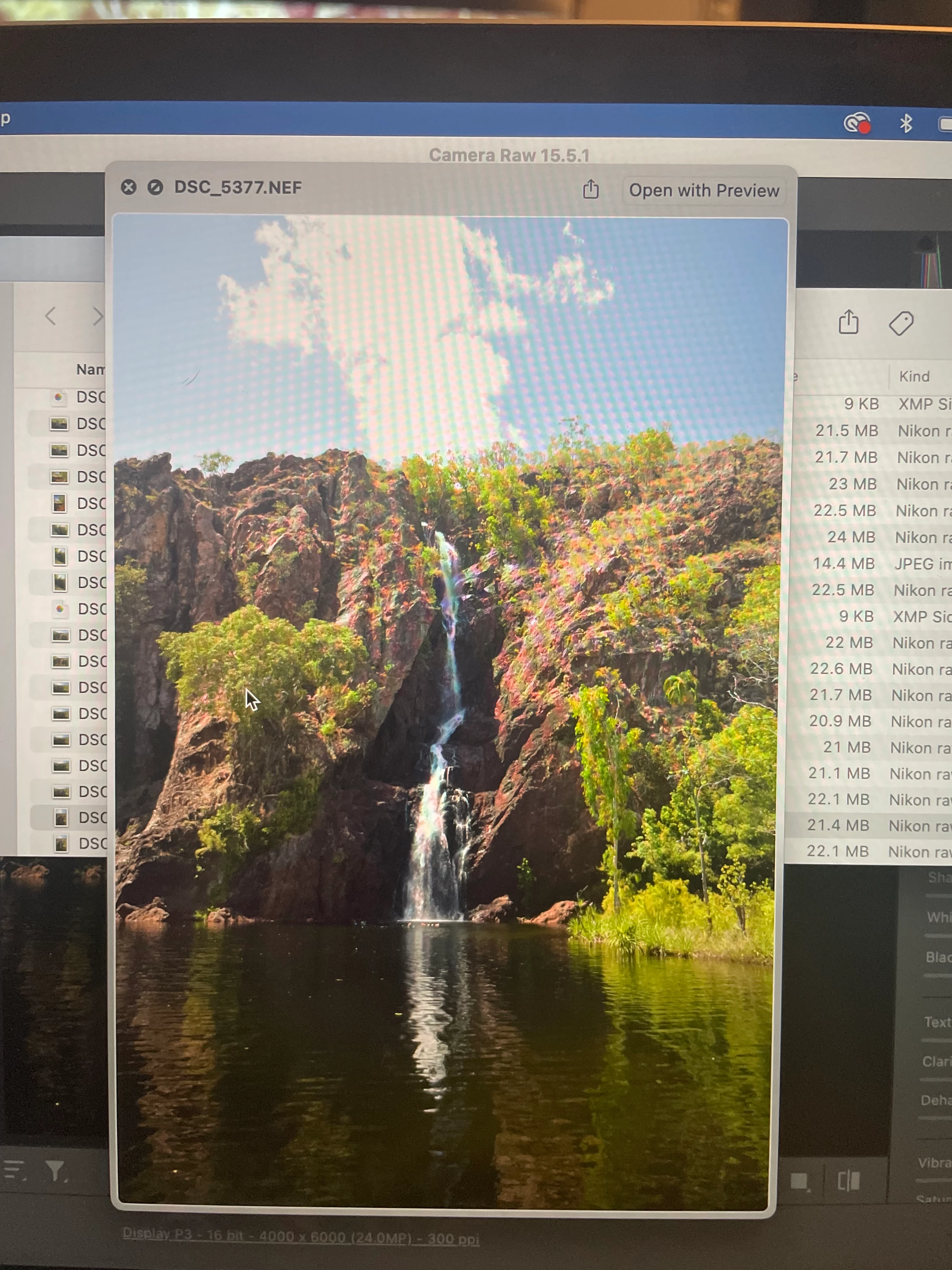
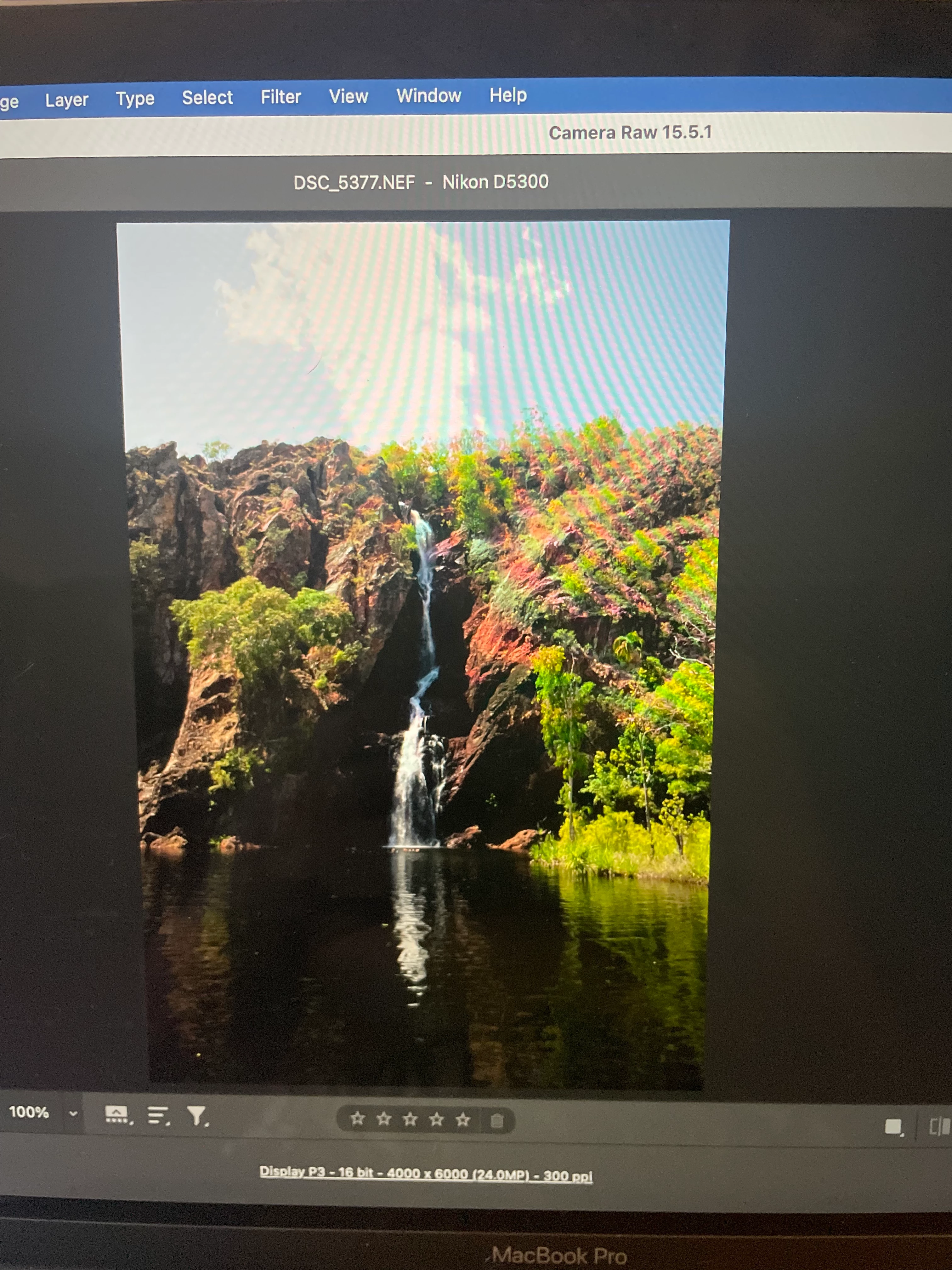
All of a sudden, when I open my original NEF files in Photoshop and it first opens in Camera Raw, the photo is coming up extremely dark compared to the original, making it harder to edit. They always used to be identical but now there is a noticeable darkness and I don't know if I've somehow hit a setting change somewhere??
This topic has been closed for replies.

2 replies

Trevor.Dennis
Community Expert
Community Expert
November 12, 2023

I doubt this is relevant, but just in case...  Years back there used to be problems with Nikon RAW files if they were first opened in Nikon Capture before they were opened in Camera RAW.  I am sure this was before Creative Cloud subscriptions became a thing, so well over ten years ago.

Stephen Marsh
Community Expert
Community Expert
November 11, 2023

The NEF is the original.


You are comparing apples (Preview) to oranges (ACR), they both have a default interpretation/rendering of the raw sensor data. I don't even know about Apple Preview, it may be using an embedded JPEG preview from the default Camera rendering and not even using the raw sensor data.


Another possibility is that you have a defective monitor profile.


kathryne71307986
Participant
November 11, 2023

It only just started doing this yesterday. I have a friend who uses a Mac and his images appear the same in Preview and Camera Raw so something has changed. I don't believe there's any issues with my monitor either.

Stephen Marsh
Community Expert
Community Expert
November 12, 2023

So something suddenly changed.  Change the monitor profile in your system settings to see if that has a bearing. Adobe apps are colour managed, so are sensitive to such things. Otherwise, have you updated Adobe apps or OS?