



Photoshop 2026 on my new 2026-MacBook Pro – strange numerical overlay stuck on screen until restart. Anyone seen this?
Hi everyone !
I'm using Adobe Photoshop 2026 through an Adobe Creative Cloud subscription on a new 16-inch MacBook Pro with an M5 Pro chip and 24 GB RAM.
I've been experiencing a strange issue where a small numerical overlay occasionally appears over my image and gets stuck on the screen.
This doesn't happen all the time, but when it does, the overlay won't disappear, and I have to restart Photoshop to get rid of it.
The overlay displays the following text (translated from Norwegian):
"Minimum: 1.00, Maximum: 300000.00"
I've attached here a screenshot taken when this happened on April 3, 2026.
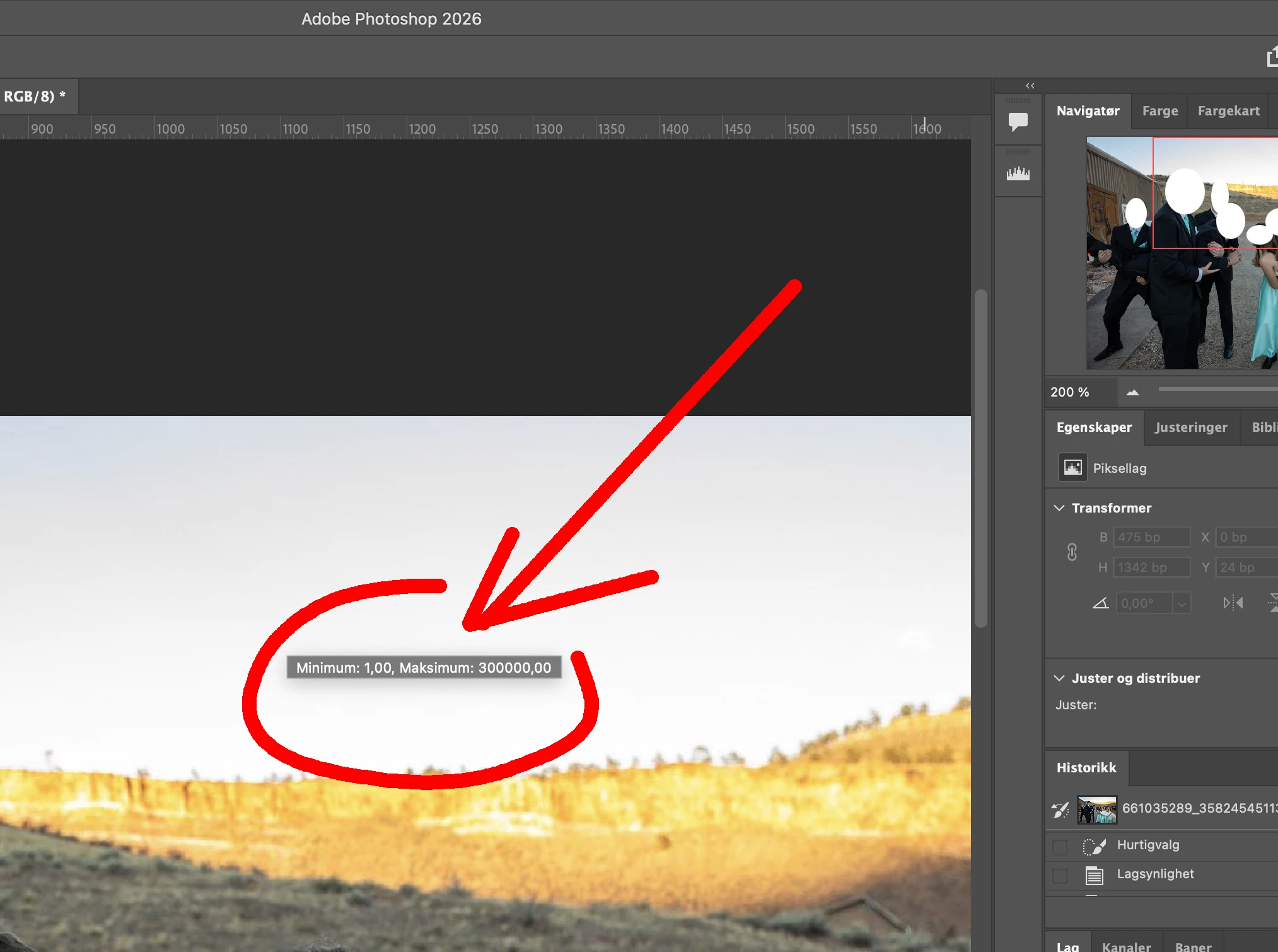
I've never experienced this particular behavior on my previous MacBook Pro (2019, Intel-based), or on the MacBook Pro M1 (2020) I'm currently using as a loaner.
I'm not assuming this is a hardware problem. I'm simply trying to understand what happened and whether it might be a known Photoshop issue.
A few questions:
-
Does anyone recognize this particular numerical overlay and know which Photoshop function it belongs to?
-
Has anyone experienced something similar in Photoshop 2026 on macOS ?
-
Could this be related to a known Photoshop interface or tooltip bug?
-
Is there a way to prevent this from happening again without restarting Photoshop ?
I'd appreciate any insights or suggestions. Thanks in advance ! :)
 AdChoices